


Asana—Jira Migration for Danish Company
A Copenhagen-based SaaS provider serving the restaurant industry migrated thousands of tasks, comments, attachments, and custom fields from Asana to Jira Cloud using Getint. The phased migration retained full project history and enabled continuous Asana usage during the transition. Product Operations Specialist Andreas noted how Getint saved time, preserved data integrity, and allowed uninterrupted work—even during migration.

Client Overview
- Danish SaaS company powering restaurant business operations
- Shifted from Asana to Jira Cloud for development and project management
- Migrated multiple projects and thousands of tasks with history
- Retained comments, attachments, custom fields, and contextual data
- Completed phased rollout over three months with no downtime
Scope of Work
Integration Objective

Data Integration Specifics
Issue Types:
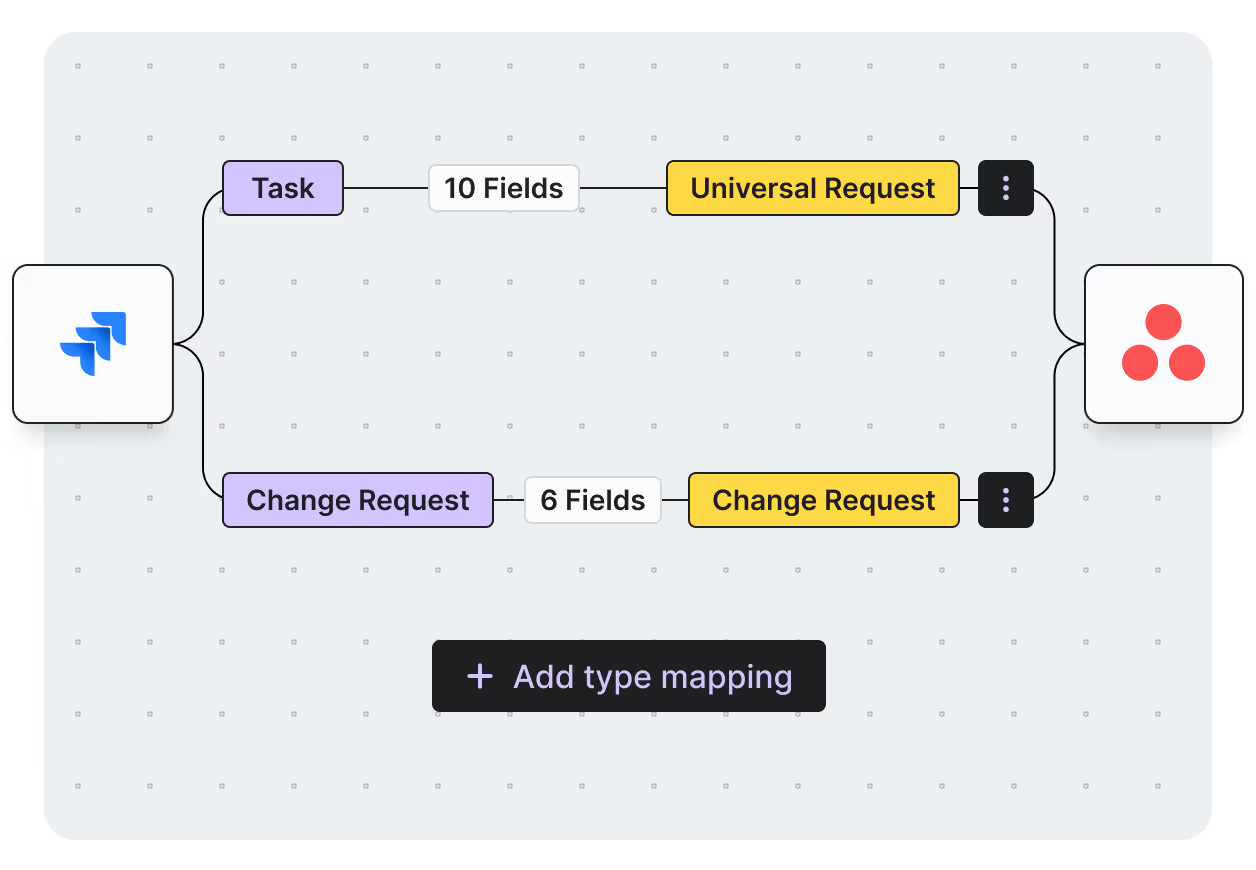
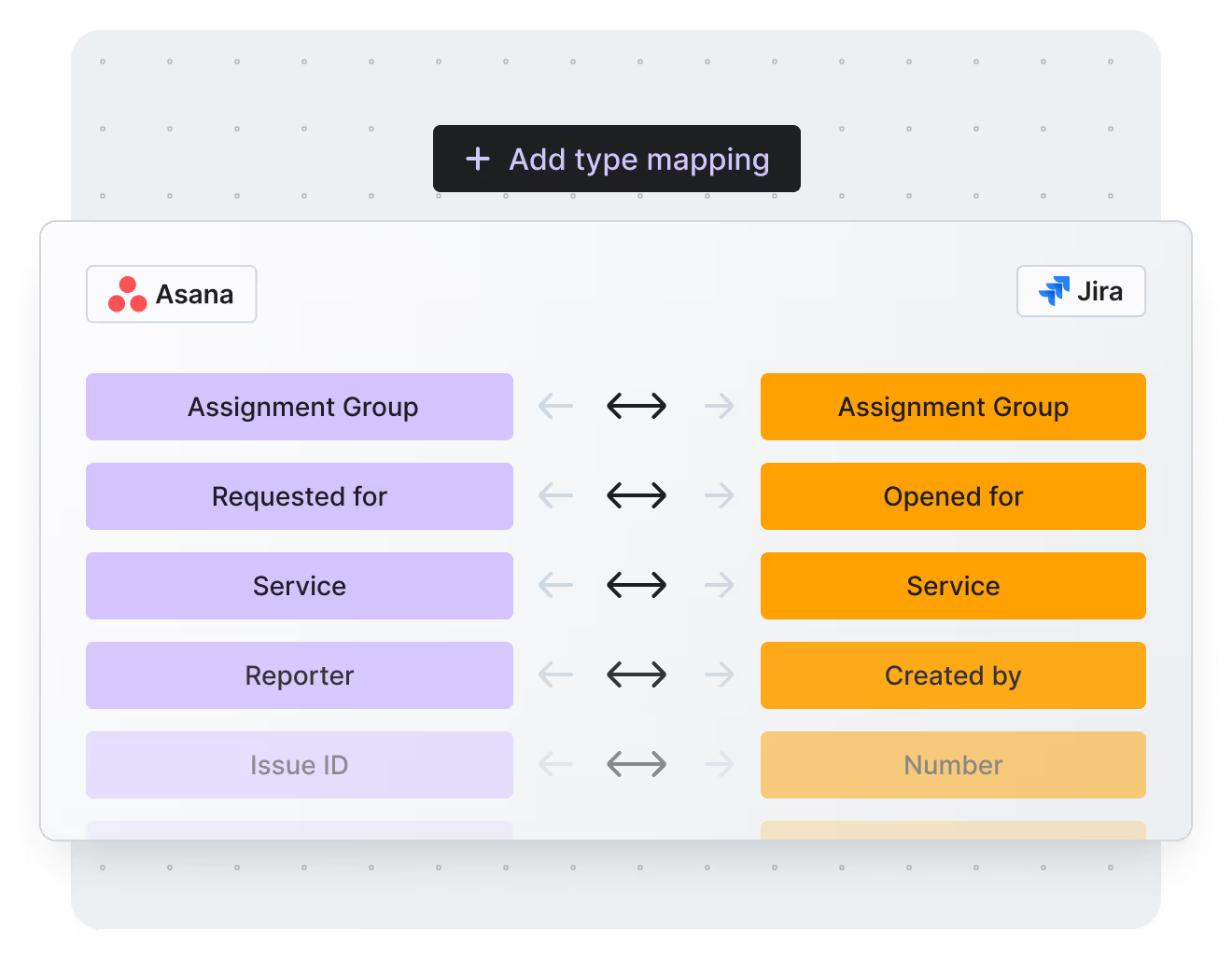
Field Mapping:
Scripting and Custom Development Support
Success Metrics
Vendor Selection Process
Why Getint Stood Out?
During the vendor selection process, Getint emerged as the preferred choice due to:
No need for an external hub, ensuring easier maintenance
Accessible for standard Jira administrators, with straightforward configuration
Set-and-forget functionality
Balanced pricing for the value delivered
Prompt and effective assistance during setup and troubleshooting
800 000 +
Active Users
5 000 +
Installations
3.8 / 4
Rating
7 mln
Integrations Daily
Our Certifications



What We Accomplished
Phased migration
of multiple Asana projects to Jira Cloud.
Preserved full context,
including custom fields and attachments.
Continued tool usage,
with no service disruptions.
Efficient timeline,
completed in under three months.
What Key Stakeholder Say

Conclusion


Schedule a Free Demo with our Integration Expert
Discover how seamless and efficient integrations can be with a personalized demo. Our expert will walk you through the process, tailor the session to your specific needs, and answer any questions you have about connecting your tools effectively.

Have questions?
We've got you!
Our comprehensive FAQ section addresses the most common inquiries about our integrations, setup process, pricing, and more - making it easy to find the answers you need quickly.
Can Asana integrate with Jira without migrating all project data?
Yes. Organizations can integrate Asana and Jira to synchronize tasks, comments, attachments, custom fields, and status updates in real time. This allows business teams to continue working in Asana while engineering teams work in Jira, without creating information silos.
Is migrating from Asana to Jira the only option for growing teams?
No. Many organizations choose integration instead of migration. While some teams fully migrate to Jira, others keep Asana and connect it with Jira or other platforms to support different workflows across departments.
What data can be migrated from Asana to Jira?
A complete migration can include tasks, subtasks, comments, attachments, assignees, custom fields, project structures, and historical data. This helps teams preserve context and maintain continuity after moving to Jira.
Can Asana integrate with tools other than Jira?
Absolutely. Asana can be connected with many enterprise platforms, including Azure DevOps, Salesforce, ServiceNow, Monday.com, ClickUp, GitHub, GitLab, and other project management, CRM, and development tools. These integrations help organizations align teams without forcing everyone onto a single platform.
When should a company choose integration instead of migration?
Integration is often the better choice when different departments rely on different tools. For example, marketing teams may prefer Asana, development teams may use Azure DevOps or Jira, and sales teams may work in Salesforce. Integrating these platforms enables seamless collaboration while allowing each team to continue using the tools that fit their workflows best.
Experience a smarter way to integrate & synchronize.



















