
HubSpot-HubSpot Integration - Sync Multiple HubSpot Accounts
Connect separate HubSpot accounts with Getint's no-code integration. Sync contacts, companies, deals, tickets, and other supported CRM data in one or both directions — reducing manual updates and keeping teams aligned across HubSpot business operations.
Sync
Hubspot
-
Hubspot
Simple, Seamless, Effective
Integration
This integration bridges two leading project management tools, empowering both internal and external teams to collaborate by merging data seamlessly across platforms.
to establish a robust integration that synchronizes data and maintains workflows efficiently.
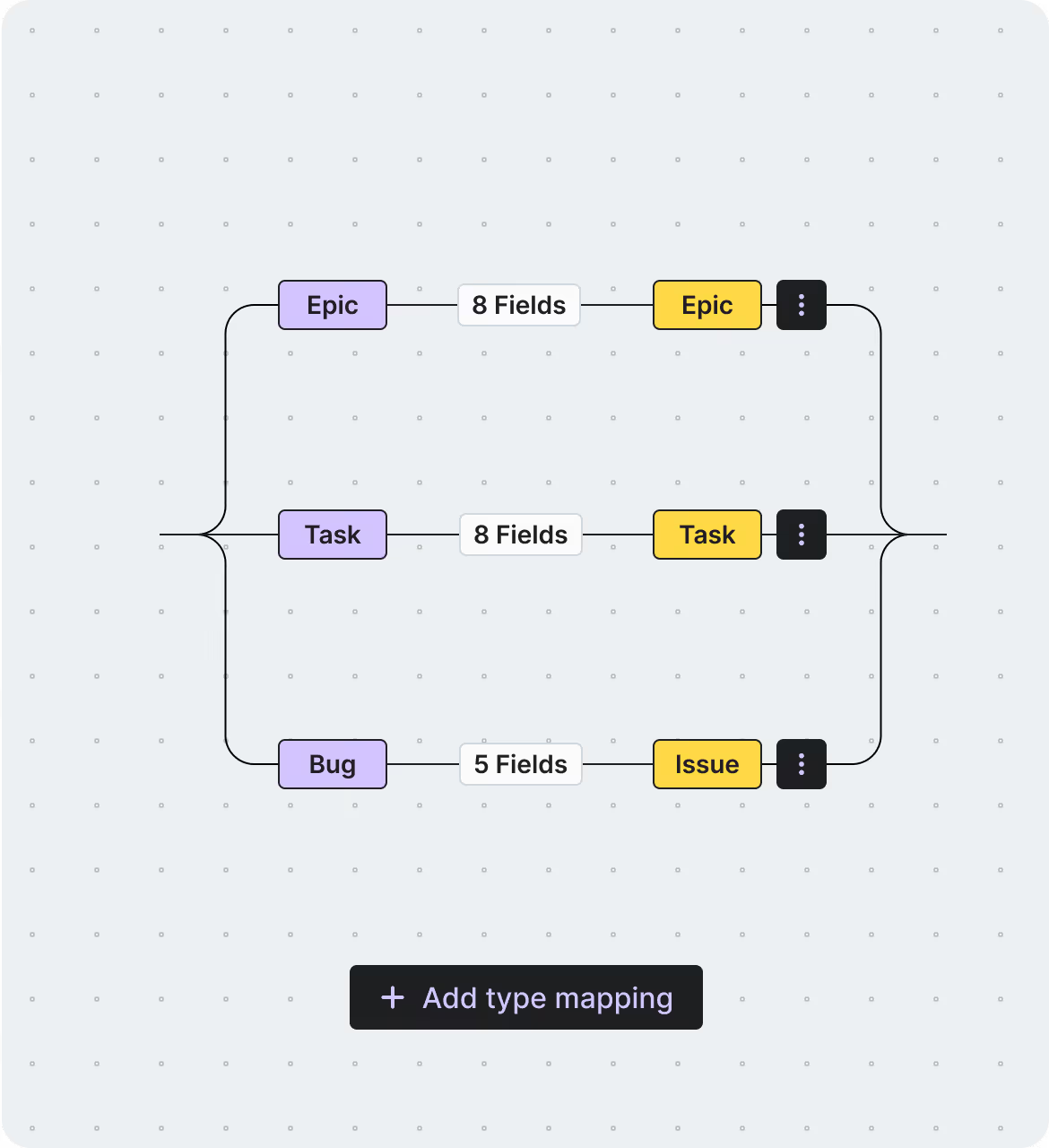
Experience comprehensive integration as you sync issues, work items, bugs, and epics
while customizing with fields, attachments, statuses, and assignees.
Smoothly migrate between tools
without losing data, ensuring a successful migration.
Our Certifications



Partnerships





Seamless
Hubspot
-
Hubspot
Sync
2-way Sync
Maintain a single source of truth with automatic cross-platform updates.
SaaS / On-Premise
Choose cloud or on-premise deployment to meet compliance and security standards.
Advanced Filtering
Sync only the most relevant data, reducing clutter and complexity.
Auto Mapping
Reduce manual work with automated field mapping for a consistent data structure.
Reporting with Logs
Receive instant alerts to quickly identify and resolve integration issues.
Enterprise Security
Protect sensitive data and maintain compliance with enterprise-grade security.
Fair Pricing
We believe in offering a pricing model that prioritizes transparency, fairness, and value for our users. Our approach ensures that you only pay for what you truly need, without unnecessary extras or hidden surprises.
Pay just for one app
fixed fee you can trust—pay for a connection, no surprises.
No hidden costs
ensuring completely transparent, predictable pricing.
Unlimited usage
of fields and projects at no extra charge.
Fair migration cost
based on the number of events, not company size, ensuring fairness for all organizations.
Schedule a Free Demo with our Integration Expert
Discover how seamless and efficient integrations can be with a personalized demo. Our expert will walk you through the process, tailor the session to your specific needs, and answer any questions you have about connecting your tools effectively.
Sync Contacts, Deals, and Tickets Between HubSpot Accounts
Getint supports the integration of all major fields.
What makes Getint your Go–To Integration Solution?
Seamless, secure, and scalable - Getint is trusted by enterprises worldwide to handle even the most complex integration needs. Whether you're syncing teams post-merger or streamlining your workflows across tools, we're here to make it easy.
Clear Pricing – No surprises!
Enterprise–Grade Security
Dedicated, In–House support!
Custom Integrations for any Challenge!
Quick Setup, Seamless Experience
Hear what our happy Clients
& Partners say
Our clients and partners are at the heart of everything we do. Their success stories and positive feedback speak volumes about the value and reliability of our integration solutions. Here's what they have to say:
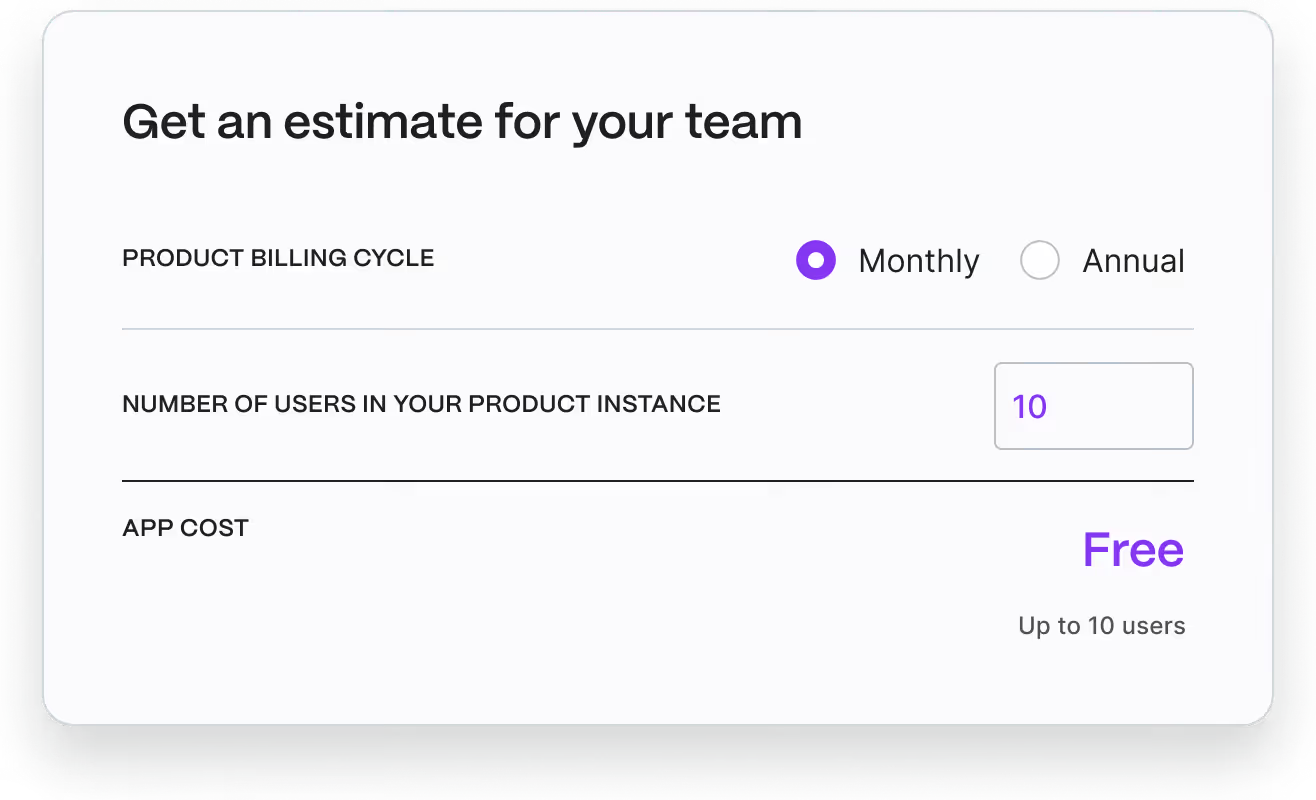
Check Pricing Tailored to Your Team
Finding the perfect plan for your team is easy! Our pricing is designed to fit organizations of all sizes and needs. Visit the Atlassian Marketplace to explore detailed pricing options and choose the plan that’s right for your workflow.
HubSpot — HubSpot Integration
Check out our comprehensive documentation and discover how to unify your issue tracking and development workflows, enhance team efficiency, and streamline your project delivery



HubSpot <-> HubSpot Migration
Planning to migrate data between HubSpot accounts? Getint helps transfer supported contacts, companies, deals, tickets, and mapped properties while maintaining data integrity and important customer context. Simplify CRM consolidation, account transitions, and organizational changes without unnecessary manual work.
Seamless
Hubspot
-
Hubspot
Sync
Every integration tells a story of improved workflows, enhanced collaboration, and organizational growth. Explore how businesses across industries have leveraged our solutions to overcome challenges, optimize processes, and achieve remarkable results.
Have questions?
We've got you!
Our comprehensive FAQ section addresses the most common inquiries about our integrations, setup process, pricing, and more - making it easy to find the answers you need quickly.
How to connect and synchronize two HubSpot accounts?
You can connect two separate HubSpot accounts using Getint's no-code integration platform. Start by connecting HubSpot environments, granting the necessary access, and configuring which records and properties should synchronize between them.
Getint supports one-way and two-way synchronization, allowing you to control whether updates move from one HubSpot account to another or in both directions. You can configure field mappings, filters, and automated workflows to match your business operations without developing custom integrations through the HubSpot API.
Before enabling the integration, test a small set of records to confirm that the synchronization works as expected.
What data can I sync between separate HubSpot accounts?
Third- party applications like Getint allows businesses to sync records and properties between two HubSpot environments.
Depending on your configuration, synchronized data can include:
- HubSpot contacts: Single contact syncs, customer details, and supported custom properties.
- Companies: Company records and related business information.
- HubSpot deals: Deal details, pipeline stages, and other supported sales information.
- Tickets: Customer support requests, statuses, and relevant updates.
- Custom fields: Additional HubSpot properties mapped between the connected accounts.
For example, when sales teams work in separate HubSpot accounts, the integration can help maintain consistent contact records and customer information across both systems. This supports contact management, sales engagement, and collaboration without repeatedly transferring data manually. Teams can work more efficiently, closing more deals and improving conversion rates.
Can I automate updates between HubSpot accounts without creating duplicate records?
Getint helps automate data synchronization between HubSpot accounts, eliminating manual data entry and the risk of inconsistencies caused by repetitive updates.
Once corresponding records are linked, changes to supported fields can synchronize between the connected accounts according to your configuration. For example, updating contact information or a mapped deal stage in one account can trigger a corresponding update in the other, and vice versa.
To maintain data quality, teams should review existing records, define synchronization rules, and test how the integration handles record creation and updates. Duplicate prevention requires careful configuration, particularly when both accounts already contain overlapping customer data.
Getint also provides logs and monitoring capabilities to help identify sync errors and troubleshoot integration issues.
Why should businesses integrate multiple HubSpot accounts?
Businesses may use separate HubSpot CRM accounts for different departments, regional teams, subsidiaries, or acquired companies. Without an integration, customer information can become fragmented, creating additional manual work and missed opportunities for collaboration.
Connecting these environments can help organizations:
- Improve data quality: Maintain more consistent HubSpot contacts, companies, and deal information.
- Support sales and marketing teams: Share relevant customer interactions and sales process updates between business units.
- Reduce manual work: Automate repetitive CRM data entry and synchronization tasks.
- Improve visibility: Give teams access to relevant customer information without requiring everyone to work in one HubSpot account.
- Support business goals: Make more informed decisions using consistent CRM data across teams.
For organizations managing lead generation, marketing efforts, and sales activities across separate accounts, synchronized information can support more coordinated workflows and better customer experiences. Getint also enables Hubspot Salesforce integration when it comes to syncing other CRM platforms.
Is HubSpot-to-HubSpot integration secure, and how does Getint pricing work?
Getint supports secure HubSpot CRM integrations with ISO/IEC 27001 and ISO/IEC 27018 certifications, SOC 2 Type II attestation, and GDPR-aligned data protection practices.
Organizations can choose between SaaS and On-Premises deployment options. Configurable field mappings, filters, and synchronization settings also help control which HubSpot data moves between accounts.
Getint uses connection-based pricing rather than charging per user. A connection links two systems, and the licensing model supports unlimited users. This makes it easier to plan integration costs as more sales reps, marketing teams, and other employees work with synchronized CRM records.
Businesses can explore Getint's pricing options or book a demo to discuss their integration requirements, including more complex workflows involving multiple HubSpot accounts.

Our Latest News & Updates
Stay ahead with insights, comparisons, and integration guides from the Getint team. Explore expert advice and practical how-tos to help your team simplify workflows and scale with confidence.