

Jira-GitLab Integration - Connect Planning and Development
Create seamless Jira Software and GitLab integration with Getint in just 5 minutes. Friendly no-code UI, auto-mapping, and flexible one-way or two-way sync help development teams connect Jira and GitLab, reduce context switching, and keep development activity aligned.
Sync
Jira
-
GitLab
Simple, Seamless, Effective
Integration
This integration bridges two leading project management tools, empowering both internal and external teams to collaborate by merging data seamlessly across platforms.
to establish a robust integration that synchronizes data and maintains workflows efficiently.
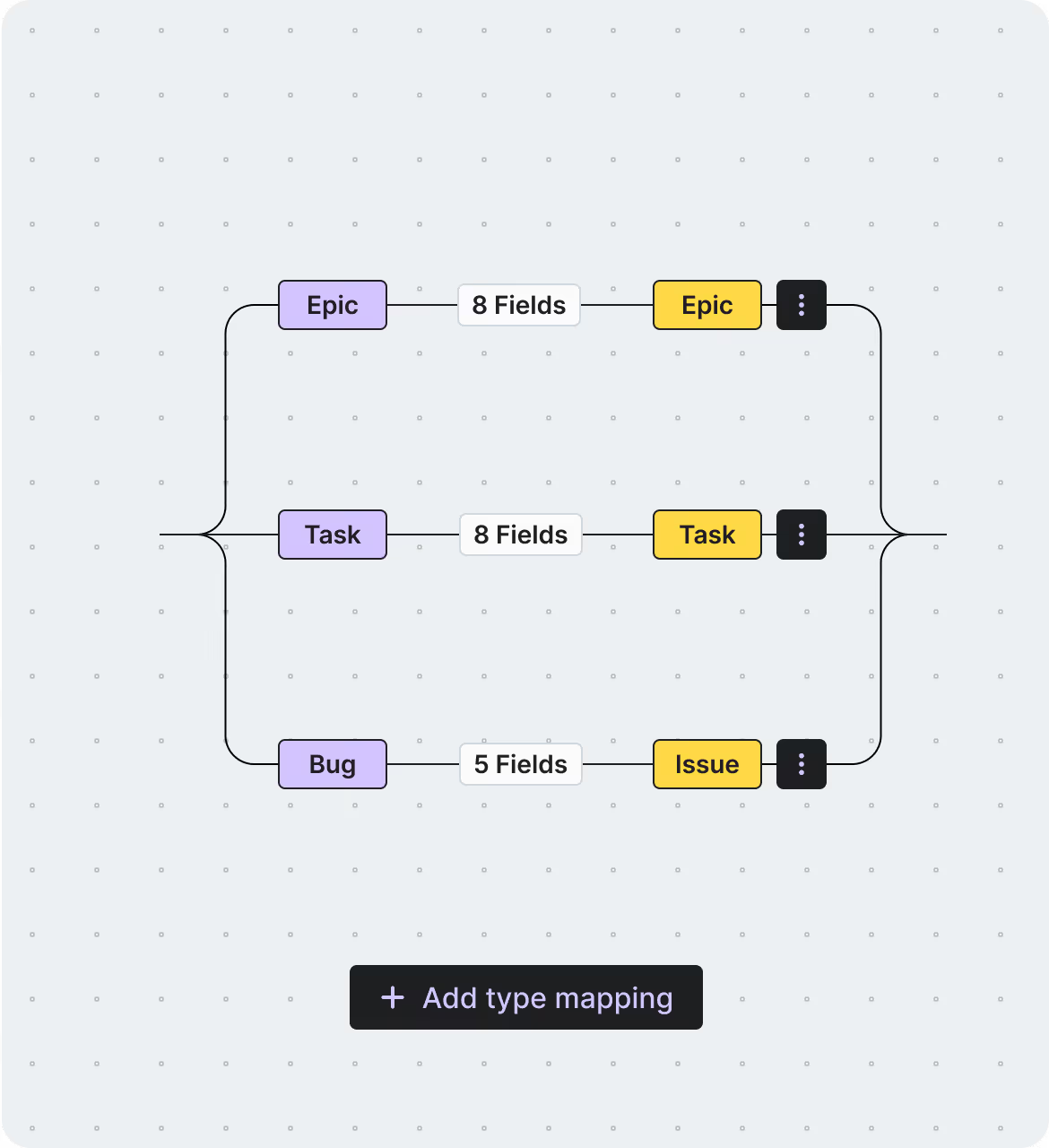
Experience comprehensive integration as you sync issues, work items, bugs, and epics
while customizing with fields, attachments, statuses, and assignees.
Smoothly migrate between tools
without losing data, ensuring a successful migration.
Our Certifications



Partnerships





Seamless
Jira
-
GitLab
Sync
2-way Sync
Maintain a single source of truth with automatic cross-platform updates.
SaaS / On-Premise
Choose cloud or on-premise deployment to meet compliance and security standards.
Advanced Filtering
Sync only the most relevant data, reducing clutter and complexity.
Auto Mapping
Reduce manual work with automated field mapping for a consistent data structure.
Reporting with Logs
Receive instant alerts to quickly identify and resolve integration issues.
Enterprise Security
Protect sensitive data and maintain compliance with enterprise-grade security.
Fair Pricing
We believe in offering a pricing model that prioritizes transparency, fairness, and value for our users. Our approach ensures that you only pay for what you truly need, without unnecessary extras or hidden surprises.
Pay just for one app
fixed fee you can trust—pay for a connection, no surprises.
No hidden costs
ensuring completely transparent, predictable pricing.
Unlimited usage
of fields and projects at no extra charge.
Fair migration cost
based on the number of events, not company size, ensuring fairness for all organizations.
Schedule a Free Demo with our Integration Expert
Discover how seamless and efficient integrations can be with a personalized demo. Our expert will walk you through the process, tailor the session to your specific needs, and answer any questions you have about connecting your tools effectively.

Turn Your GitLab issues into Jira work items
Getint supports the integration of all major fields.
What makes Getint your Go–To Integration Solution?
Seamless, secure, and scalable - Getint is trusted by enterprises worldwide to handle even the most complex integration needs. Whether you're syncing teams post-merger or streamlining your workflows across tools, we're here to make it easy.
Clear Pricing – No surprises!
Enterprise–Grade Security
Dedicated, In–House support!
Custom Integrations for any Challenge!
Quick Setup, Seamless Experience
Jira
-
GitLab
Integration
Ready to simplify your workflows? Try connector on the Atlassian Marketplace and experience seamless integration between your tools. Start your 30-day free trial today and see the difference!

GitLab Integration for Jira (GitLab Connector 2-Way Sync)
Hear what our happy Clients
& Partners say
Our clients and partners are at the heart of everything we do. Their success stories and positive feedback speak volumes about the value and reliability of our integration solutions. Here's what they have to say:
Check Pricing Tailored to Your Team
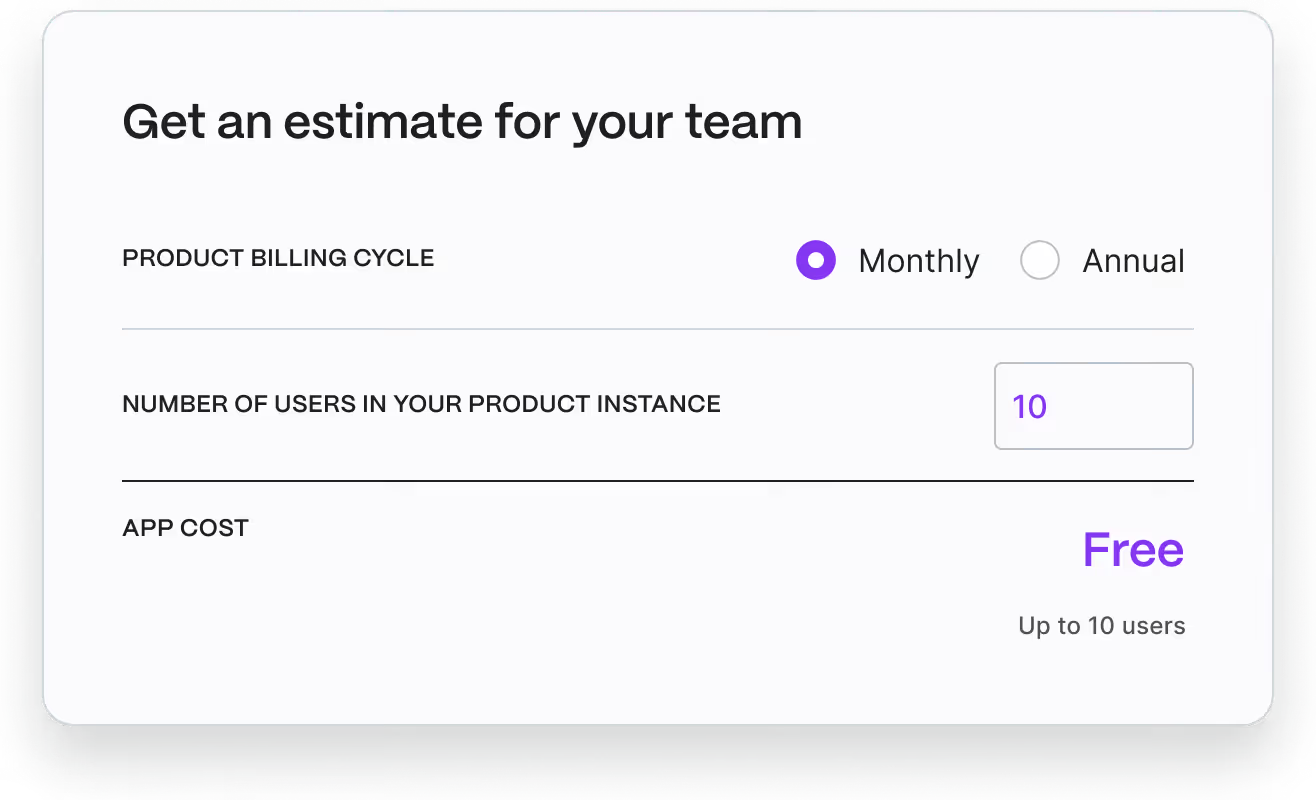
Finding the perfect plan for your team is easy! Our pricing is designed to fit organizations of all sizes and needs. Visit the Atlassian Marketplace to explore detailed pricing options and choose the plan that’s right for your workflow.
GitLab — Jira Software Integration
Check out our comprehensive documentation and discover how to unify your issue tracking and development workflows, enhance team efficiency, and streamline your project delivery



GitLab <-> Jira Software Migration
Need a tool that will help you migrate GitLab to Jira Software? Getint enables seamless migration between GitLab and Jira Software so teams can move projects, preserve development activity, and maintain full traceability throughout the transition. By connecting GitLab and Jira, organizations can streamline workflows, reduce context switching, and accelerate project delivery without losing important project data.
Have questions?
We've got you!
Our comprehensive FAQ section addresses the most common inquiries about our integrations, setup process, pricing, and more - making it easy to find the answers you need quickly.
Can I integrate Jira Cloud with GitLab for both cloud and self-managed projects?
Yes. With Getint, you can integrate Jira Cloud, Jira Data Center, and Jira Server with GitLab, including GitLab self-managed instances. This GitLab Jira integration allows teams to connect their Jira site and GitLab project seamlessly, no matter the hosting type. Both GitLab and Jira users can work together by linking commits, branches, smart commits, GitLab merge requests, and pull requests directly to Jira issues, helping development teams reduce context switching and keep development activity visible.
How do I enable GitLab Jira integration between a Jira instance and GitLab project?
To enable integration, connect your Jira site URL and host URL with GitLab through Getint’s no-code configuration. Simply create a new integration, generate an API token, and paste it into the client configuration screen. You can then select test settings to validate your connection and authorize access using the authorization endpoint and token endpoint. Once your Jira instance and GitLab project are securely linked, you can select apps, configure Jira integration rules, and start syncing development activity.
What Jira issue data and GitLab development activity can be synced?
Getint supports two-way sync of Jira issues, including statuses, comments, attachments, and selected fields. You can also link commit messages, branch names, smart commits, pull requests, and each GitLab merge request from GitLab so developers and project managers share the same view. By enabling comments and commit tracking, Jira users can see code changes in the Jira development panel without leaving their Jira site, while GitLab users get visibility into Jira workflows.
Can I integrate a GitLab self-managed instance with multiple Jira sites or Jira Data Center?
Yes. You can integrate GitLab self-managed instances with more than one Jira site, Jira instance, or Jira Data Centerenvironment. This is useful for enterprises managing distributed teams, multiple projects, or several GitLab projects across departments. With OAuth authentication, you’ll configure the application ID, client secret, redirect URI, authorization endpoint, and token endpoint once, then expand integrations across groups while keeping access, permissions, and Jira integration settings under control.
How secure is the GitLab Jira integration with Getint?
Security is a priority. Getint’s app is ISO 27001 and SOC 2 Type II certified, GDPR compliant, and Cloud Fortified in the Atlassian Marketplace. OAuth is used for authentication, ensuring that your user account credentials, client configuration, and API tokens are never exposed. Write access is granted only when necessary, and admins can configure permissions to match team and project needs. This gives development teams a secure way to connect GitLab for Jira workflows while protecting project data and maintaining enterprise compliance.

Our Latest News & Updates
Stay ahead with insights, comparisons, and integration guides from the Getint team. Explore expert advice and practical how-tos to help your team simplify workflows and scale with confidence.