

Jira-Airtable Integration - Sync Dev and Business Teams Automatically
Connect Airtable and Jira with Getint in minutes. No code, no manual copy-pasting, no stale spreadsheets. Get a true two-way integration between Jira Cloud, Jira Server, and Jira Data Center — so your engineering team and your product, ops, or marketing team always see the same picture.
Sync
Jira
-
Airtable
Simple, Seamless, Effective
Integration
This integration bridges two leading project management tools, empowering both internal and external teams to collaborate by merging data seamlessly across platforms.
to establish a robust integration that synchronizes data and maintains workflows efficiently.
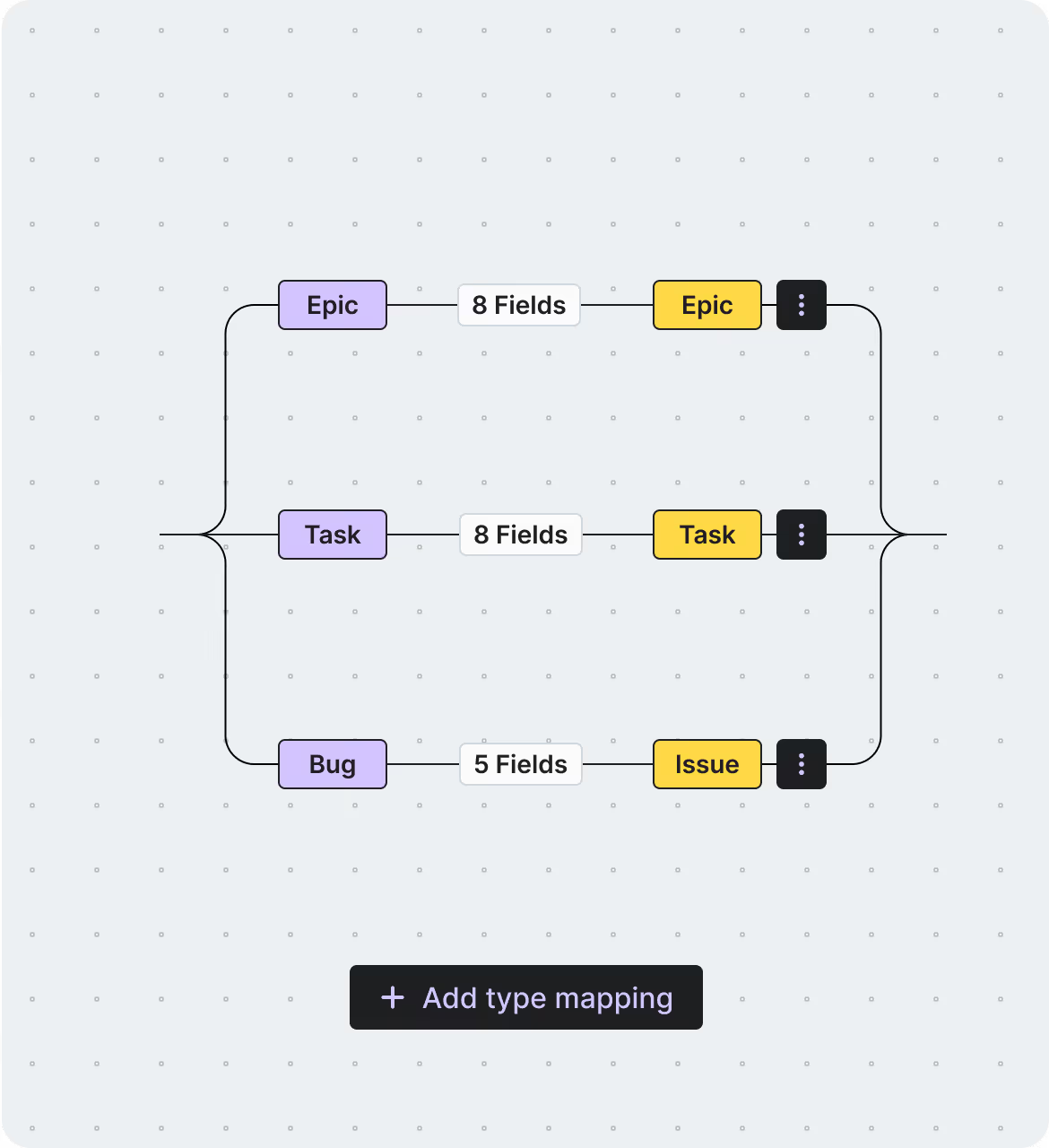
Experience comprehensive integration as you sync issues, work items, bugs, and epics
while customizing with fields, attachments, statuses, and assignees.
Smoothly migrate between tools
without losing data, ensuring a successful migration.
Our Certifications



Partnerships





Seamless
Jira
-
Airtable
Sync
2-way Sync
Maintain a single source of truth with automatic cross-platform updates.
SaaS / On-Premise
Choose cloud or on-premise deployment to meet compliance and security standards.
Advanced Filtering
Sync only the most relevant data, reducing clutter and complexity.
Auto Mapping
Reduce manual work with automated field mapping for a consistent data structure.
Reporting with Logs
Receive instant alerts to quickly identify and resolve integration issues.
Enterprise Security
Protect sensitive data and maintain compliance with enterprise-grade security.
Fair Pricing
We believe in offering a pricing model that prioritizes transparency, fairness, and value for our users. Our approach ensures that you only pay for what you truly need, without unnecessary extras or hidden surprises.
Pay just for one app
fixed fee you can trust—pay for a connection, no surprises.
No hidden costs
ensuring completely transparent, predictable pricing.
Unlimited usage
of fields and projects at no extra charge.
Fair migration cost
based on the number of events, not company size, ensuring fairness for all organizations.
Schedule a Free Demo with our Integration Expert
Discover how seamless and efficient integrations can be with a personalized demo. Our expert will walk you through the process, tailor the session to your specific needs, and answer any questions you have about connecting your tools effectively.

Sync Jira work items with Airtable records
Getint supports the integration of all major fields.
What makes Getint your Go–To Integration Solution?
Seamless, secure, and scalable - Getint is trusted by enterprises worldwide to handle even the most complex integration needs. Whether you're syncing teams post-merger or streamlining your workflows across tools, we're here to make it easy.
Clear Pricing – No surprises!
Enterprise–Grade Security
Dedicated, In–House support!
Custom Integrations for any Challenge!
Quick Setup, Seamless Experience
Jira
-
Airtable
Integration
Ready to simplify your workflows? Try connector on the Atlassian Marketplace and experience seamless integration between your tools. Start your 30-day free trial today and see the difference!

Airtable Integration for Jira (Airtable Connector)
Hear what our happy Clients
& Partners say
Our clients and partners are at the heart of everything we do. Their success stories and positive feedback speak volumes about the value and reliability of our integration solutions. Here's what they have to say:
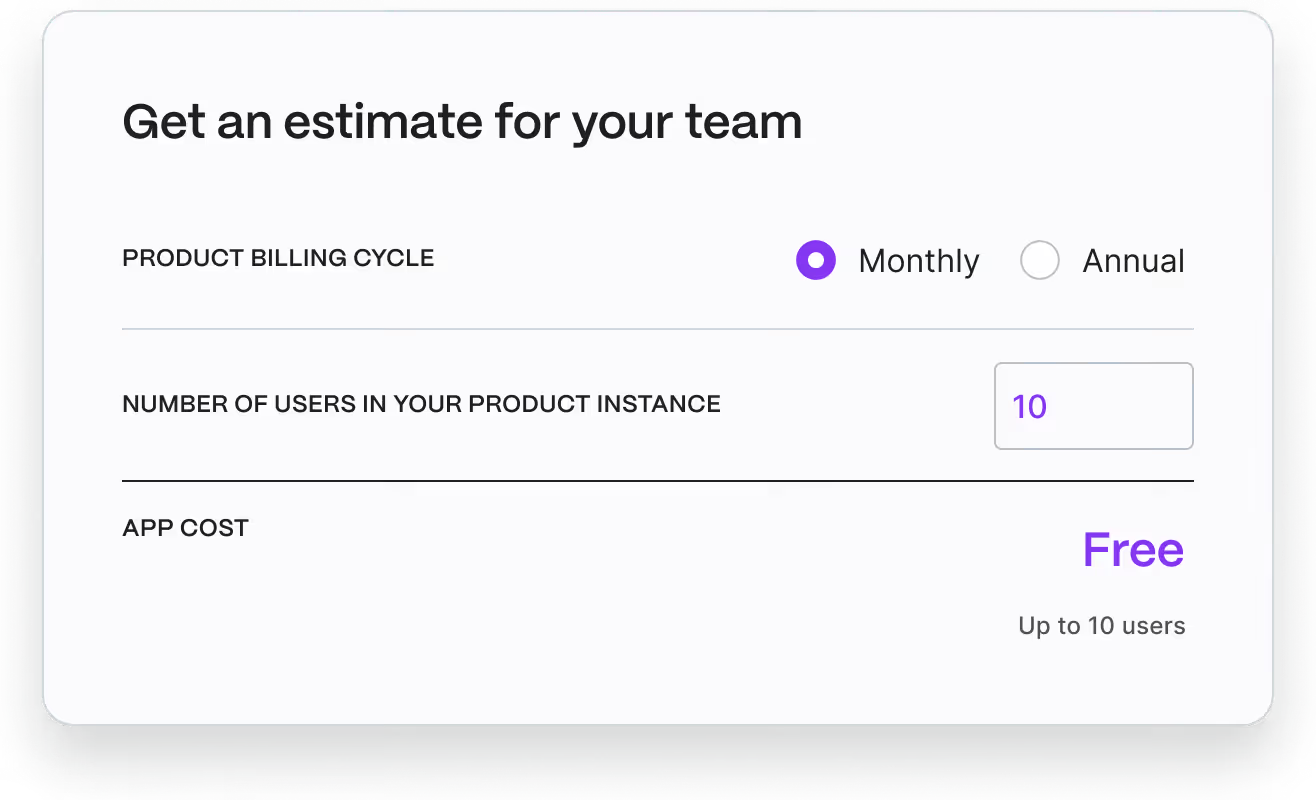
Check Pricing Tailored to Your Team
Finding the perfect plan for your team is easy! Our pricing is designed to fit organizations of all sizes and needs. Visit the Atlassian Marketplace to explore detailed pricing options and choose the plan that’s right for your workflow.
Airtable <-> Jira Integration
Check out our comprehensive documentation and discover how to unify your issue tracking and development workflows, enhance team efficiency, and streamline your project delivery


Airtable <-> Jira Software Migration
Need to move data between Airtable and Jira rather than keep them in ongoing sync? Getint supports full migration in both directions — from Airtable to Jira and from Jira to Airtable. Migrate Jira issues into a new Airtable base with all custom fields, comments, and attachments intact, or push Airtable records into Jira as structured work items without manual data entry or copy-pasting.
Have questions?
We've got you!
Our comprehensive FAQ section addresses the most common inquiries about our integrations, setup process, pricing, and more - making it easy to find the answers you need quickly.
Does Jira integrate with Airtable?
Yes — with Getint you can set up a Jira Airtable integration that connects your Jira instance with your Airtable base in a true two-way integration. Updates flow automatically in both directions: new Airtable records create new Jira issues, and Jira status changes sync back to the linked Airtable record. Getint supports Jira Cloud, Jira Server, and Jira Server Data Center, and syncs custom fields, comments, attachments, assignees, and status — far beyond what the native airtable sync integration offers on Airtable Business plans.
Can Airtable replace Jira?
Airtable and Jira are built for different types of work. Jira is designed for software development, agile sprint management, and structured issue tracking. Airtable excels as a flexible relational database for product roadmaps, intake forms, and cross-functional reporting. Most product teams use airtable and jira together rather than choosing one over the other — which is exactly why the airtable jira integration is so common. With Getint, each team works in the tool that fits them, and the data stays in sync automatically.
How do I import from Airtable to Jira?
With Getint's Jira-Airtable integration, you can automatically import Airtable records into Jira without manual copy-pasting. Connect your Jira account and Airtable base, map your fields (including custom fields), choose filters to define which records should sync, and activate. New Airtable records trigger the creation of new Jira issues with all mapped fields already populated. You can also run the sync in reverse — importing Jira issues as Airtable records into a synced table in your Airtable base. Both one-way and two-way integration setups are supported.
Is Jira being phased out?
No. Jira remains Atlassian's flagship product and one of the most widely used software development and project tracking tools globally. Atlassian continues to invest heavily in Jira Cloud while maintaining Jira Data Center for enterprise customers with on-premise or compliance requirements. The broader trend is toward integrating Jira with other tools — including Airtable, Salesforce, ServiceNow, and Azure DevOps — rather than replacing it with any single alternative.
Can I use Getint for enterprise-scale Airtable and Jira sync?
Absolutely. Getint is built for enterprise scale, with support for Jira Server Data Center, on-premise deployment, advanced filtering across large Jira projects, and enterprise-grade security certifications (ISO 27001, SOC 2 Type 2, GDPR). You can sync thousands of Airtable records and Jira issues reliably, with detailed logs for every sync event and dedicated in-house support. Organizations like Airbus, Siemens, and Capgemini trust Getint for their most complex integration workflows across multiple Jira instances and Airtable bases.

Our Latest News & Updates
Stay ahead with insights, comparisons, and integration guides from the Getint team. Explore expert advice and practical how-tos to help your team simplify workflows and scale with confidence.