Integrating tools is easy when your organization has one team, one project, and one workflow. But enterprise reality doesn’t look like that. Most teams operate inside networks of interconnected projects, shared boards, workstreams owned by different people, and tool ecosystems that evolve weekly.
Until now, integrations often forced a rigid structure onto this complexity: one project connected to one project, or one project mirrored into several others. Useful, but limiting.
With the release of Many-to-Many and Project Switch, Getint is introducing a more flexible, system-level approach to synchronization—one that reflects how modern teams actually work.
This update isn’t cosmetic. Under the hood, the sync engine behaves differently, routes items differently, and responds more intelligently to project changes. Below is a deeper look at how it works and why it matters.
What Many-to-Many Really Does
In a traditional integration, you define a single project on each side. Many-to-Many removes that constraint.
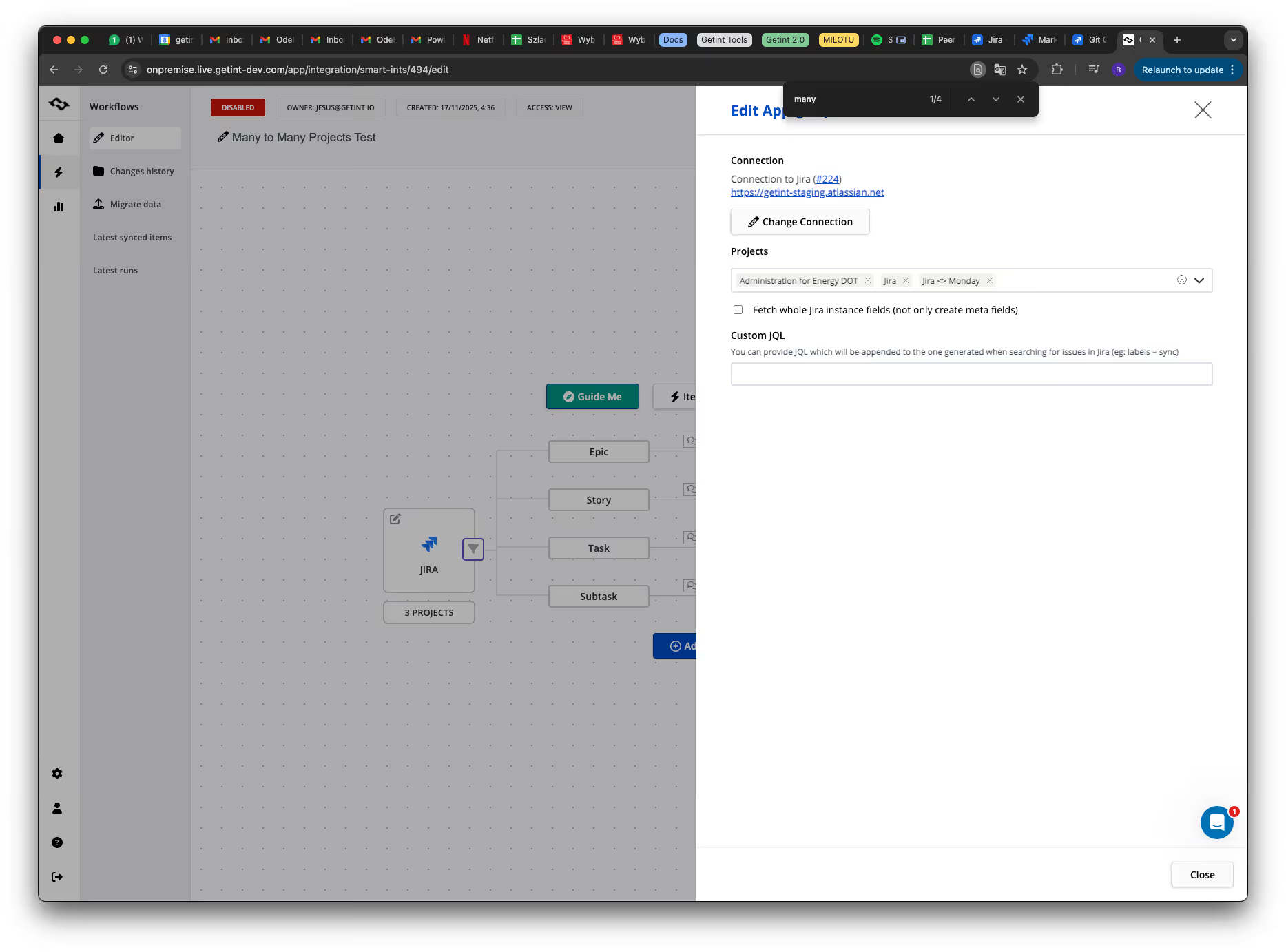
Now you can include multiple projects on the left side and multiple projects on the right, inside one integration.
As Marcin Kulesza, Getint's dev, says:
There’s no real limit to how many projects you can include. You can select as many as you want on both sides.
This is especially useful for internal support organizations, teams managing large product suites, or any environment where multiple subprojects need to sync with multiple destinations.

How Project Selection Works
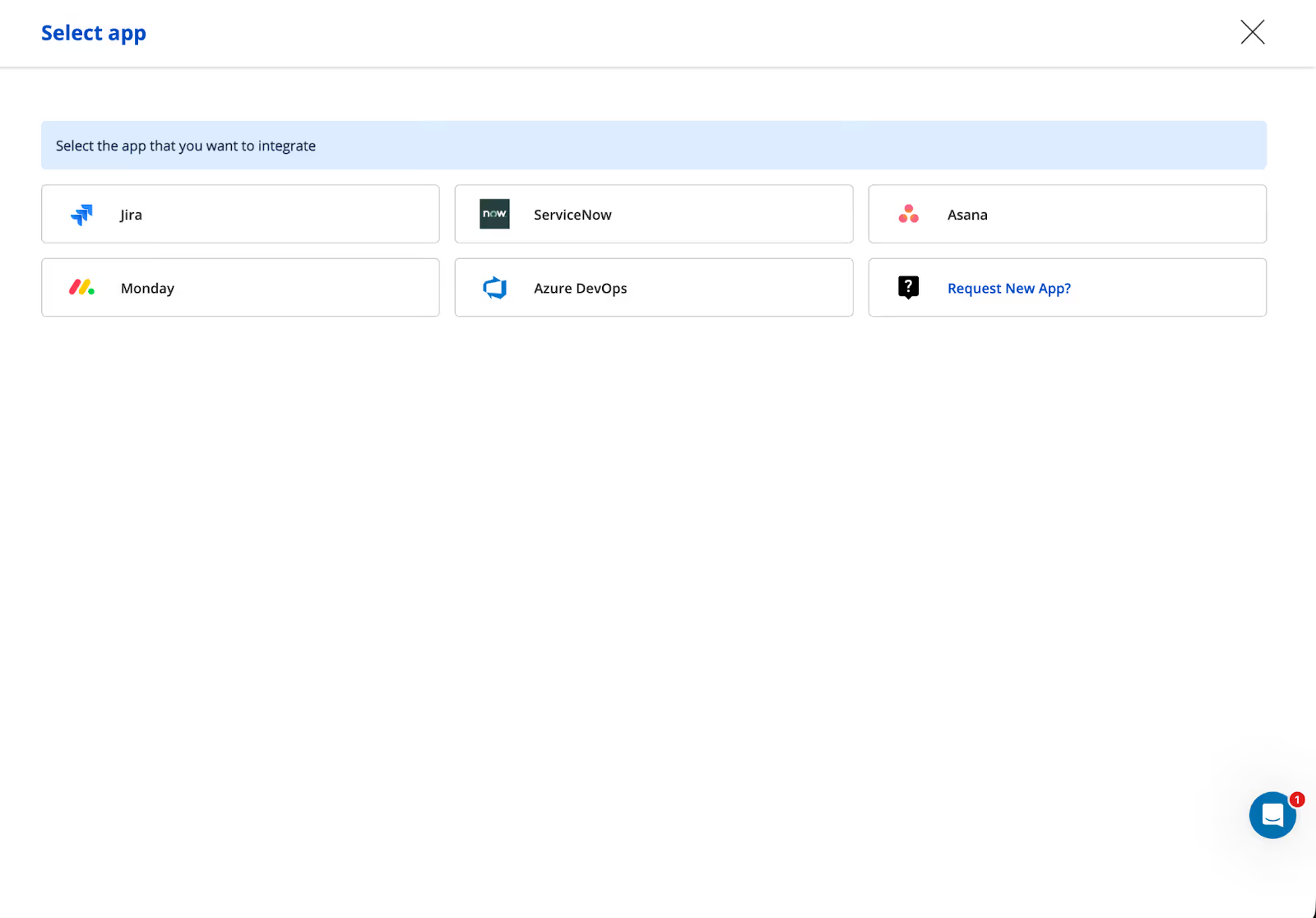
Once you choose an app that supports multiple projects (e.g., Jira, Asana, Azure DevOps, Monday.com), Getint unlocks the Sync Many Projects mode.
This option appears at the moment you select a project—not earlier—because the capability depends on each app’s architecture.
The developer explained this nuance clearly:
You don’t see Many Projects in the first screen. It appears only when the selected app supports it.
This prevents users from seeing options their connector can't handle, because it's designed for single projects.
Routing: The Brain of Many-to-Many
Allowing multiple projects means Getint must decide where each item should go. That’s where Item Routing comes in.
Routing is a rules engine that assigns items to specific projects based on field values.
You can use virtually any field: assignee, label, custom field, category, component — anything the connector exposes.
As Marcin puts it:
You can use basically any field for routing… even multiple conditions, as long as they logically connect.

Example From the Engineering Session:
- If Azure DevOps item has Assigned To = Marcin → sync to Project Test in Asana
- If Assigned To ≠ Marcin → sync to Project Test 3
This means one integration can behave differently depending on team ownership, customer type, product line, or workflow stage.
Routing also prevents infinite loops and ambiguous paths. Conditions must all evaluate to true, ensuring predictable behavior.
Editing Projects Without Rebuilding the Integration
One of the subtle but powerful differences between One-to-One and Many-to-Many is flexibility.
In the past, changing a project required recreating or duplicating an integration.
Now you can add, remove, or replace projects at any time — and Getint will dynamically refresh available fields.
A developer emphasized this:
You can remove or change projects during an active integration. Fields load dynamically depending on the selected projects.
This is a major improvement for teams that restructure projects frequently or onboard new teams mid-workflow.
Limitations: ServiceNow’s Single-Project Model
Some tools simply cannot participate in Many-to-Many because of the way their data models work.
ServiceNow is the best example:
ServiceNow has only one incident table… it’s basically one project. You can’t have multiple projects there.
For this reason, ServiceNow supports One-to-Many, but not Many-to-Many.
Project Switch: Smarter Behavior When Items Move
Before this release, moving an issue to another project (e.g., in Jira via “Move Issue → Select Project”) caused Getint to create a duplicate on the other side.
Now, the sync engine recognizes project changes and maintains the original link.
The developer summarized the difference perfectly:
Previously it created a duplicate. Now the link stays, and the item continues to sync with the same ticket.
This eliminates a whole class of data cleanliness issues.
How It Works Under the Hood
When an item is moved:
- Getint receives an update event.
- It checks whether the new project is included in the Many-to-Many configuration.
- If yes, the internal project reference is updated.
- The remote item is not recreated.
- Sync continues seamlessly.
As long as the new project is allowed within the integration, the system adjusts automatically.
One more developer quote explains this clearly:
If the item is moved to any configured project, we don’t create a duplicate. The reference is updated.
This is especially important in environments where triaging involves moving issues across multiple teams.
Why This Release Matters?
What makes Many-to-Many and Project Switch significant is not just the flexibility they provide today, but how they pave the way for Getint 2.0.
These features move Getint toward a more intuitive, automation-centric experience where integrations behave like configurable workflows rather than static pipes.

Conclusion
Many-to-Many gives teams the freedom to design integrations that reflect their real operational structure.
Project Switch ensures that everyday maintenance actions—like reassigning issues between teams—no longer break sync or pollute systems with duplicates.
Together, they bring Getint closer to a model where integrations adapt to the organization, not the other way around.