
When support teams work in Zendesk and engineering teams work in Jira, the integration between both platforms becomes critical to ensure the success of service delivery. A customer issue reported in Zendesk often needs an engineering investigation of Jira team. Status updates, priorities, comments, attachments, and resolution details need to move between both systems without the need for manual data entry.
The native Zendesk–Jira integration is a useful starting point. It helps teams create Jira work items from Zendesk tickets, link existing Jira issues to support tickets, view Jira details inside Zendesk, and share updates between both platforms.
For simple workflows, that may be enough.
But as teams scale, support and engineering collaboration usually becomes more complex. Organizations start using custom fields, Problem and Incident tickets, advanced Jira workflows, multiple projects, different priority models, and stricter reporting requirements. That is where the native integration can start to show limitations.
Below are the most common limitations of the native Zendesk–Jira integration and practical ways to solve them.
1. Incident tickets do not automatically link to the Jira work item connected to the Problem ticket
Many support teams use Zendesk Problem and Incident tickets when multiple customers report the same underlying issue. One Problem ticket represents the root cause, while multiple Incident tickets represent the affected customers.
This model works well inside Zendesk, but it becomes more limited when Jira app is added to the workflow.
A common expectation is simple: if a Zendesk Problem ticket is linked to a Jira issue, the related Incident tickets should automatically inherit that Jira link.
In practice, native Zendesk–Jira linking does not work this way automatically. When an Incident ticket is linked to a Problem ticket, it does not automatically get linked to the same Jira issue connected to that Problem ticket.
The impact is practical:
- Engineering lacks full incident context and may fail to prioritize issues because affected customer tickets are not linked
- Jira context may exist only on the Problem ticket
- Reporting across affected customers becomes harder
- Manual linking increases agent work and becomes error-prone
I ran into this challenge in one of my previous organizations while using Zendesk Problem and Incident tickets with the native Zendesk–Jira integration.
Leadership wanted visibility into the top customer-reported issues so engineering teams could prioritize effectively. When we started reviewing the data, something felt off. Some Problem tickets in Zendesk had 200+ linked Incident tickets, showing large customer impact, while the related Jira issue showed only a handful of linked Zendesk tickets.
That gap created real reporting challenges. Teams could not rely on Jira alone to understand issue impact and ended up spending hours combining Zendesk and Jira reports, validating relationships, and manually piecing together the true scale of customer-facing problems before leadership could confidently prioritize the top issues.
How to solve the problem around linking Zendesk tickets and Jira
Zendesk does not automatically copy Jira links from a Problem ticket to its related Incident tickets. To close this gap, add a small integration layer between Zendesk and the Zendesk Jira integration APIs.
The recommended approach is to create a lightweight webhook service that runs whenever an Incident ticket is linked to a Problem ticket.

The flow is:
- A Zendesk trigger detects when an Incident ticket is linked to a Problem ticket.
- The trigger sends the Incident ticket ID to a webhook.
- The webhook service fetches the Incident ticket from Zendesk.
- The service reads the Incident ticket’s Problem ID
- The service fetches Jira links from the related Problem ticket.
- The service checks which Jira links already exist on the Incident ticket.
- The service identifies which Jira links are missing from the Incident ticket.
- Any missing Jira links are created on the Incident ticket.
Create A Small Webhook Service
The service does not need to be complex. A small Node.js/Express service is enough. It should expose one webhook endpoint:
POST /webhooks/zendesk/incident-jira-links

The endpoint should accept a payload containing the Incident ticket ID:
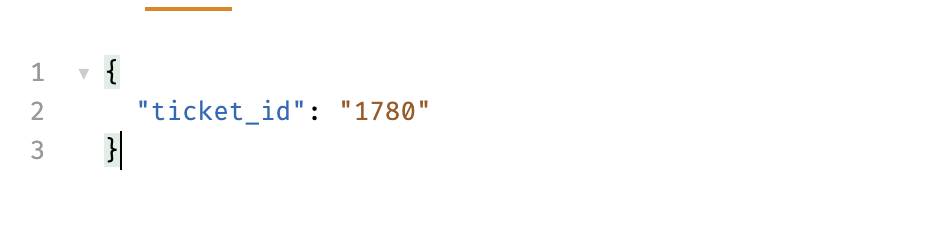
Create The Zendesk Webhook
Create a Zendesk webhook that points to the service.
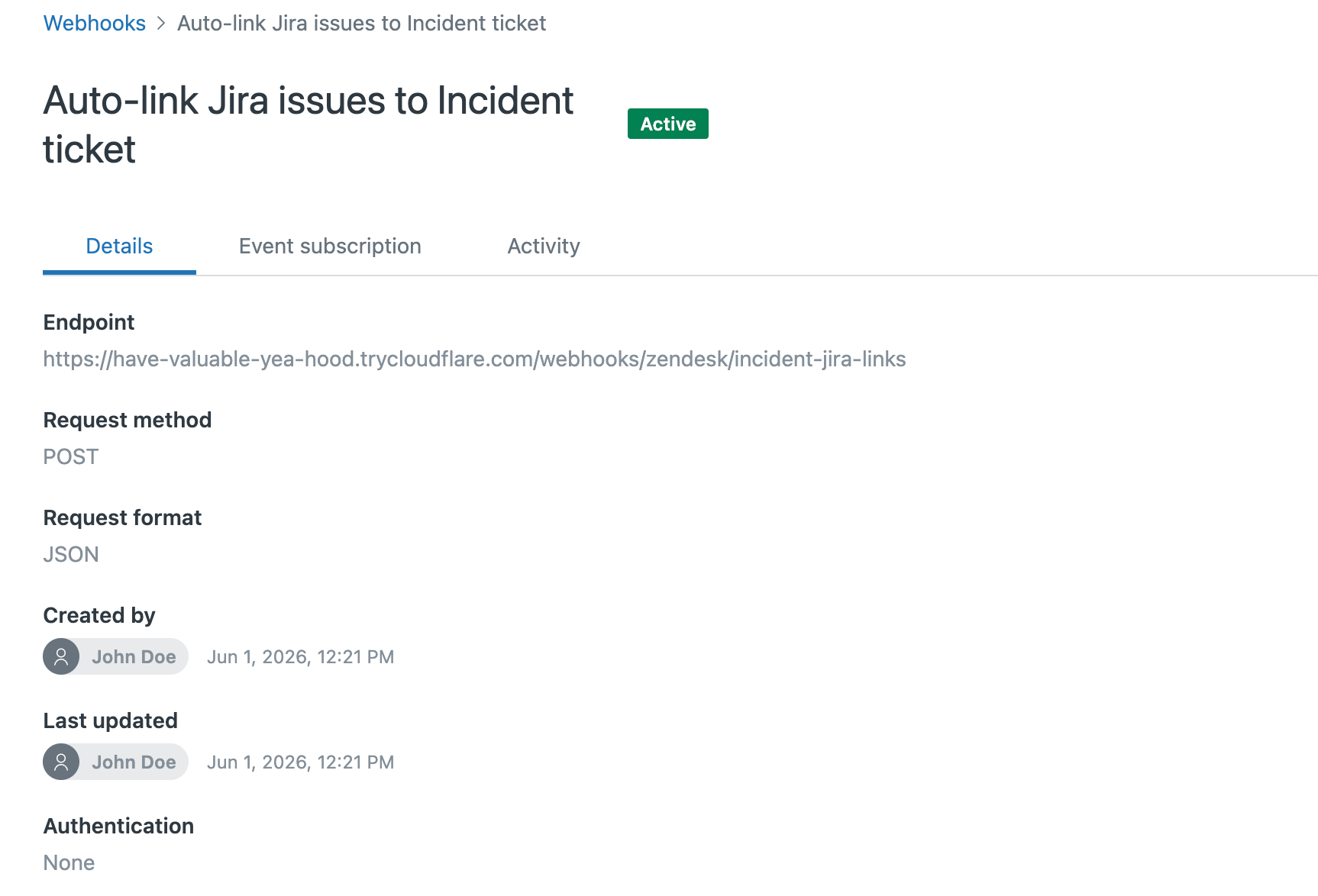
Create The Zendesk Trigger
Create a Zendesk trigger that calls the webhook when an Incident ticket is updated.

To make this easier to implement, I’ve also created a small reference service that demonstrates this workflow. The service listens for Zendesk webhook events, checks the Jira work items linked to the related Problem ticket, and links the Incident ticket to the same Jira work item when needed.
You can find the example implementation here: https://github.com/sushantawalekar/zd-incident-jira-linker
Result
Once this is in place, agents can continue using Zendesk Problem and Incident tickets normally. When an Incident ticket is linked to a Problem ticket, the service automatically links the Incident ticket to the same Jira issue already connected to the Problem ticket.
This removes manual linking, keeps Jira context visible across affected customer tickets, and gives engineering a clearer view of customer impact.
2. Field sync has mapping and directionality limits
Field synchronization is one of the most important parts of any Zendesk–Jira integration. Support and development teams often need to share data such as priority, severity, product area, customer requests, escalation level, status, assignee, fix version, or resolution details.
The native Zendesk–Jira integration supports field syncing, but it has important limits. It is not designed to be a fully flexible mapping engine for complex support and engineering workflows.
For example, Zendesk’s native field sync has constraints around field direction, supported field types, custom statuses, etc. Bidirectional syncing of the same field is not supported. Field types between Zendesk and Jira must be compatible.
This becomes a problem when Zendesk and Jira use different field structures. Support teams may track customer-facing priority as Low, Normal, High, and Urgent. Engineering teams may track priority as P3, P2, P1, and Blocker.
In a simple setup, these differences may be manageable. But as teams scale, limited field mapping can create real operational issues:
- Priority or severity values do not match between two platforms
- Support agents cannot see the engineering fields they need
- Engineering teams miss important customer-impact details
- Admins spend more time figuring out what's not working
- Teams lose trust in the integration because synced data feels unreliable
How to solve it
The solution is to move from basic field syncing to controlled field mapping.
Instead of trying to sync every field, teams should decide which Zendesk and Jira fields need to be connected, how values should translate between systems, and when those fields should sync.
For example:
- Zendesk priority can be mapped to Jira priority
- Zendesk customer impact can be mapped to an impact field
- Zendesk product area can help route issues into the right Jira project or component
Integrating Zendesk and Jira with Getint
This is where integration solution like Getint becomes useful. For support and dev teams that need better control over what gets synced between Zendesk and Jira side (and under what conditions), Getint supports type mapping, custom field mapping, filtering, and JQL filtering to help staying aligned with existing workflows.
With this approach, the Jira–Zendesk integration becomes more than a basic data transfer. Teams can define how fields, statuses, and ticket data should behave across systems, helping even non-technical users maintain sync rules while working in their preferred tools.
Getint is available through Atlassian Marketplace and supports synchronization scenarios that often go beyond the capabilities of the native integration. You can explore Getint's Jira–Zendesk integration guide to see how the tool automatically creates connections, and how it can be configured with more advanced features.
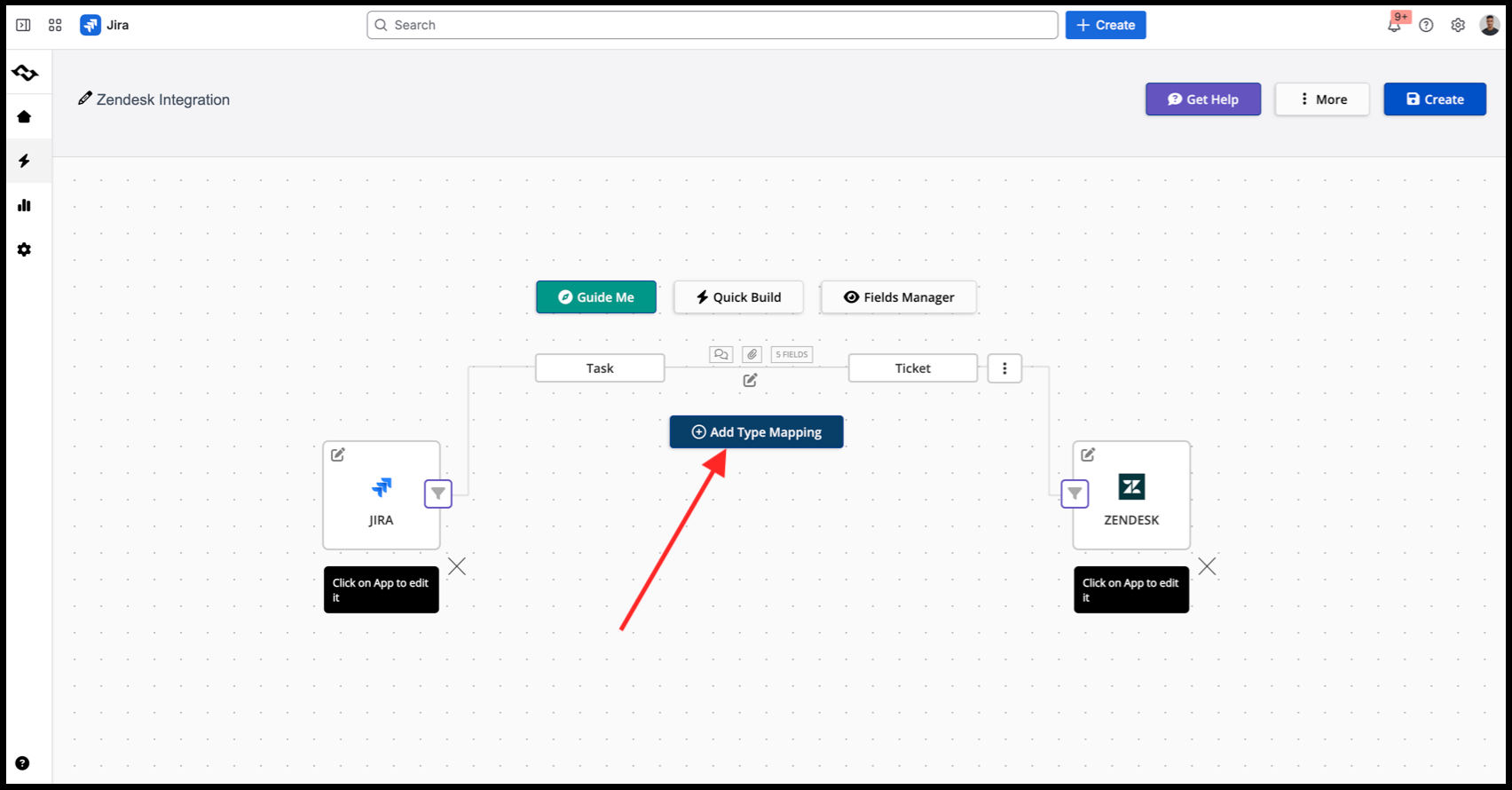
Native Zendesk–Jira integration vs Third-Party App:Summary Table
Final Thoughts
The native Zendesk–Jira integration works well for many common workflows, but limitations often become more visible as support and engineering operations mature. Problem and Incident management, field mapping, reporting, and workflow alignment can expose gaps that are not always obvious in built-in integrations.
There is rarely a one-size-fits-all solution. Some teams may close these gaps with lightweight automation, while others may need more flexible integration tooling. Whether through lightweight custom automation or third-party integration platforms, investing in the right integration design pays off quickly as teams scale.