News
Atlassian
Jira

Three of Our Apps Earn the Rising Star Badge on the Atlassian Marketplace

Getint
Getint
July 15, 2026
3 min
Three of Our Apps Earn the Rising Star Badge on the Atlassian Marketplace

We are proud to announce that three of our latest apps, focused on integrating task management across different platforms with Jira, have been awarded the "Rising Star" badge on the Atlassian Marketplace. This recognition is given to new apps that significantly enhance user experience through seamless integration and practical functionality. Here’s a closer look at these apps that are simplifying task management for Jira users.

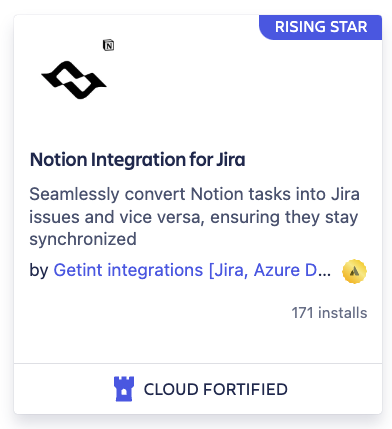
1. Notion Integration for Jira

Notion Integration for Jira enables effective task management by linking Notion tasks directly with Jira. This integration ensures that task lists and project statuses are synchronized between Notion and Jira, allowing teams to maintain their workflow preferences while leveraging Jira’s powerful tracking capabilities. Keep your project details aligned and accessible, whether you're updating from Notion or Jira.
2. Integration for Jira and Trello - 2-Way Integration

Integration for Jira and Trello - 2-Way Integration bridges the gap between Trello and Jira. This app syncs Trello cards with Jira tasks in real-time, providing a unified view of project progress across both platforms. Manage your projects using the tools that fit your team’s needs best, while ensuring that all data remains consistent and current.

3. Airtable Integration for Jira

Airtable Integration for Jira connects Airtable tasks with Jira, facilitating a smooth flow of information and updates. This integration makes it easy to manage tasks across both platforms, enhancing visibility and coordination. Track, update, and manage tasks effortlessly, ensuring that every team member has the latest project insights at their fingertips.

Conclusion

The "Rising Star" badge from Atlassian Marketplace underscores our commitment to developing practical and robust integration solutions. These three apps are perfect examples of how we are helping teams streamline their workflows by connecting their favorite task management tools with Jira. Check out these, and our other connectors on the Atlassian Marketplace, and via app.getint.io to see how they can enhance your project management process.


Frequently asked questions

Have questions?

We've got you!

Our comprehensive FAQ section addresses the most common inquiries about our integrations, setup process, pricing, and more - making it easy to find the answers you need quickly.

What does the Atlassian Marketplace "Rising Star" badge mean?

The Rising Star badge is awarded to new Atlassian Marketplace apps that demonstrate strong adoption, positive customer feedback, and practical value for Jira users. It highlights solutions that help teams improve collaboration, automate workflows, and integrate Jira with other business applications.

Can Getint synchronize Jira with other project management tools besides Notion, Trello, and Airtable?

Yes. In addition to Notion, Trello, and Airtable, Getint offers integrations with many other project management platforms, including Monday.com, Asana, ClickUp, Wrike, and more. Teams can synchronize work items, tasks, comments, attachments, custom fields, and statuses while allowing every department to continue working in its preferred tool.

Does Getint only integrate Jira with project management platforms?

No. Getint also connects project management platforms with ITSM, CRM, and DevOps solutions. For example, organizations can synchronize Monday.com with ServiceNow, Notion with ServiceNow, Jira with Azure DevOps, Jira with Salesforce, Jira with Zendesk, and many other combinations. This helps development, support, and business teams collaborate without switching platforms or duplicating work.

What data can be synchronized between Jira and other platforms?

Depending on the integration, Getint can synchronize issues, tasks, incidents, tickets, comments, attachments, custom fields, priorities, statuses, users, links, and other project data. Administrators have full control over field mapping, synchronization direction (one-way or two-way), filters, and transformation rules to match their business processes.

Can I use Getint for both integrations and data migrations?

Yes. Getint supports both real-time integrations and one-time migrations. Organizations can migrate historical data between platforms while preserving relationships, comments, attachments, and custom fields, then continue with ongoing two-way synchronization if both systems need to remain connected after the migration.

Success Stories

See How We Make a Difference

Every integration tells a story of improved workflows, enhanced collaboration, and organizational growth. Explore how businesses across industries have leveraged our solutions to overcome challenges, optimize processes, and achieve remarkable results.

Experience a smarter way to integrate & synchronize.

Discover the power of seamless connections, bridging your favorite tools for optimized workflow and productivity. Unleash the potential of unified platforms with Getint.
Book a Demo
getint git repos integration





















