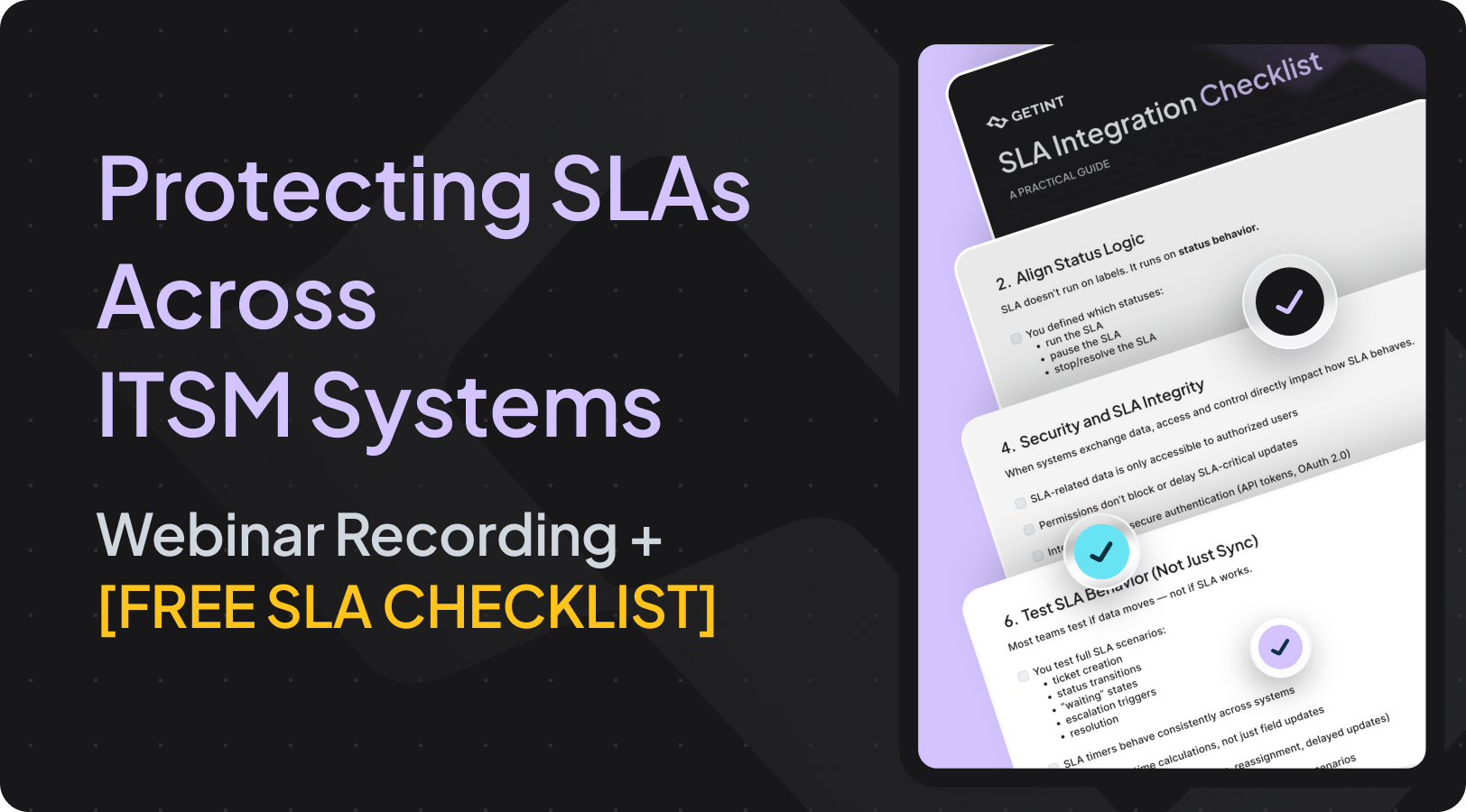
On April 21, 2026, our Getint team hosted a webinar addressing one of the most common challenges in IT service management: how to protect service level agreements (SLAs) when tickets move across multiple systems.
The session was led by Jacek Wizmur-Szymczak (Co-Founder at Getint, with 15+ years of experience supporting enterprise and mid-sized clients with integrations and migrations) and Mayra Guerra (Customer Support Lead), combining integration expertise with hands-on support insights.
If you missed the live session, no worries — you can explore the key insights now.
In this article, you’ll find:
- the most important takeaways from the webinar
- access to the full recording
- a free SLA integration checklist to improve SLA compliance, service performance, and customer satisfaction
SLA problems start when systems don’t work together
As organizations scale their service delivery, they rarely operate in a single tool. Support teams, service desk, developers, and customers work across different environments — Jira, ServiceNow, Zendesk, Salesforce, and more. This creates a gap between service expectations and actual service performance.
Most teams associate SLA problems with missed deadlines or slow response times.
In reality, issues begin earlier — with the lack of reliable alignement between affected teams.
So what we see mostly is that the problem is not the process that you have in place or the people that is working on it. But it's mainly starting when the ticket has to come from one system to the other. So you have your own clients, each one uses several other tools, and you need to keep everyone up to date in what is happening.
When service providers operate across multiple tools or support different customers, alignment breaks. One side assumes progress is happening, while the other lacks context.
This leads to:
- missed service level targets
- delayed response and resolution times
- gaps in service level management
SLAs are often well defined as formal agreements, but without the proper integration across systems, they fail to reflect real execution, and meet customer expectations.
Below you can enter the full recording or continue to read the summary of highlighted insights.
1. What breaks at scale
Manual workflows — email, Slack, copy-paste — may work at low volume. They break when IT services expand, and operations scale.
Teams start facing lost or delayed service requests, unclear ownership, inconsistent priority levels, and difficulties to monitor performance.
You can do it manually for one or two tickets. But when that grows, it’s no longer reliable.
At this point, SLA breaches become more frequent, and customers feel the impact through delays and inconsistent service quality.
2. Tickets must carry meaning, not just data
When tickets move across systems, they become structured data. But transferring data alone is not enough.
Syncing the data is not equal to aligning everything.
Different systems interpret statuses, priorities, workflows, and comments differently. Without proper alignment, SLA metrics become inaccurate, and measuring performance no longer reflects reality.
Effective SLA management requires mapping based on meaning — not just copying values.
Case study: IATA (Salesforce + Jira)
One example discussed during the webinar was an internal integration between Salesforce and Jira. Tickets were created with mapped fields and full context from the start, eliminating the need for follow-up questions. This improved both speed and reliability.
Instead of manually transferring information, the integration ensured that:
- the right data reached the right team immediately
- SLA expectations were preserved across systems
- nothing was lost in translation
The team started small and expanded the setup gradually, improving the process without disrupting operations, while maintaining expected level of service availability.
3. SLA runs on behavior, not labels
Remember a critical principle: SLA performance depends on status behavior, not status names.
Teams must clearly define:
- which statuses start SLA
- which pause SLA
- which resolve SLA
SLA doesn’t run on labels. It runs on status behavior.
If one system pauses the SLA while another continues counting, the result is incorrect tracking and broken SLA enforcement. This is one of the most common reasons why SLAs fail across tools, and disturbs the achievement of business goals.
4. Ownership is critical for SLA compliance
Ownership is one of the most common weak points in SLA management, especially when teams rely on email or Slack to coordinate work. In these environments, responsibility is often unclear.
Messages get buried, multiple people are copied, and everyone assumes someone else will take action.
You think your case is being worked on when no one takes it.
This ambiguity directly affects response times, delays service requests, and increases the risk of breaches occurring around service agreements.
Common SLA failure patterns
Once systems are not aligned, the same types of issues appear again and again.
A ticket is resolved in one system but remains open in another. SLA is paused on one side while still running on the other. Updates don’t reach the second team, so work continues based on outdated information.
SLA counting makes sense only if you’re counting the same thing.
These problems are rarely dramatic. They don’t break the system — they slowly distor
Over time, SLA tracking becomes less reliable, even if the agreements themselves are clearly defined with right metrics.
How reliable integration helps align SLAs and meet business goals
A reliable integration setup starts with understanding both environments and deciding what data actually needs to flow between them. Not everything should be synchronized.
In most cases, the goal is to reduce complexity, maintain regulatory compliance, and focus only on what directly impacts SLA and workflow.

A strong setup usually includes:
- Clear scope of data
Only relevant fields should be synced — typically statuses, priorities, comments, and updates that affect SLA timing and ownership. Unnecessary fields add noise without improving outcomes.
- Defined how SLA is interpreted across systems
Both systems must clearly define what triggers SLA start, pause, and resolution. This ensures that SLA behavior remains consistent, even if workflows differ.
- Intent-based mapping
Fields and statuses don’t need to be identical, but they must be functionally equivalent. Field mapping should reflect business meaning, not just labels.
- Aligned status behavior
Status transitions should control SLA in the same way on both sides, and updates must propagate fast enough to meet SLA windows.
- Thoughtful sync direction
Some data should be synchronized bi-directionally, while other updates should remain in one-way sync. Choosing the right direction helps avoid conflicts and unnecessary overwrites.
SLA Integration Checklist
To help teams validate their setup, we created an SLA Integration Checklist that you can download for free.

It focuses on seven key areas:
- Define SLA logic across systems
- Align status behavior
- Validate SLA-critical data
- Ensure security and access control
- Align escalation logic
- Test SLA behavior
- Monitor SLA risks
Summary: Common SLA Challenges in IT Service Management and Best Practices
To put everything together in a nutshell, below we summed up the most common SLA challenges and how good integration solution helps solve them.
Final takeaway
SLA performance doesn’t break because teams don’t define service level agreements (SLAs) correctly. It breaks when tickets move between systems that don’t share the same logic — different statuses, different ownership, different understanding of what’s actually happening.
That’s why protecting SLAs across ITSM systems is not about adding more tracking or stricter measurable targets. It’s about making sure both sides of the process operate on the same reality, and it could be achieved with the flexible integration solution like Getint.
Once systems are aligned — in how they handle status, ownership, and updates — SLA becomes reliable by default. Not because teams work harder, but because the process itself stops introducing delays, confusion, and missed context.