
ServiceNow CMDB is the configuration management database built into the ServiceNow platform. It acts as a centralized repository for every hardware, software, cloud and service component in your IT environment, and for the relationships between them.
When a server fails or a change is planned, IT teams need to know what depends on what. Spreadsheets and disconnected tools can't answer that reliably. A well-run ServiceNow configuration management database can, because it combines configuration data from multiple sources into one trusted record that incident management, change management and asset management all share.
This guide explains what a CMDB is, how ServiceNow's version works, its key components and features, the business value it delivers, its limitations, and the best practices for implementing CMDB successfully.
What Is Configuration Management Database (CMDB)?
A configuration management database (CMDB) is a centralized system that stores information about the components of an IT environment and how they relate to each other. ServiceNow itself describes it as a data warehouse that clarifies the relationships between hardware, software and networks for better configuration management.
The basic building block of every configuration management database CMDB is the configuration item (CI). A CI is anything you need to control to deliver IT services. That covers far more than physical hardware.
What separates a CMDB from a simple asset list is relationships. A CMDB records that an application runs on a specific virtual server, which sits on a host, which connects through a particular switch. That dependency map gives IT teams a detailed understanding of the entire environment.
CMDB vs. IT asset management
Asset management and configuration management overlap, but they answer different questions. IT asset management (ITAM) tracks the financial and contractual lifecycle of IT assets: purchase, licensing, depreciation and disposal. A CMDB focuses on how assets behave while they are live: what they make up, what they depend on, and what breaks if they fail. The two work best when asset data and CI data share one centralized system.
What Is ServiceNow CMDB?
ServiceNow CMDB is the configuration management database at the core of the ServiceNow AI Platform. It serves as the centralized system of record for CIs and their relationships, and every ServiceNow application reads from it: IT service management, IT operations management, security operations, asset management and more.
Because the CMDB lives on the same platform as the workflows that use it, there is no sync gap between the inventory and the processes. When an agent opens an incident, the affected CI, its owner, its recent changes and its upstream business services are already linked. ServiceNow describes this as a single data model with predefined semantics that gives out-of-the-box interoperability across all its applications.
In practice, ServiceNow CMDB gives organizations three things:
- A single source of truth. Configuration data from discovery, cloud providers, third-party tools and manual input is reconciled into one trusted record.
- Service context. CIs are mapped to the business services and technical services they support, so IT teams can see business impact, not just broken components.
- A foundation for automation and AI. Workflows, impact analysis and AI agents all depend on accurate data about the IT ecosystem.
Key Components of ServiceNow CMDB
Four building blocks shape how CMDB data is stored, structured and kept clean.
Configuration items and relationships
Each CI is a record in a CI class table, such as Linux Server, Database Instance or Application Service. Relationships connect those records with typed links like "Runs on", "Depends on" or "Hosted on". Together they form a dependency map of the IT infrastructure that powers impact analysis, root-cause analysis and change risk scoring.
Extensible data model
ServiceNow CMDB uses an extensible data model built on a class hierarchy. Every CI class inherits from a base Configuration Item table, so common attributes stay consistent. Admins can extend existing classes or add new ones through CI Class Manager, which keeps the model flexible as new technologies, cloud services and virtual assets appear.
Common Service Data Model (CSDM)
The common service data model is ServiceNow's prescriptive framework for structuring data within the CMDB. ServiceNow calls CSDM the data model standard for every product that uses the CMDB. It defines which tables and relationships to use for business capabilities, business applications, service offerings, application services and the infrastructure underneath.
The current version is CSDM 5, released in May 2025 with the Yokohama family. It restructures the model into domains that follow the full service life cycle, adding an Ideation & Strategy domain, new life cycle stages and statuses, and model-only CI classes for service instances and AI.
Identification and Reconciliation Engine (IRE)
The IRE is the gatekeeper that protects data integrity. Every update that arrives through discovery, a connector or an import passes through it. Identification rules decide whether an incoming record matches an existing CI or is new, which prevents duplicate records. Reconciliation rules decide which data source is authoritative for each attribute, so a less reliable source cannot overwrite better data.
Key Features of ServiceNow CMDB
ServiceNow CMDB combines several automated tools that populate, map and monitor CMDB data with minimal manual effort.
Automated discovery
ServiceNow Discovery (part of ITOM Visibility) scans the network through MID Servers or agents and finds servers, network devices, applications, databases and cloud resources. Automated discovery keeps records up to date as the environment changes and reduces reliance on manual input, which is slow and error-prone. ServiceNow's own guidance warns that manual population cannot scale and introduces duplicates.
Service Graph Connectors
Service graph connectors are certified integrations, available from the ServiceNow Store, that pull external data from third-party tools into the CMDB. Common sources include Microsoft Intune and SCCM, Jamf, VMware, AWS, Azure, Google Cloud and security tools. Each connector routes data through the IRE and follows CSDM, so data from external data sources lands in the right class without creating duplicates. Service Graph Connector Central, added in the Yokohama release, gives one place to deploy, configure and troubleshoot connectors.
Service mapping
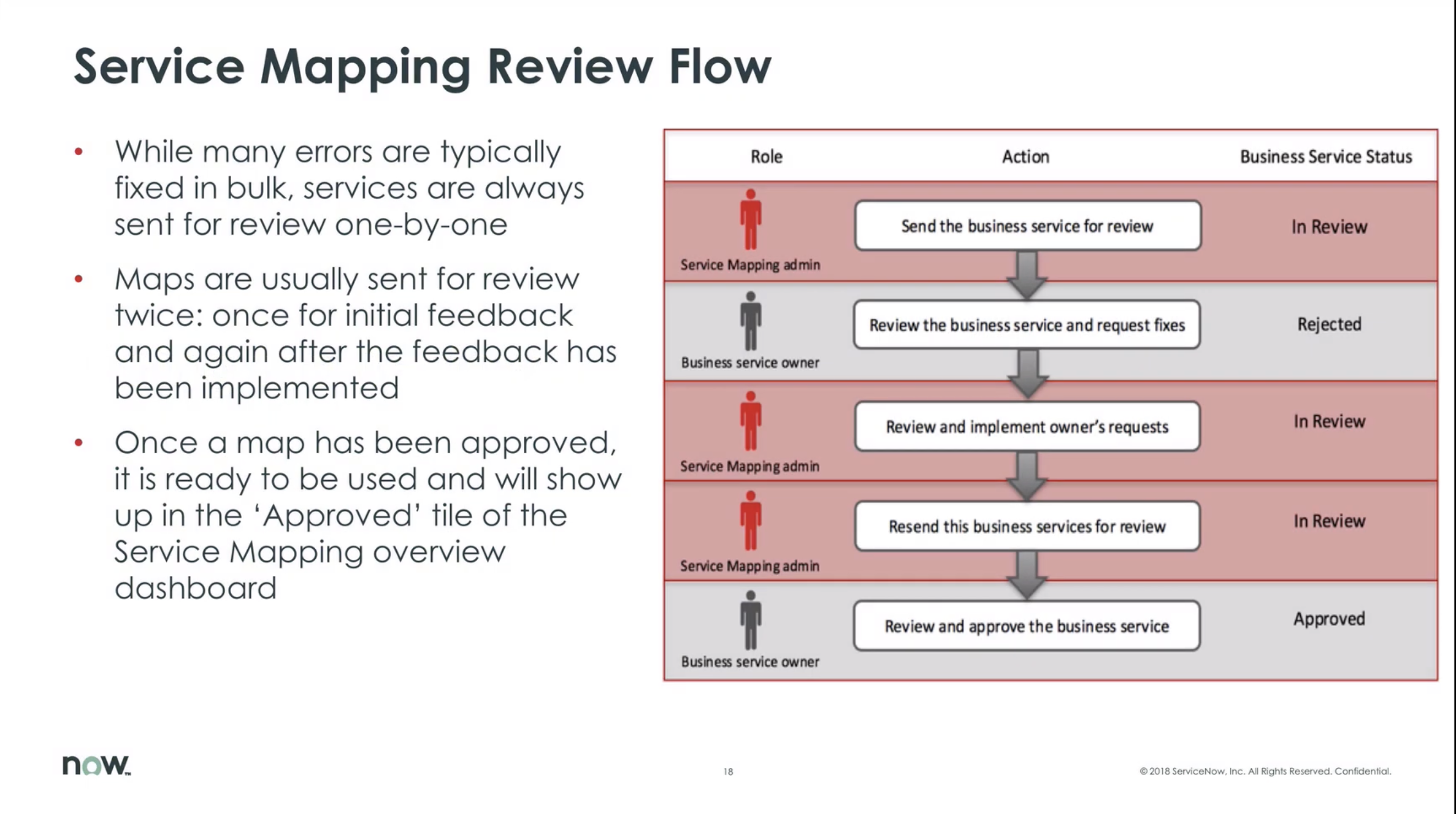
Service mapping builds a top-down map of the CIs that make up a business service, starting from an entry point such as a URL. The result shows exactly which applications, servers and network devices a service depends on. This lets incident management and change management teams see which services an outage or change will affect.
CMDB health dashboards
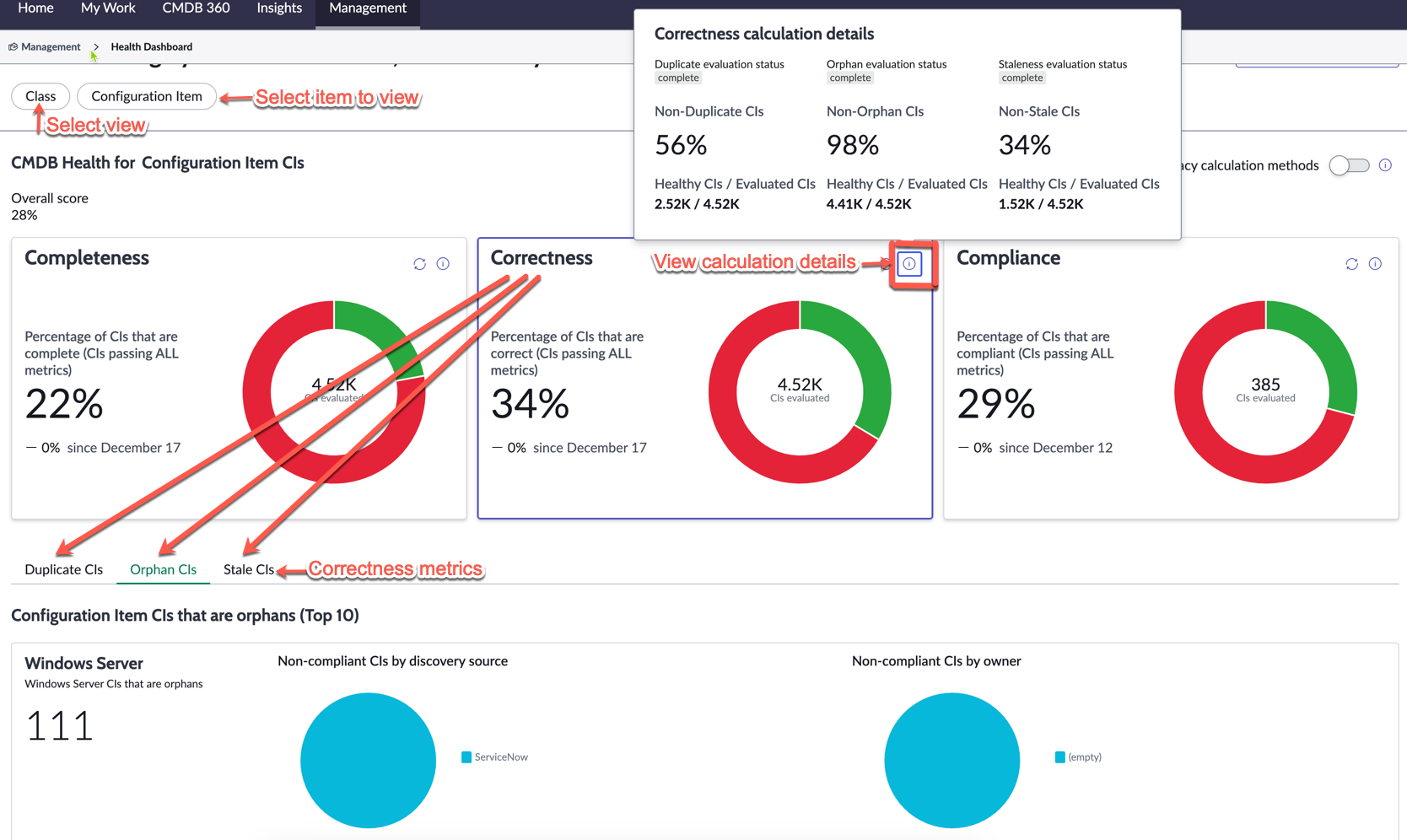
CMDB health dashboards score data quality on three KPIs, which combine into an overall health score:
A separate relationship health score tracks orphan, duplicate and stale relationships. Scores roll up from individual CI to class to the whole CMDB, so teams can find and fix data quality issues where they start.
CMDB Workspace
The CMDB workspace is the day-to-day interface for configuration managers and CI owners. It brings CI search, health scores, recent activity, "My CIs" and CMDB Data Manager tasks into one view. CMDB 360 shows every source that has updated a CI, which helps resolve conflicting data. Newer releases add a persona-based Service Graph Workspace and Now Assist for CMDB, which supports natural-language search and AI-suggested data remediation.
CMDB Data Manager
CMDB Data Manager automates CI life cycle policies: certification (owners confirm records are accurate), attestation, archiving and retirement. It turns data governance rules into assigned tasks instead of ad-hoc cleanup.

How ServiceNow CMDB Supports IT Service Management
The CMDB is valuable only when IT processes use it. Operationalizing the CMDB means wiring CI data into the workflows IT teams run every day.
Incident management
When an incident is linked to a CI, agents immediately see its dependencies, its owner, and recent changes made to it. That context speeds up triage and root-cause analysis. Event Management and AIOps can also correlate alerts to CIs and to the business services they support, so the most business-critical outages get priority.
Change management
Change management processes depend on knowing the blast radius. Before a change is approved, the CMDB shows which services, applications and users depend on the affected CIs. ServiceNow notes this improves risk assessment by anticipating which systems and users will be hit hardest. It also flags conflicts, such as two changes scheduled for the same CI.
Problem management
Incident history tied to CIs reveals patterns. If the same model of storage array keeps failing, problem managers can see it and act, which supports proactive management rather than repeated firefighting.
Asset management
Hardware and software asset management share CI records with the CMDB. Asset data such as cost, contract and warranty is linked to configuration data such as location, relationships and installed software. This gives a detailed inventory that supports license compliance, refresh planning and cost control.
Security and compliance
Security teams use the CMDB to tie vulnerabilities to specific CIs and the services they support, which helps prioritize remediation. The CMDB's history of configuration changes also gives auditors a reliable trail, improving audit readiness.
Business Value of ServiceNow CMDB
A trustworthy CMDB turns scattered infrastructure data into decisions. These are the main ways it creates business value.
Faster incident resolution. Linking incidents to CIs and their dependencies cuts the time spent hunting for root causes. Vendor and practitioner reports commonly put the gain at 30–40%; a widely repeated figure, attributed to ServiceNow, is 38% faster incident resolution. Treat these as directional, since results depend heavily on data quality.
Fewer failed changes and less downtime. Accurate dependency data shows the true impact of a change before it happens. That reduces unplanned downtime and service disruptions, and it improves service reliability.
Better risk management and compliance. A CMDB records configuration changes, CI ownership and compliance status. That supports risk assessment, security response and audit readiness, and it reduces the effort of proving controls to auditors.
Cost control and resource allocation. Knowing exactly which IT assets exist, who uses them and what they support exposes unused licenses, idle cloud services and redundant hardware. This supports cost control and smarter resource allocation.
Breaking down data silos. The CMDB consolidates data from multiple sources into one centralized repository. Teams stop arguing over whose spreadsheet is right and work from the same up to date information.
Strategic planning. By mapping technology to business services and business processes, the CMDB helps leaders plan migrations, consolidations and investments. It answers questions like "Which business services still run on end-of-life servers?"
A foundation for AI and automation. AI agents, AIOps and automated workflows act on CMDB data. If the data is wrong, automation makes mistakes faster. Accurate data is what makes these tools safe to use.
Challenges and Limitations of ServiceNow CMDB
CMDB projects have a poor track record across the industry. Gartner has repeatedly estimated that around 75% of CMDB initiatives fail to meet expectations, mainly because of data quality and completeness problems. The estimate dates back at least to a 2006 Gartner talk that put 75% of implementations at risk due to poor data accuracy and process. ServiceNow has strong tooling, but the same risks apply.
Complex, multi-stage implementation. A full rollout touches discovery, connectors, CSDM alignment, service mapping and process integration. Each stage needs specialist skills, and timelines often stretch.
High cost. The CMDB itself comes with the platform, but Discovery, Service Mapping and many connectors require ITOM licensing. Add partner fees and MID Server infrastructure, and total cost can be significant.
Customization creep. Teams often add custom CI classes and fields instead of using CSDM. Heavy customization makes upgrades harder and creates technical debt.
Discovery gaps in complex environments. Firewalls, segmented networks, credential issues, ephemeral containers and OT devices can limit what discovery finds. Coverage of the entire environment rarely comes out of the box.
Resource-intensive service mapping. Top-down service mapping often needs manual configuration of entry points, patterns and custom rules, especially for in-house or legacy applications.
Ongoing data quality issues. Duplicate CIs, stale records and orphaned relationships build up quickly without governance. A CMDB that people stop trusting is quickly abandoned.
Best Practices for Implementing ServiceNow CMDB
Successful CMDB management is less about tools and more about scope, ownership and discipline. These practices address the most common failure points.
- Start with business objectives and use cases. Decide what the CMDB must support first, such as faster incident triage, safer changes or audit readiness. Track only the CIs and attributes those use cases need.
- Begin with business-critical services. Model one or two high-value services end to end before expanding. Early wins build trust and funding.
- Use a phased implementation approach. Roll out in stages and integrate data sources one at a time. ServiceNow's CSDM guidance follows a similar crawl-walk-run-fly path (ServiceNow Community). Phased onboarding lets you check data quality before the next source is added.
- Follow CSDM from day one. Align classes and relationships to the common service data model and avoid unnecessary customization. This keeps upgrades simple and data consistent across products.
- Establish strong data governance. Assign a clear owner or data steward to every CI class. Document policies for creating, updating, certifying and retiring CIs. Data governance is what protects data integrity over time.
- Automate data collection and validation. Use Discovery and Service Graph Connectors instead of manual processes. Route every source through the IRE, with identification and reconciliation rules that prevent duplicates and conflicting records.
- Monitor CMDB health continuously. Review CMDB health dashboards regularly and set targets for completeness, correctness and compliance. Fix score drops before they affect downstream processes.
- Run regular quality audits. Use CMDB Data Manager certification tasks and compliance audits to validate asset data against reality. Automated data validation catches errors, and periodic human review catches what automation misses.
- Operationalize the CMDB. Make CI selection mandatory on incidents, problems and changes. A CMDB that IT teams use every day stays accurate because errors get noticed and corrected.
Conclusion
ServiceNow CMDB gives organizations a centralized, accurate view of their IT infrastructure and the services it supports. Its extensible data model, CSDM, the IRE, automated discovery, service graph connectors and CMDB health dashboards provide the means to keep that view trustworthy.
The tool alone does not guarantee success though. The organizations that get real value start with clear use cases, roll out in phases, enforce data governance and treat data quality as ongoing work. Done well, the CMDB enables organizations to resolve incidents faster, change with less risk, stay audit-ready, and improve operational efficiency and service delivery across the IT ecosystem.