Many customer support teams begin their journey with Zendesk. It offers a user-friendly interface, flexible ticket management, and a mature ecosystem that helps to resolve clients requests efficiently.
As companies grow, however, they often reach a point where support data needs to become more closely connected with development, operations, project management, and business processes. Organizations already invested in the Atlassian ecosystem may decide to consolidate their work in Jira Cloud, creating a single platform for cross-team collaboration. This is one of the most common reasons companies choose to go with a Zendesk to Jira migration.
Migrating from Zendesk to Jira Cloud can help companies improve visibility, reduce tool sprawl, simplify reporting, and create stronger connections between customer-facing and internal teams. However, a successful migration requires much more than exporting tickets and importing them into a new system.
Organizations need to preserve historical ticket data, transfer comments and attachments, map custom fields, maintain relationships between records, and ensure teams can continue working without losing valuable context.Whether you're migrating a few thousand tickets or years of customer support history, proper planning is essential.
In this guide, we'll explore how to migrate from Zendesk to Jira Cloud, the most common migration challenges, what data can be transferred, and how organizations can avoid losing critical ticket history during the migration.
Note that, while this article focuses on Jira Cloud migrations, the same principles can be applied when running Zendesk to Jira Service Management migration.
Why Companies Migrate from Zendesk to Jira
Every migration project has its own business drivers, but from what we've seen, several common patterns appear across companies that move from Zendesk to Jira.
Many teams have already standardized on Atlassian tools such as Jira, Confluence, Atlas, or Loom. Maintaining a separate support platform can create disconnected workflows, duplicate reporting efforts, and limited visibility across teams.
Common reasons to migrate from Zendesk to Jira include:
- Consolidating work into a single platform
- Speeding up collaboration between support, product, engineering, and operations teams
- Standardizing on the Atlassian ecosystem
- Reducing tool sprawl and licensing complexity
- Creating centralized reporting and dashboards
- Supporting business process automation
- Improving visibility across departments
Unlike a traditional support platform, Jira can help with a wide variety of work management scenarios. Depending on organizational requirements, migrated Zendesk tickets may become Jira work items used by support, product, operations, engineering, or service management teams.
This flexibility is one of the key reasons organizations choose Jira as their long-term platform.
What Data Can Be Migrated from Zendesk to Jira?
One of the first questions to ask when planning Zendesk to Jira data migration is whether they can preserve all of their historical data.
The answer depends on the complexity of the environment, the target Jira configuration, and the migration approach being used. While every migration project is different, modern migration solutions can transfer significantly more than ticket summaries alone.
A properly planned migration can preserve customer history, business context, and operational records that teams rely on every day.
Typical Zendesk to Jira Data Mapping: Shortcut Table
The exact mapping strategy depends on how Jira Cloud is configured and how teams intend to use migrated tickets after the transition.
Some organizations migrate all Zendesk tickets into a dedicated Jira project, while others distribute work items across multiple projects based on product lines, business units, or operational teams.
1. Historical Ticket Data
Historical ticket information is often one of the most valuable assets stored in Zendesk.
Support teams frequently rely on previous conversations to understand customer history, investigate recurring issues, review past troubleshooting efforts, and maintain continuity during escalations.
Without historical context, migrated records lose much of their operational value.
For this reason, organizations should prioritize preserving:
- Ticket descriptions
- Public comments
- Internal notes
- Attachments
- User references
- Important timestamps
- Custom field values
A successful migration should allow teams to continue working with migrated records as if they had always existed in Jira instance.
2. Custom Fields and Business Context
Many teams use Zendesk custom fields to capture information that is critical to their business processes.
Examples may include: product information, customer tiers, escalation categories, service ownership, contract references, or internal classifications.
Before migration begins, it's important to review all custom fields and determine:
- Which fields need to be migrated
- Which fields can be consolidated
- Which fields are no longer required
- Whether matching Jira fields already exist
Migration projects often provide an excellent opportunity to simplify field structures and improve data quality before moving to the chosen platform.
3. Attachments and Comments Matter More Than You Think
Attachments and ticket comments frequently contain the most valuable information associated with a support request. Screenshots, log files, troubleshooting notes, escalation history, and customer conversations all contribute to the context required for reliable support.
When evaluating a migration approach, make sure it can preserve:
- Public comments
- Internal comments
- Attachments
- Comment authors
- Timestamps
- Conversation chronology
Losing this information can significantly reduce the usefulness of migrated records and force teams to spend time searching for missing context.
Common Zendesk to Jira Migration Challenges
Although every migration project is unique, teams tend to encounter similar challenges when moving from Zendesk to Jira. Understanding these challenges early can help reduce risk and improve migration outcomes.
- Preserving Historical Ticket Context
Moving data is relatively straightforward, but preserving context is much harder. Customer conversations, attachments, internal notes, and timestamps often contain critical information that teams rely on long after a ticket is closed.
- Mapping Zendesk Data to Jira
Zendesk and Jira use different data structures, workflows, and terminology. Ticket forms, groups, tags, and custom fields may require careful mapping to ensure data remains meaningful after full data migration.
- Managing Custom Workflows and Fields
Many Zendesk environments have evolved over time and contain numerous automations, and custom workflows. A migration is often a good opportunity to simplify processes rather than recreate existing complex workflows.
- Ensuring Data Accuracy
A successful migration is not just about transferring records. Organizations should validate field values, attachments, user assignments, comments, and status mappings to ensure data integrity after the move.
- Minimizing Downtime During Migration
Support operations cannot simply pause during a migration. Careful planning, testing, stakeholder communication, and user training help ensure a smooth transition with minimal disruption.
Real Zendesk to Jira Migration Story: Van der Sluis Case Study
Every migration project is unique, but many organizations face similar challenges when moving from Zendesk to Jira. A real-world example of one of our clients helps illustrate what a successful migration can look like in practice.
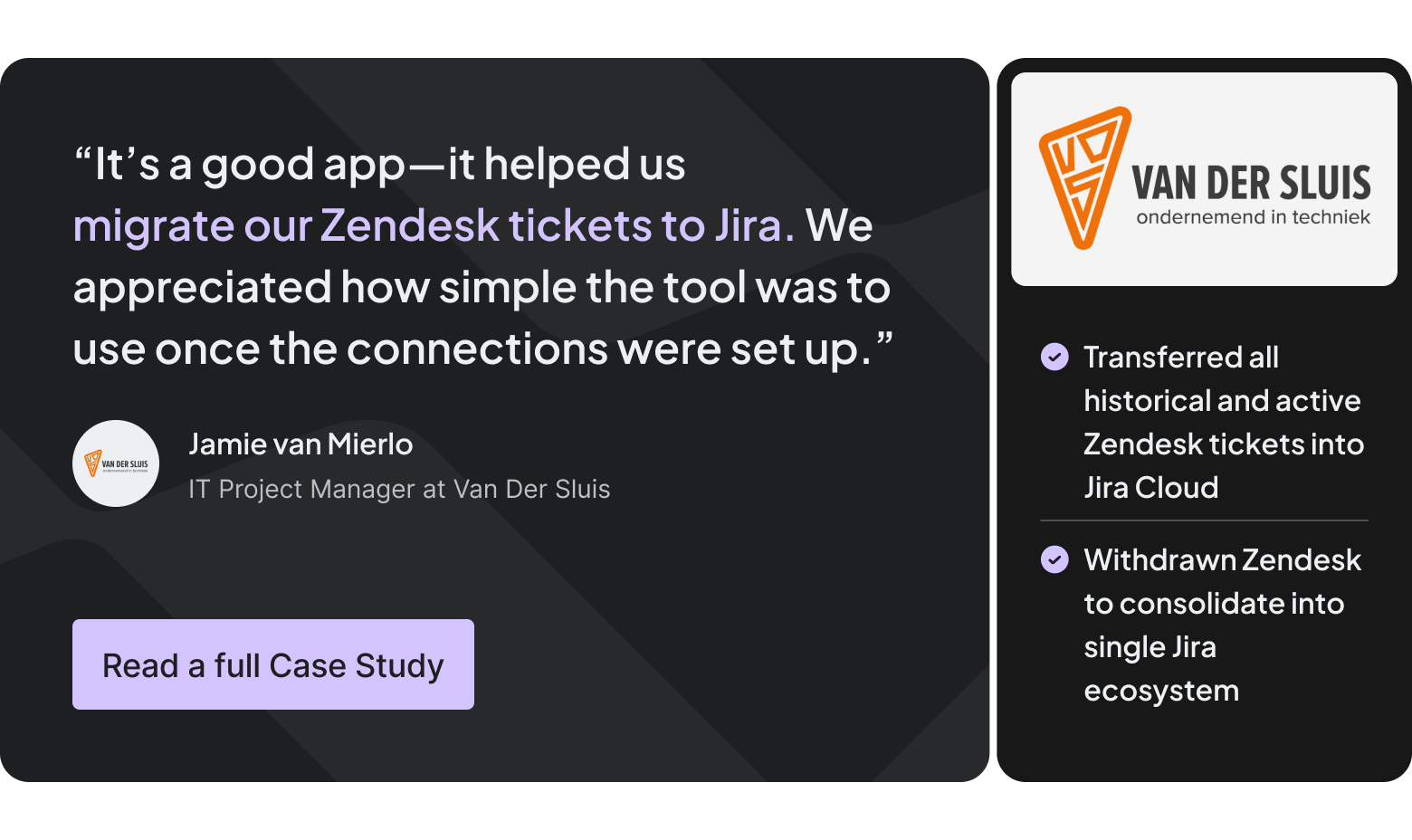
Van der Sluis, a company operating in the Netherlands, decided to migrate from Zendesk to Jira Cloud as part of a broader initiative to streamline operations and improve collaboration across teams.
Like many organizations, they had accumulated years of support history in Zendesk. Their migration involved much more than simply transferring tickets from one platform to another. The project required preserving valuable customer information, attachments, comments, and custom data while ensuring employees could continue working without losing access to important historical records.
One of the primary concerns was maintaining context. Customer support data often represents years of conversations, troubleshooting efforts, and operational knowledge. Losing that information would have reduced the value of the migrated records and impacted day-to-day work.
The migration also required careful planning to ensure data was mapped correctly between systems and that teams could continue working with familiar information once the transition was complete.

By approaching the migration as a structured project rather than a simple data export, Van der Sluis successfully moved historical Zendesk data into Jira Cloud while maintaining the information employees relied on every day.
Remember that successful migrations focus on preserving business context, not simply transferring records.
Planning Your Zendesk to Jira Migration
Once you've identified what needs to be migrated and understand the potential challenges, the next step is building your migration plan.
As we saw in the example above, a well-structured migration plan helps reduce risk, improve data accuracy, and minimize disruption to users. While every organization approaches help desk migration service differently, successful projects tend to focus on the same key preparation areas.
1. Understanding Your Zendesk Environment
Before migrating any data, it's important to understand exactly what exists in your Zendesk instance.
Many organizations discover that their environment has evolved significantly over time, with additional ticket forms, custom fields, automations, integrations, and workflows added as business requirements changed.
A thorough audit should include ticket volume, users, organizations, custom fields, attachments, tags, automations, and existing integrations. Understanding the scope of your environment helps identify potential migration challenges early and prevents surprises later in the project.
2. Defining Migration Goals and Success Criteria
Migration projects are often more successful when stakeholders agree on clear objectives from the beginning.
Questions worth addressing early include:
- How much historical data should be migrated?
- Which records are considered business-critical?
- What level of data accuracy is required?
- How will migrated data be validated?
- Who is responsible for approving the final migration?
Establishing clear success criteria creates a shared understanding of project goals and helps teams make informed decisions throughout the migration process.
3. Cleaning Up Data Before Migration
A migration project can be an excellent opportunity to improve data quality. Rather than transferring years of accumulated complexity into Jira, many organizations take time to review their existing Zendesk configuration and identify elements that are no longer needed.
This may include unused custom fields, obsolete ticket forms, duplicate workflows, deactivates users, or legacy automations that no longer support current business processes. Reducing unnecessary complexity before migration can simplify field mapping, improve reporting, and create a cleaner Jira environment.
4. Preparing Jira Cloud for Incoming Data
The destination environment should be ready before migration begins.
Depending on how Jira will be used after the transition, organizations may need to create projects, configure work item types, establish workflows, define permissions, and create custom fields that will receive migrated data.
Preparing Jira accounts in advance helps reduce migration errors and ensures that imported records can be used immediately after the migration is complete.
5. Planning Field Mapping and Data Transformation
Field mapping is one of the most important aspects of any Zendesk to Jira migration.
Although many Zendesk fields have direct Jira equivalents (included in the table before in the article), others require transformation or custom mapping rules. Ticket forms, organizations, user references, and custom fields often require special attention to ensure information remains meaningful after migration.
Creating a detailed mapping plan before migration begins helps maintain consistency, preserve business context, and reduce the risk of data quality issues during the transition. By investing time in preparation, teams can significantly reduce migration risk and create a smoother path from Zendesk to Jira Cloud.
Zendesk to Jira Migration Process with Getint: Step-by-Step
Every migration project is different, but most successful Zendesk to Jira migrations follow a similar process. Rather than treating help desk migration as a one-time data transfer, organizations should approach it as a structured project.
Step 1: Set Up the Jira–Zendesk Integration
Before you begin migration path, you need to establish a working connection between Jira and Zendesk. You can download Getint app via Atlassian Marketplace.

Getint migrations are built on top of the integration framework, which means the first step is configuring and validating the connection between both systems.
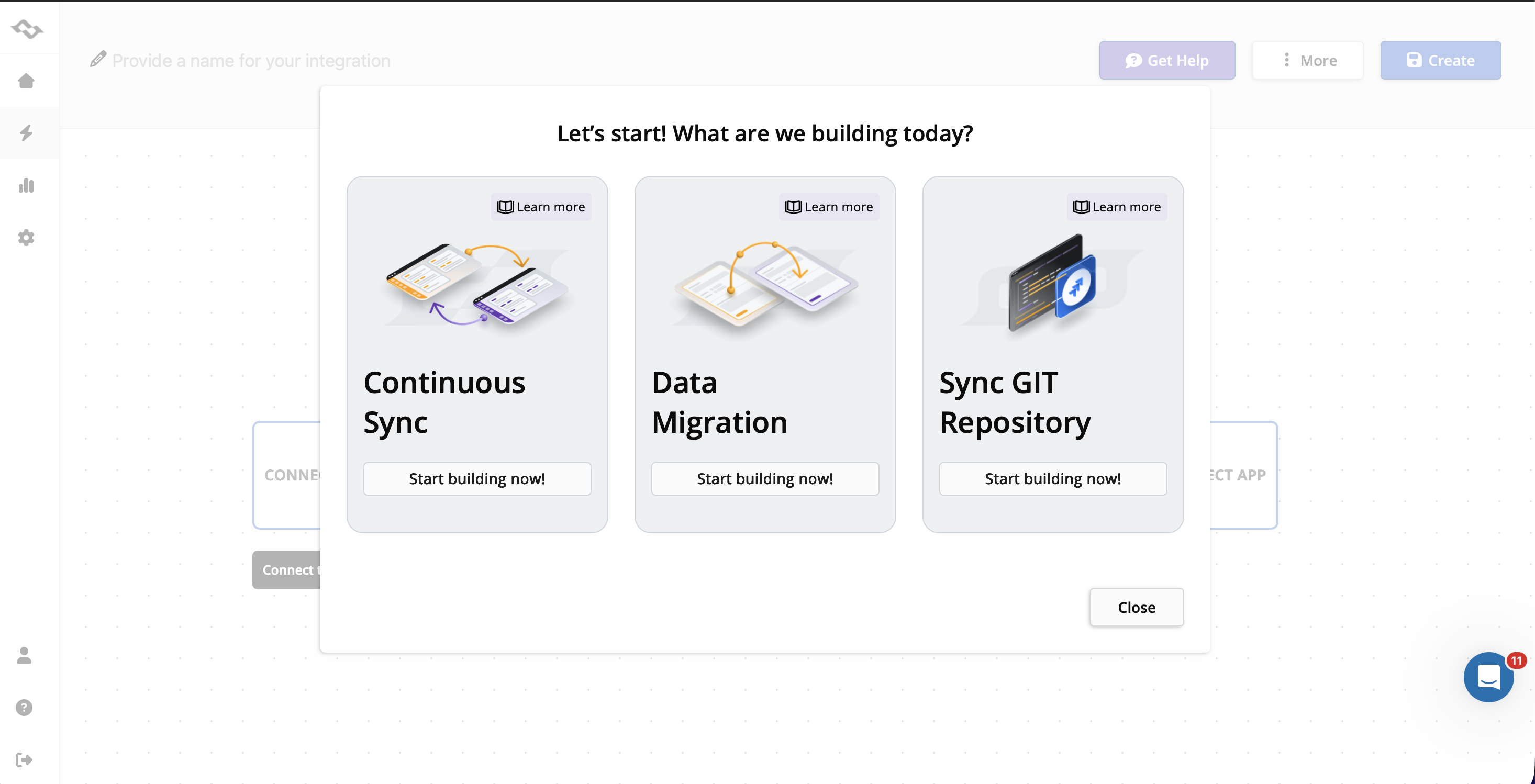
This ensures that Getint can access the required data and transfer it accurately during the migration process.

Follow the Jira–Zendesk Integration Guide to configure the connection, authenticate both platforms, and verify that synchronization is working correctly.
Once the integration is configured, you can proceed with preparing your migration settings.
Note: Trial version allows for 20 migration runs (max. 5 items per run).
Step 2: Map Fields
Next step is defining how Zendesk data will be represented in Jira.

Some mappings are straightforward. Ticket statuses can often be mapped directly to Jira statuses, while priorities and attachments usually have clear equivalents. Other elements, such as ticket forms, custom fields, organizations, and user references, may require additional planning.

Step 3: Run a Test Migration
A pilot migration is one of the most important stages of the project.
Rather than migrating all records immediately, organizations should first transfer a representative sample of data into Jira. This allows teams to review migrated work items, verify field mappings, and confirm that attachments, comments, and historical information appear as expected.
Testing helps identify issues early and provides an opportunity to refine the migration approach before moving larger volumes of data.
Step 4: Validate the Results
After the test migration is complete, teams should carefully review the migrated records. This validation process should focus on both data accuracy and usability. Field values, user assignments, attachments, comments, and status mappings should all be reviewed to ensure that information has been transferred correctly.
The objective is to confirm that users will be able to work with migrated records without losing important context.
Step 5: Execute the Full Migration
Once testing and validation have been completed successfully, the full migration can begin.
Depending on the size of the environment and business requirements, organizations may choose to migrate all records at once or perform the migration in multiple phases. Regardless of the approach, communication with stakeholders is essential throughout the process.
Step 6: Review and Optimize
The migration project doesn't end when the last record is transferred. After the move, teams should review reporting, workflows, permissions (important for compliance purposes), and user feedback to ensure the new environment supports day-to-day operations effectively. Teams often discover opportunities to further improve processes once they begin working in Jira.
A successful migration should not only preserve historical data but also create a stronger foundation for future collaboration and growth.
Why CSV Import Is Not Enough
When organizations first begin evaluating a Zendesk to Jira migration, a CSV export often seems like the simplest option. At first glance, the process appears straightforward: export data from Zendesk, prepare a CSV file, and import records into Jira. For smaller datasets with limited requirements, this approach may work.
However, migration projects quickly become more complicated when organizations need to preserve years of customer interactions, custom fields, attachments, and historical context. A CSV file can transfer certain field values, but it does not represent the full complexity of a support environment.
For example, customer conversations often include dozens of comments, attachments, user references, and status changes accumulated over months or even years. Preserving that information accurately requires much more than creating new records in Jira.
Organizations that rely solely on CSV imports frequently encounter challenges such as:
- Missing attachments
- Incomplete comment history
- Manual user mapping
- Limited support for custom fields
- Data formatting issues
- Additional validation effort
- Increased risk of human error
As data volumes grow, manual migration processes become increasingly difficult to manage and validate.
Comparing CSV Imports and Dedicated Migration Solutions
For organizations migrating years of support history, preserving context is often more important than simply creating records in Jira.
Why Organizations Use a Dedicated Migration Solution
The complexity of modern support environments is one of the main reasons organizations choose dedicated migration tools instead of choosing manual work on copying all the important data. It's simply time consuming.
A dedicated migration solution like Getint helps organizations manage this complexity while reducing risk and administrative effort. Rather than manually exporting, transforming, validating, and importing data, teams can focus on planning, testing, and ensuring that business requirements are met.
Benefits typically include:
- Faster migration execution
- Reduced manual effort
- Improved data accuracy
- Better historical data preservation
- Support for complex field mapping
- Validation and testing capabilities
- Reduced migration risk
This becomes particularly important for organizations migrating large volumes of data or environments with extensive customization.
Zendesk and Jira Integration as Alternative to Data Migration
For some organizations, migration represents the end of the journey. Once historical data has been transferred into Jira, Zendesk can be withdrawn and teams can begin working entirely within their new environment. But it's not always the right choice.
Some organizations are not ready to retire Zendesk completely. Others need both systems to stay active because different teams rely on different tools, processes, or reporting structures. In these cases, Zendesk and Jira integration can be a practical alternative to full data migration.
By connecting Zendesk and Jira, organizations can keep teams aligned across separate platforms while maintaining visibility into customer requests, engineering work, operational tasks, and project activity. With Getint, you can choose the direction of the sync - make it one-way or bi-directional.
Integration may be a better fit when an organization wants to:
- Keep Zendesk as the main customer support platform
- Allow engineering or operations teams to continue working in Jira
- Avoid a large one-time migration project
- Support phased migration strategies
- Maintain visibility across both systems
- Reduce disruption during transition periods
- Reduce manual work between support and technical teams
For organizations that are not ready to migrate all data immediately, integration can provide a practical bridge between systems while longer-term migration plans are executed.
Conclusion
A successful Zendesk to Jira migration is about more than moving data. Preserving ticket history, comments, attachments, custom fields, and business context is essential to ensuring teams can continue working effectively after the transition.
Whether you're planning a full migration or a phased approach, choosing the right strategy can help minimize disruption and maintain data accuracy throughout the process.
Getint supports both migration and integration scenarios, helping organizations move historical data from Zendesk to Jira Cloud, Jira Server, or Jira Service Management while also enabling ongoing synchronization between platforms when needed.
Ready to explore your options? Book a free demo migration call to discuss your requirements with our team.