
Organizations often rely on at least two platforms to run their work. In some cases, it's Asana for project management and Azure DevOps for software development. While both are powerful project management tools in their own right, problems start when teams need to collaborate across systems.
Without a proper Asana Azure DevOps integration, organizations face repetitive tasks, manual status updates, duplicated work items, and broken communication between project managers and developers. Business teams create Asana tasks, while development teams track Azure DevOps work items — and the gap between the two slows progress, impacts performance, and creates friction.
This guide explains how to integrate Asana and Azure DevOps workspaces in an easy way, how synchronization works in practice, and how one EdTech company successfully connected those popular apps with Getint to streamline team collaboration and their development processes.

What Is Asana?
Asana is a project management tool used to plan, track, and coordinate work across teams. It's commonly adopted by project managers, operations teams, and business stakeholders who need clear visibility into tasks, assignments, and progress.
In many organizations, Asana is used to manage:
- project workflows and timelines
- task ownership and priorities
- cross-team collaboration and communication
- strategic initiatives and operational work
Because Asana is designed for accessibility and collaboration, it's often the primary workspace for non-technical teams involved in product, content, or operations.
What Is Azure DevOps?
On the other hand, Azure DevOps is a platform for managing software development processes, from planning and coding to testing and deployment. It's typically used by development teams to track work items, manage backlogs, and support structured delivery workflows.
Azure DevOps is commonly used to:
- manage development tasks and work items
- support coding and deployment workflows
- track progress through defined development stages
- enforce consistency across development processes
For development teams, Azure DevOps acts as the system of record for execution, making it a natural counterpart to project management tools like Asana.
Why Asana and Azure DevOps Integration Matters
Once teams start working across Asana and Azure DevOps, the gap between project management and software development becomes very visible. Project managers plan work in Asana, assign tasks, and track progress at a high level. Development teams, meanwhile, rely on Azure DevOps to manage coding, deployment, and structured development processes.
Without integration, these two platforms drift apart quickly.
New Asana tasks may show progress that no longer reflects reality in Azure DevOps. Azure DevOps work items move forward, but business teams never see those updates unless someone manually reports them. Over time, this leads to duplicated work, unclear ownership, and constant back-and-forth just to understand the current state of a project. It's simply not efficient.
Integrating Azure DevOps with Asana solves this problem by creating a shared workflow where both teams stay aligned without giving up their preferred tools.
Common Challenges When Asana and Azure DevOps Are Not Connected
Teams usually notice the same problems before deciding to integrate.
- Project managers often create new tasks in Asana and then ask developers to recreate the same work in Azure DevOps. This manual handoff introduces delays and inconsistencies, especially when task descriptions or requirements change.
- Status updates are another pain point. Asana may show a task as “in progress,” while the corresponding Azure DevOps work item is already blocked or completed. Without synchronization, stakeholders lose trust in reporting and timelines.
- Communication also becomes fragmented. Task comments live in Asana, technical discussions happen in Azure DevOps, and decisions are spread across chat tools. Important context is lost, and teams spend more time clarifying than delivering.
These issues are not caused by poor usage of either tool — they are the natural result of running two platforms without integration.

Why Integration Works Better Than Tool Replacement
Some organizations try to solve this problem by forcing everyone into a single platform. In practice, this approach rarely succeeds.
As we know, Asana and Azure DevOps serve different roles. Replacing one tool with the other usually creates resistance and reduces productivity. Integration, on the other hand, allows each team to keep using the tools that fit their work, while ensuring data flows between them.
A purpose-built Asana Azure DevOps integration connects tasks and work items without flattening their differences.
What a Good Asana to Azure DevOps Integration Looks Like
A strong integration does not try to synchronize everything. Instead, it focuses on the points where collaboration is actually needed.
In practice, this means:
- Asana tasks and Azure DevOps new work items stay linked
- task names and task descriptions remain consistent
- status real time updates reflect real progress
- key fields are mapped intentionally
- teams understand who owns which updates
Most importantly, the integration should be simple enough to maintain and transparent enough that teams trust it.
How to Integrate Asana and Azure DevOps: Step-by-Step with Getint
The steps below reflect how Asana and Azure DevOps projects could be actually connected with Getint integration platform.
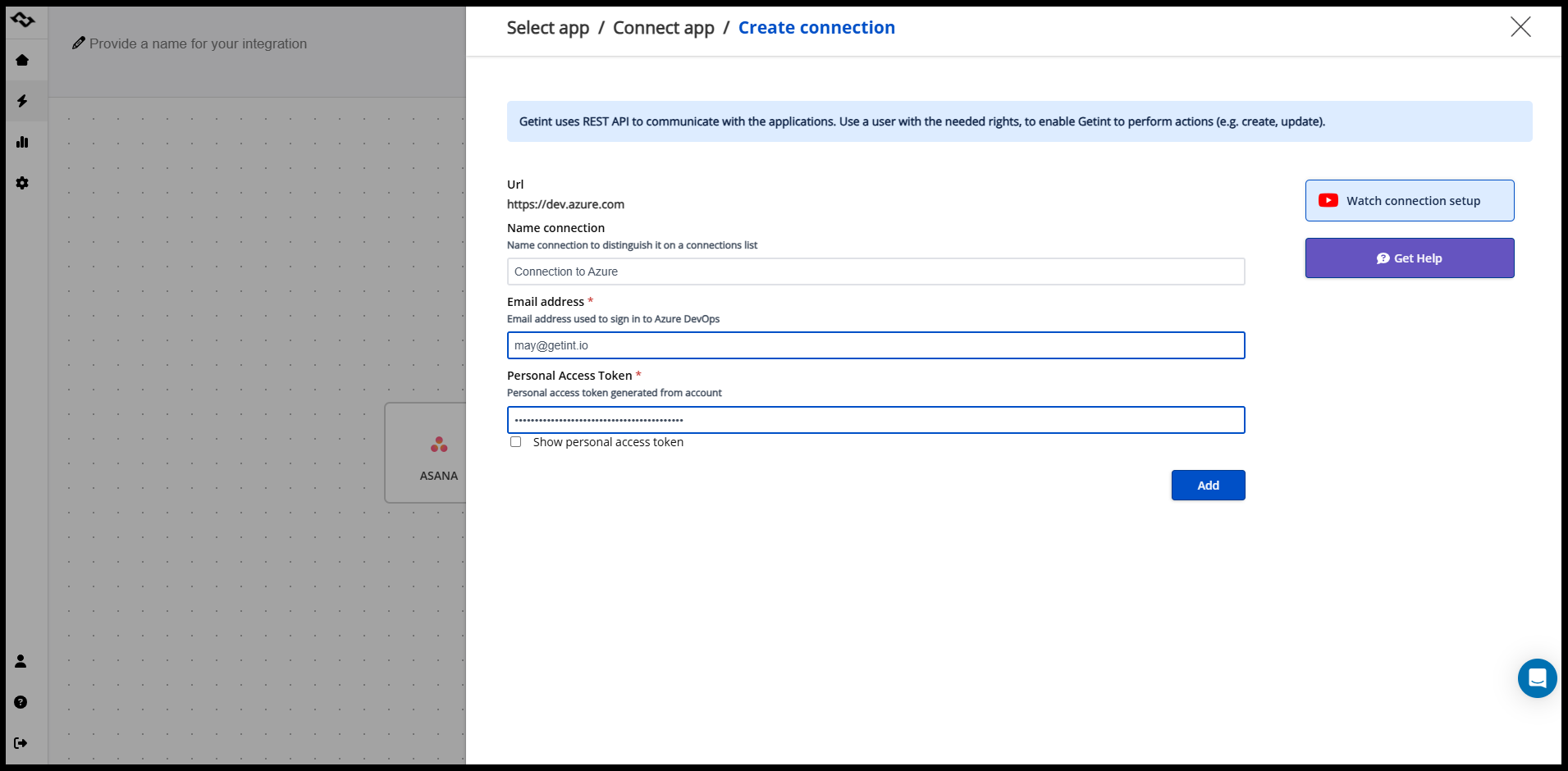
Step 1: Connect Your Asana and Azure DevOps Accounts
The first step is to connect Asana and Azure with Getint.
You authenticate:
- your Asana account, selecting the workspace where tasks live
- your Azure DevOps organization and project, where work items are managed
Getint uses secure access tokens for authentication, so no code or custom scripts are required. Once both platforms are connected, Getint can read and synchronize data between them.
At this stage, no data is synced yet — you're simply establishing secure connections to both tools.
Step 2: Choose the Synchronization Direction
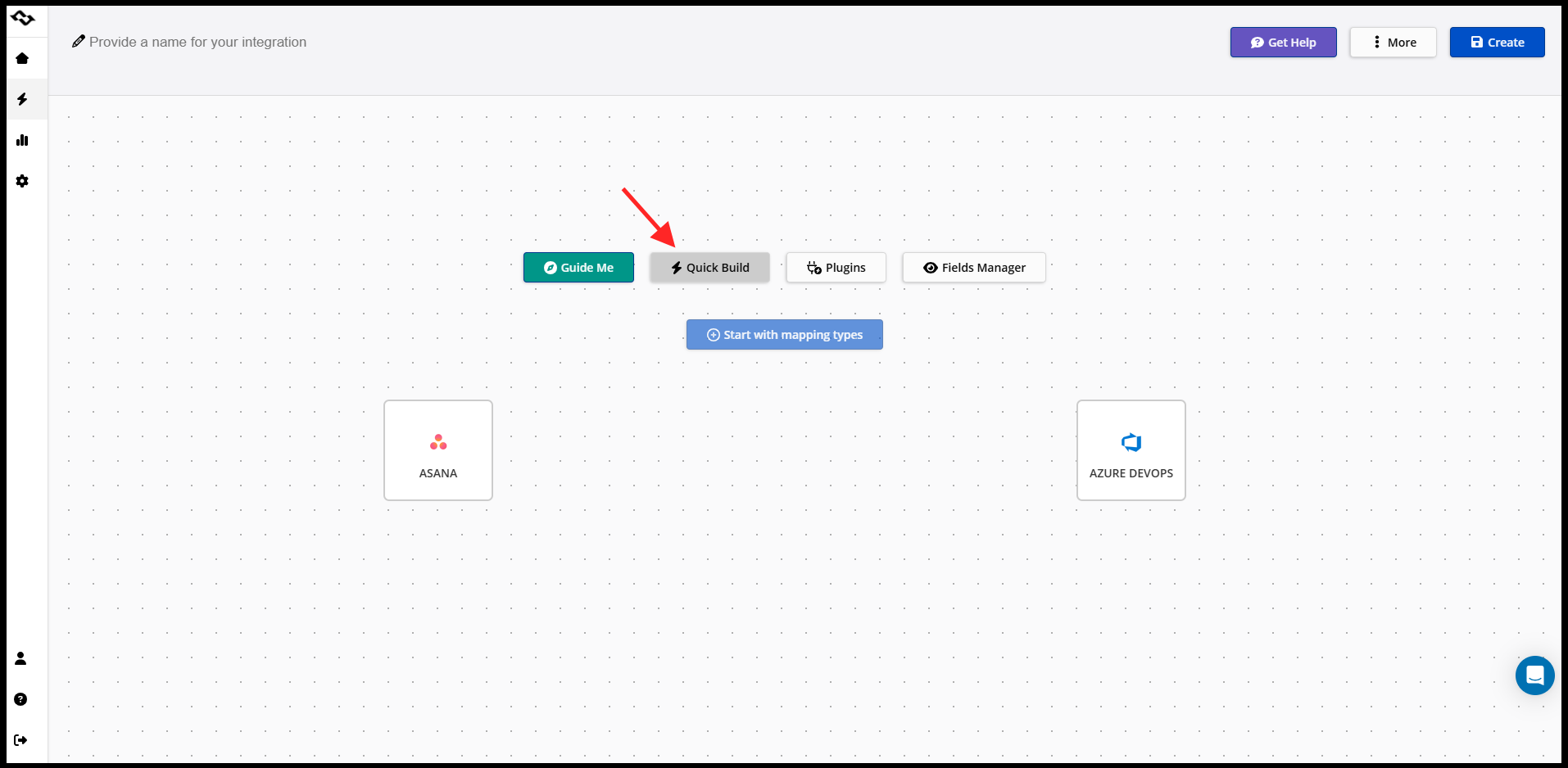
Next, you define how data should flow between Asana and Azure DevOps.
Depending on the workflow, you may choose:
- Asana → Azure DevOps (for example, bug reports or requests created by business teams)
- Azure DevOps → Asana (for development progress and delivery visibility)
- two-way synchronization for selected fields or statuses
This step is crucial because it determines which platform is the source of truth for each type of work.
Step 3: Select What to Sync Between the Two Platforms
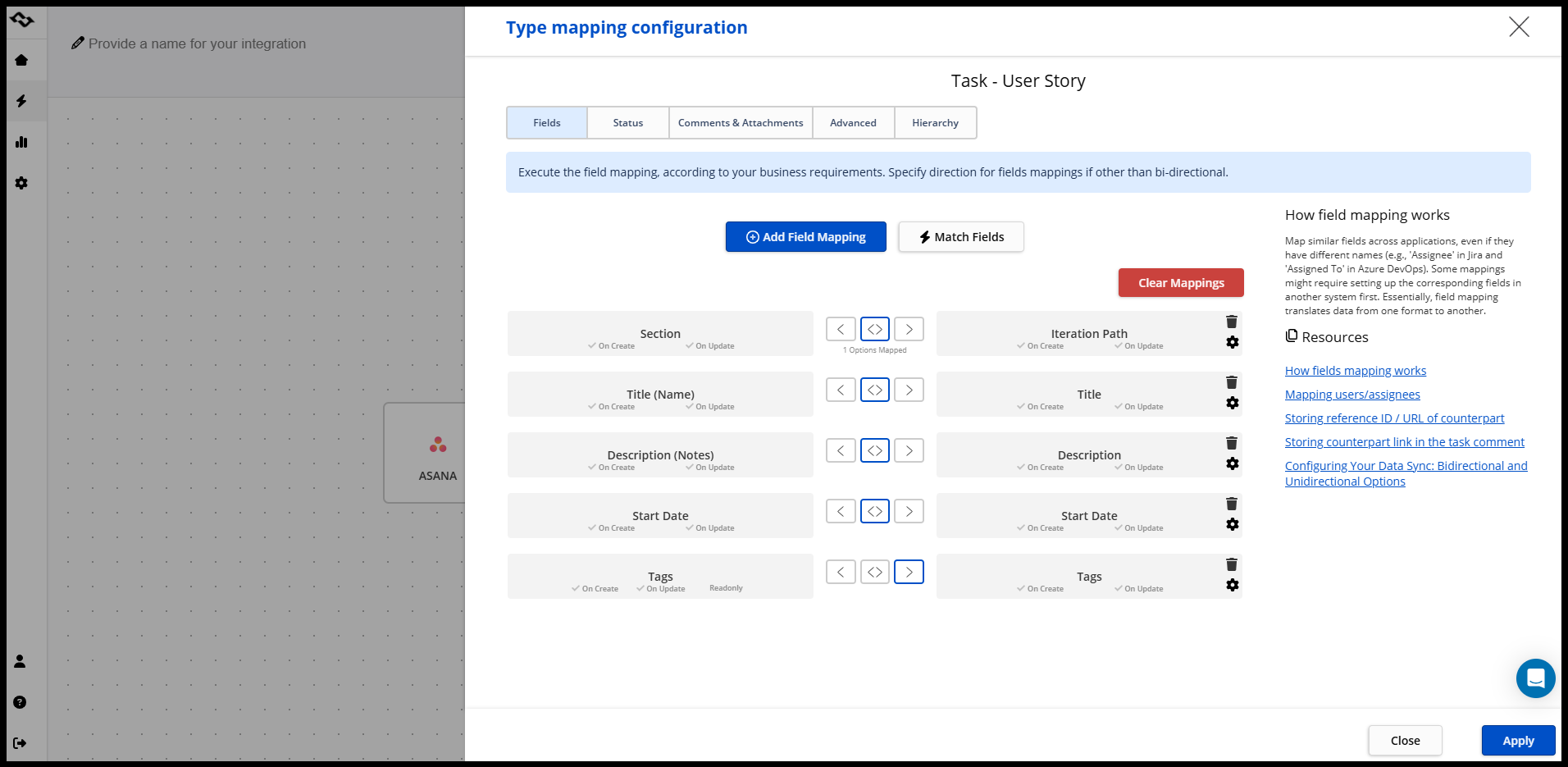
Once direction is defined, you choose which items should be synchronized.
This usually includes:
- specific Asana projects
- specific Azure DevOps work item types (such as bugs or features)
- optional filters to limit what gets synced
Instead of syncing everything, Getint allows you to narrow the scope so only relevant tasks and work items are connected. This keeps both platforms clean and focused.
Step 4: Map Asana Tasks to Azure DevOps Work Items
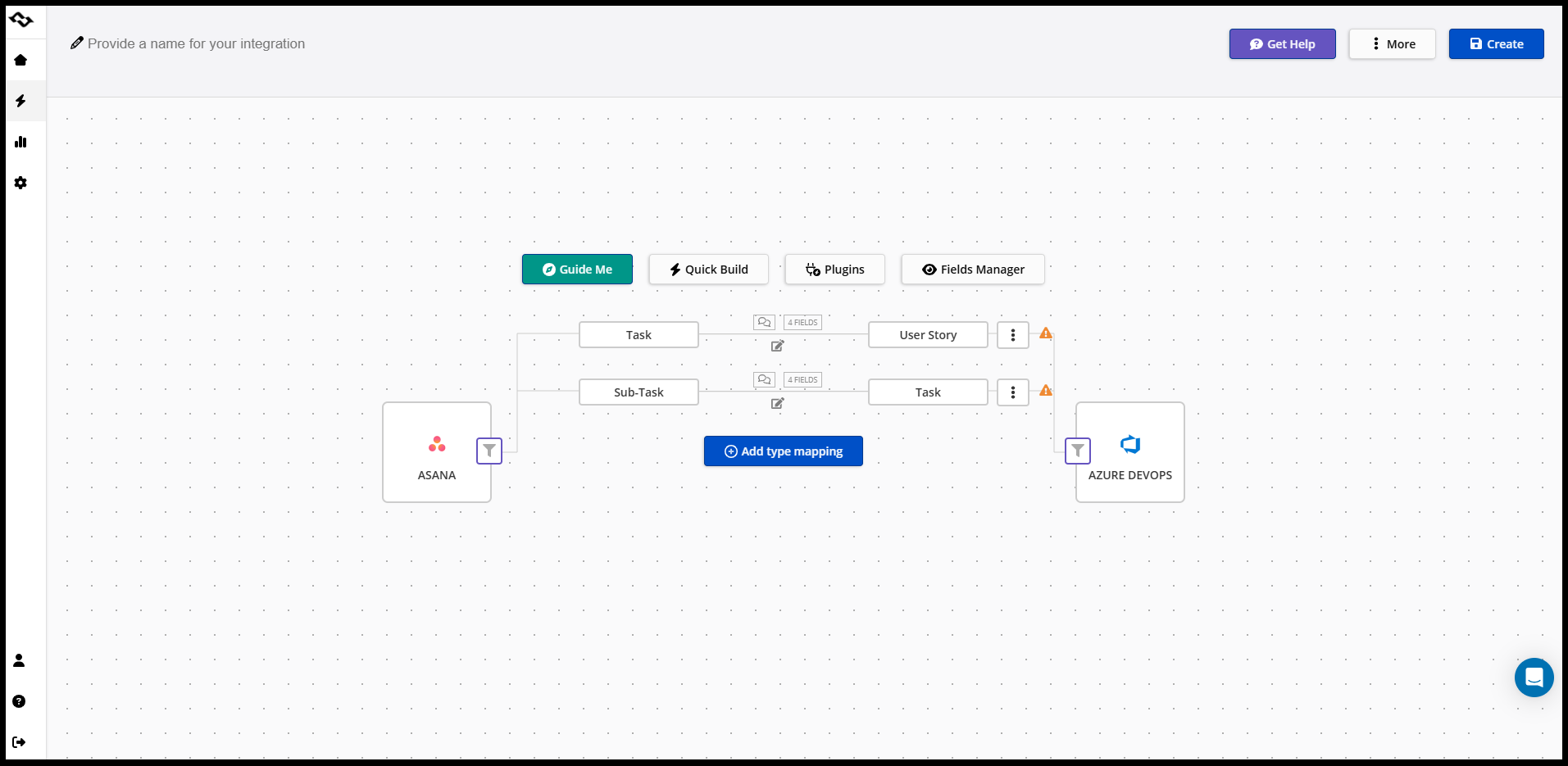
Field mapping defines how information moves between tools.
In this step, you map:
- task names to work item titles
- task descriptions to work item descriptions
- Asana custom fields to Azure DevOps fields
- assignments and ownership where needed
This ensures that when a task or work item is created or updated, the data appears correctly on both sides.
Mapping is flexible, so each integration can reflect how your teams actually work.
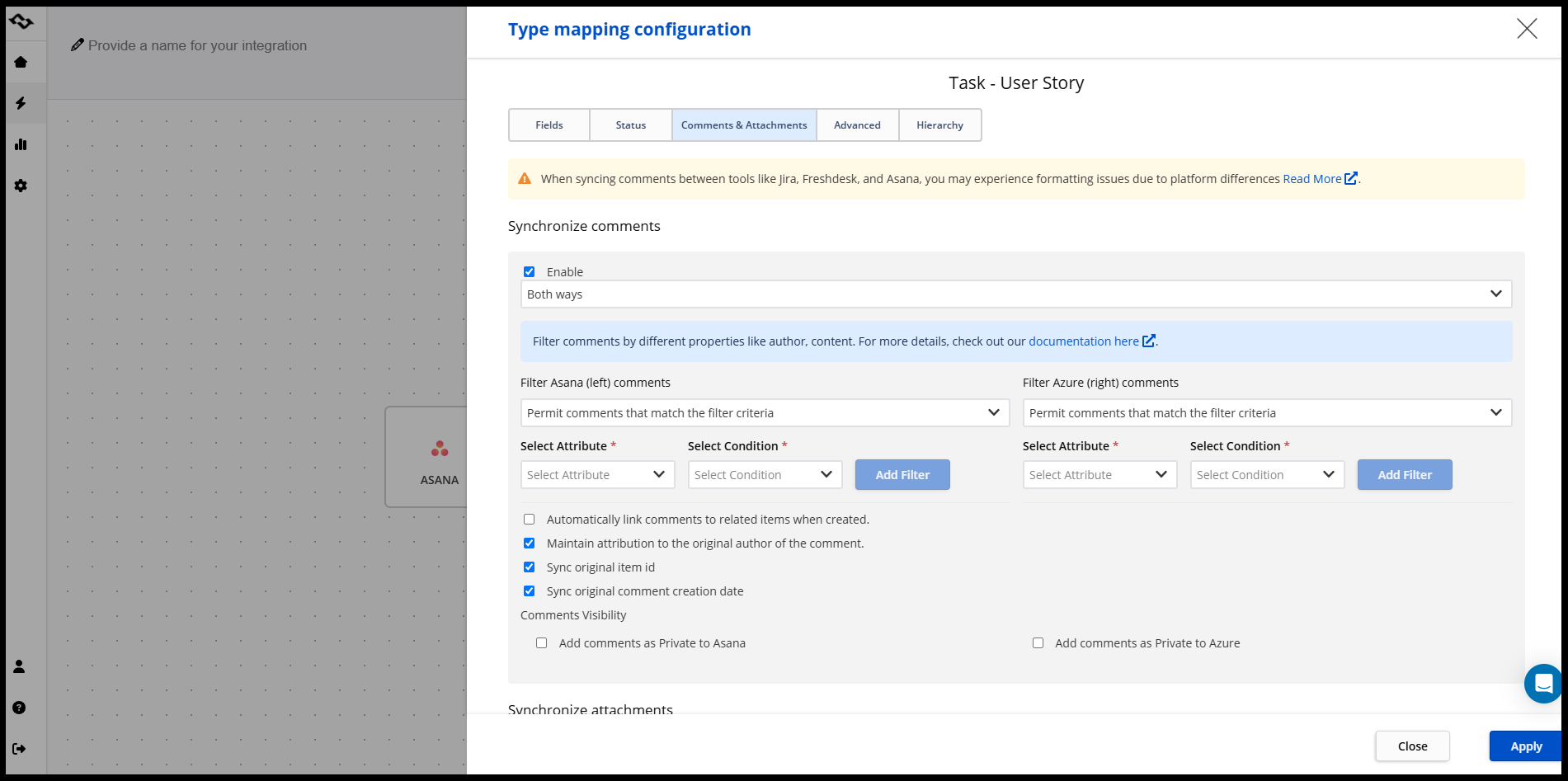
Step 5: Configure Status Synchronization and Comments
After fields are mapped, you define how status updates and comments behave.
You decide:
- which status changes should sync between platforms
- how Azure DevOps states map to Asana task statuses
- whether task comments should sync, and in which direction
This prevents confusion and avoids unnecessary updates while keeping both teams informed.
Step 6: Test the Integration and Monitor Sync Runs
Before relying on the integration in daily work, it's important to validate it.
Getint allows you to:
- run test synchronizations
- review sync logs and execution history
- identify and resolve errors early
This transparency makes it easier to trust the integration and adjust settings before scaling it across more projects or teams.
Step 7: Adjust and Scale as Workflows Evolve
Once the integration is live, it can be refined over time.
You can:
- update field mappings
- add new projects or work item types
- adjust synchronization rules as processes change
This flexibility is especially important as teams grow or workflows become more complex.
Real-World Case Study: How an EdTech Company Integrated Asana and Azure DevOps

Company Context
Edge Factor is an EdTech platform helping students explore career paths. The company operates with distributed teams and different toolsets.
- Business and operations teams use Asana accounts for project management and coordination
- The development team uses Azure DevOps for software development and delivery
Both teams worked efficiently in their own tools, but collaboration between them was limited.
The Challenge Before Integration
Before integration, there was no automation between Asana and Azure DevOps.
As a result:
- Asana tasks had to be manually recreated as Azure DevOps work items
- Status updates were shared through meetings or messages
- Non-technical users struggled to follow progress in development tools
As work scaled, this led to duplicated effort, delayed updates, and growing friction between teams.
The goal was clear: keep both teams in their tools while removing manual handoffs.
We didn't want to change from Asana, and the developers didn't want to change from Azure DevOps. We needed to stay in our own environments, but we had to sync.
— Nikki Vaker, Operations Lead at Edge Factor
Integration Setup and Workflow Design
Instead of syncing everything, Edge Factor designed the integration around real workflows.
The setup focused on:
- Bug tracking: bugs created in Asana sync to Azure DevOps as bug work items
- Feature development: features managed in Azure DevOps sync back to Asana for visibility
- Backlog alignment: selected items stay aligned without flooding either platform
Each workflow has a clear sync direction and ownership, which keeps data consistent and avoids conflicts.
Results After Connecting Asana and Azure DevOps
After implementing the integration with Getint, Edge Factor reduced manual coordination and improved collaboration across teams.
- Project managers gained reliable visibility in Asana
- Developers stayed focused in Azure DevOps
- Duplicate work and manual status updates were largely eliminated
The result was a single, connected workflow across both platforms — without changing how teams work.
Best Practices for Asana Azure DevOps Integration
Based on real-world usage, successful integrations tend to follow a small set of practical principles. These aren't rules — they're guardrails that keep the integration reliable as teams and projects scale.
- Integrate workflows, not entire platforms
Focus on the points where work actually crosses teams, such as bugs, feature requests, or delivery visibility. Syncing everything usually creates noise rather than clarity. - Keep ownership clear between teams
Project managers should own planning and coordination in Asana, while developers remain responsible for execution in Azure DevOps. Clear ownership prevents conflicts and duplicate updates. - Sync only the data that supports collaboration
Task names, descriptions, key fields, and meaningful status updates matter. Syncing every available field rarely adds value and increases maintenance effort. - Avoid forcing one tool's structure onto the other
Asana and Azure DevOps solve different problems. Integration should respect those differences instead of trying to make the tools behave the same way. - Monitor synchronization to maintain trust
Visibility into sync runs, errors, and updates is crucial. When teams trust the integration, they rely on it — and stop maintaining shadow processes.
Following these practices keeps the integration lightweight, predictable, and aligned with how teams actually work.
Final Thoughts on Integrating Asana and Azure DevOps
A well-designed Asana Azure DevOps integration is not about automating everything or forcing teams into a single system. It's about creating a shared delivery workflow where project managers and developers stay aligned while continuing to work in the tools that fit their roles.
When Asana tasks and Azure DevOps work items are properly synchronized, teams eliminate repetitive tasks, reduce manual status updates, and gain a clearer view of progress across both platforms. Communication becomes more structured, ownership is clearer, and collaboration improves without adding overhead.
This is exactly where Getint adds its values. Such no-code required platform enables teams to connect Asana and Azure DevOps through flexible connections that respect existing project workflows instead of replacing them. By allowing you to define how data flows, which fields sync, and who owns each part of the process, we help organizations streamline development processes without disrupting how teams already work.
Teams looking to bridge their development and project management workflows can benefit from a dedicated Jira Azure DevOps integration that synchronizes issues, work items, and statuses automatically. Getint's Jira-Azure DevOps connector supports bidirectional sync with field mapping, filters, and no-code setup.