Choosing the right helpdesk platform can make or break how efficiently your teams operate. But when both tools you're comparing come from the same vendor, the same parent company, and even look nearly identical at first glance, things get confusing fast. That's exactly the situation with Freshdesk vs Freshservice.
Both are built by Freshworks. Both use ticket-based workflows. Both share a similar interface. Yet they were designed to solve two very different problems: in a nutshell, one manages external customer support, and the other manages internal IT service management.
Mixing them up, or picking the wrong one for your team, can leave you paying for features you'll never use while missing the ones you actually need.
In this guide, we'll break down the key differences between Freshdesk and Freshservice, compare their core features, pricing, and use cases, and help you figure out which platform (or combination of both) fits your organization.
Why the Freshdesk vs Freshservice Question Still Matters in 2026
Freshworks built two separate tools for support work, rather than one all-purpose help desk, for a reason. Customer support teams and internal service desk teams don't just handle different tickets, they operate under entirely different processes, SLAs, and success metrics.
A support agent fielding customer inquiries about a late shipment needs fast, multi-channel communication and a friendly tone. An IT technician handling a service request for a new laptop needs structured approvals, asset tracking, and change management tied to a configuration management database. Trying to force one tool to do both jobs usually means compromising on one side.
That's why understanding the Freshdesk vs Freshservice split matters before you commit budget, migrate data, or roll out either tool to your teams.
Freshdesk vs Freshservice: Background and Purpose
What is Freshdesk?
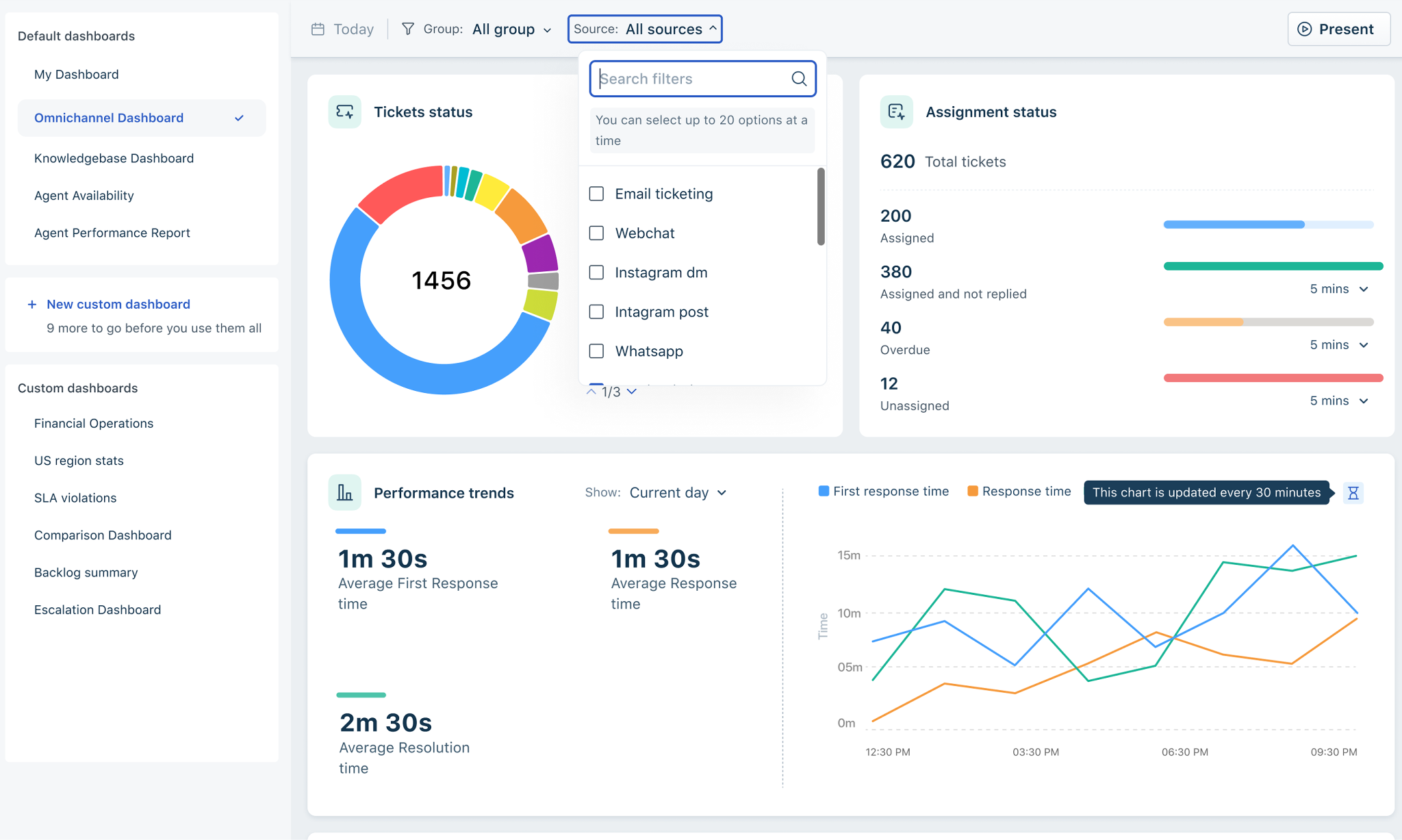
Freshdesk is Freshworks' customer support software, built to help customer support teams manage customer queries across email, chat, phone, social media, and messaging apps. It's a complete customer service system: tickets come in from external customer touchpoints, get triaged, and get resolved, ideally resulting in high customer satisfaction.
Freshdesk is often the tool of choice for customer facing teams at e-commerce shops, SaaS companies, and any business that needs to provide exceptional customer support at scale without a heavy IT footprint.
What is Freshservice?
Freshservice is Freshworks' IT service management (ITSM) platform, aligned with ITIL best practices. Rather than fielding external customer queries, it's built mainly for internal IT teams, and increasingly HR, Facilities, or Finance, to handle incident management, service requests, change management, problem management, and asset management for employees.
Freshservice's job isn't to drive sales through happy customers; it's to keep the business running smoothly by supporting internal teams and improving internal service delivery.
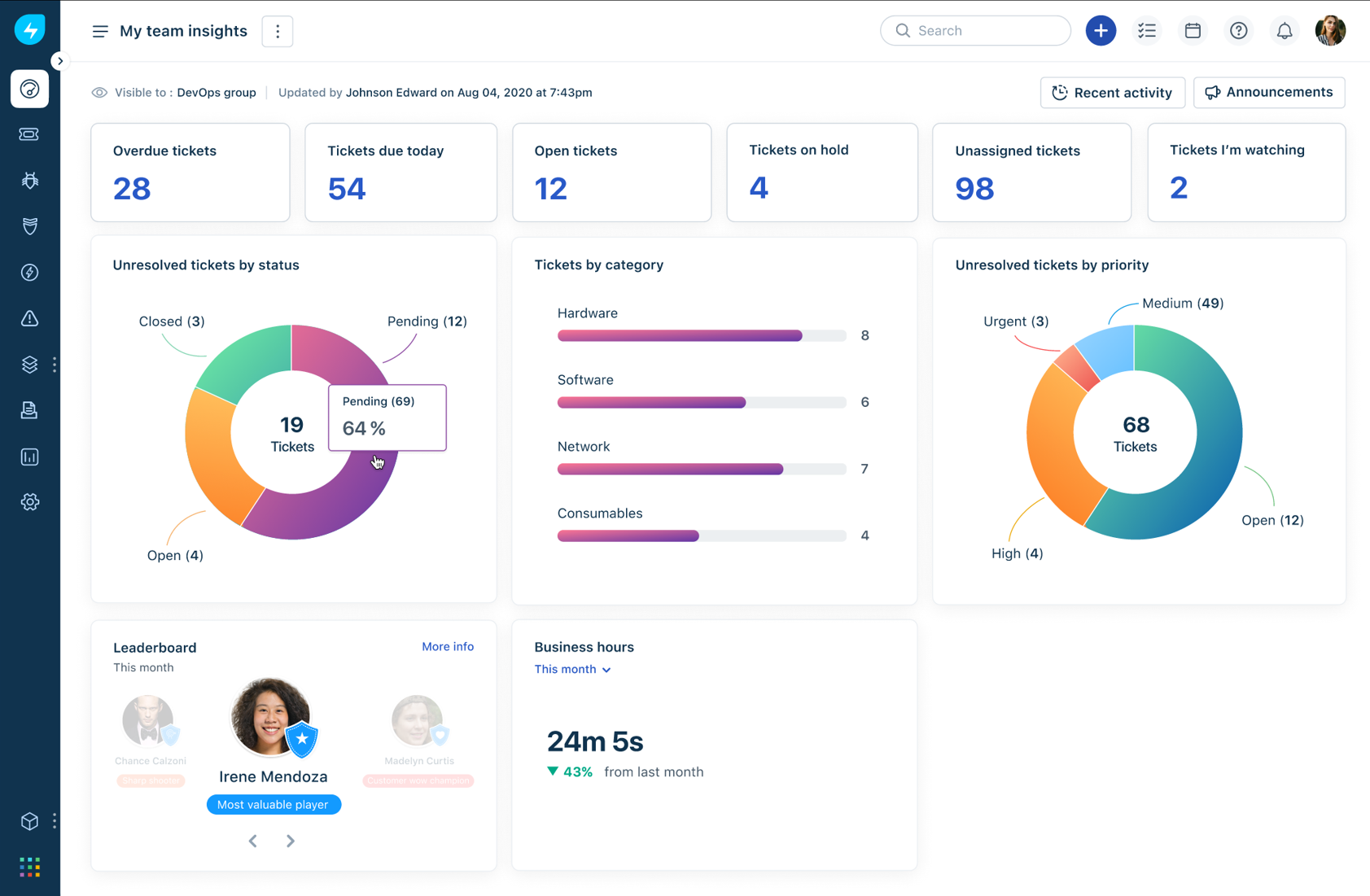
Both products share the same visual language, similar dashboards, and comparable ticketing logic. Their target users and feature depth diverge sharply from there though. Let's dive deeper into the main part of the comparison.
Freshdesk vs Freshservice: Core Feature Comparison
1. Customer Support vs Internal Service Desk
The clearest way to separate Freshdesk and Freshservice is to ask: who is the requester?
- Freshdesk assumes the person submitting a ticket is an external customer reaching out about a product or service.
- Freshservice assumes the person submitting a ticket is an employee, for example, an internal IT request, an HR question, or a facilities issue.
In practice, nothing practically stops other requesters from using either tool: support agents raise Freshdesk tickets on customers' behalf all the time, and some small teams even route internal questions through Freshdesk. But each platform's features, portals, and SLAs are built around its default audience, and that single distinction shapes almost everything else: the depth of asset tracking, the presence of change and problem management, the type of SLAs enforced, and even how AI is applied.
2. Ticket Management and Multi-Channel Support
Freshdesk's ticket management system is built around multi channel support. Inquiries from email, live chat, phone, social media, and messaging apps all land in one unified inbox, so support agents can respond, collaborate, and see the full customer history of past customer interactions without switching tools. Features like agent collision detection, canned responses, and customer satisfaction surveys are all designed to help teams manage customer queries efficiently at volume.
Freshservice offers omnichannel support too, but the channels look different: employees can submit support requests through internal portals, Slack, Microsoft Teams, mobile apps, and a dedicated self service portal. Instead of optimizing for speed of first response, Freshservice optimizes for structured, auditable workflows.
3. Asset Management and Configuration Management Database (CMDB)
This is one of the sharpest differences between the two platforms.
- Freshdesk offers only basic asset tracking, mostly through integrations, since asset management simply isn't its focus.
- Freshservice, on the other hand, is built around full software asset management and tracking of hardware and software assets. It includes a configuration management database that maps relationships and dependencies between assets and services, which is critical for IT operations troubleshooting, audits, and impact analysis when planning changes. Freshservice also supports the entire asset lifecycle, from procurement to retirement.
4. Incident, Problem, and Change Management
Freshservice is built on ITIL-aligned processes covering the full lifecycle of service delivery:
- Incident management: Log, classify, prioritize, and route issues with structured workflows and skill-based auto-assignment.
- Problem management: Identify root causes, link related incidents, and track permanent fixes to recurring issues.
- Change management: Plan, assess, approve, and deploy changes with built-in safeguards to reduce risk, ideal for teams managing releases or infrastructure updates.
Freshdesk has no dedicated equivalents to these. It can log tickets and automate routing, but it isn't built to manage structured change or problem workflows, since those concepts belong to internal operations, not customer-facing support.
5. Service Catalog and Self-Service
Both platforms offer self service options, but for different audiences. Freshdesk's self service portal and knowledge base are customer-facing, aimed at reducing repetitive inbound queries like "Where's my order?"
Freshservice's service catalog lets employees browse and request hardware, software, access, or HR services from a user friendly interface, with workflow automation handling approvals and fulfillment behind the scenes. This is a core piece of enterprise service management, extending the same structured request handling used by IT to other departments.
6. Workflow Automation
Both tools include automation features to cut down on repetitive tasks, but the use cases diverge:
- Freshdesk automates ticket routing, escalation, canned responses, and follow-up emails to keep response times low.
- Freshservice applies advanced workflow automation to onboarding, access provisioning, equipment requests, approvals, and escalations, standardizing internal operations at scale.
7. Native Integration Capabilities
Both platforms tap into the Freshworks Marketplace, giving each strong integration capabilities with CRMs, communication tools, and third party applications.
- Freshdesk integrates with over 1,000 applications via its Marketplace, leaning toward CRM, e-commerce, and marketing integrations that support customer support teams.
- Freshservice makes integrations available from the Starter plan onwards and leans toward identity management, endpoint monitoring, HRIS platforms, and productivity suites like Office 365 and Google Workspace that matter to IT teams.
There's plenty of overlap, too: both platforms connect with collaboration tools like Slack and Microsoft Teams, and both expose REST APIs for custom integrations when an off-the-shelf connector doesn't cover a specific need.
Because both tools come from the same vendor, a native Freshdesk-Freshservice integration also exists. It lets customer support and internal IT support teams link tickets, sync basic data, and escalate a customer issue from Freshdesk into a Freshservice incident when IT involvement is needed.
These native connections work well for plugging each tool into its own ecosystem and for simple handoffs between the two. When it comes to deeply connecting Freshdesk and Freshservice with each other, or with external platforms like Jira or ServiceNow, dedicated integration platforms go further, which we'll cover later in this article.
Freshdesk vs Freshservice at a Glance: Summary Table
Are Freshdesk and Freshservice the Same Company?
Yes. Freshdesk and Freshservice are both products from Freshworks, the same parent company behind a broader suite of customer engagement and IT tools. They share design DNA, but they are not interchangeable, and comparisons like "Freshworks vs Freshservice" don't quite make sense since Freshworks is the umbrella brand, not a competing product.
Freshdesk vs Freshservice: Pricing Comparison
Pricing is one of the more telling signals of how each platform is positioned. Freshdesk targets a much wider range of team sizes and budgets, while Freshservice is priced for organizations with structured service delivery needs and higher willingness to invest in ITSM. Note that Freshworks updates these pricing periodically.
Freshdesk Pricing
Freshdesk is now sold across two product tracks: Freshdesk (Email and Ticketing) for teams that mainly need email-based support, and Freshdesk Omni, which bundles ticketing with chat, messaging, and telephony for full multi channel support. Both tracks share the same free tier.
(All prices billed annually, per agent/month. Monthly billing costs more.)
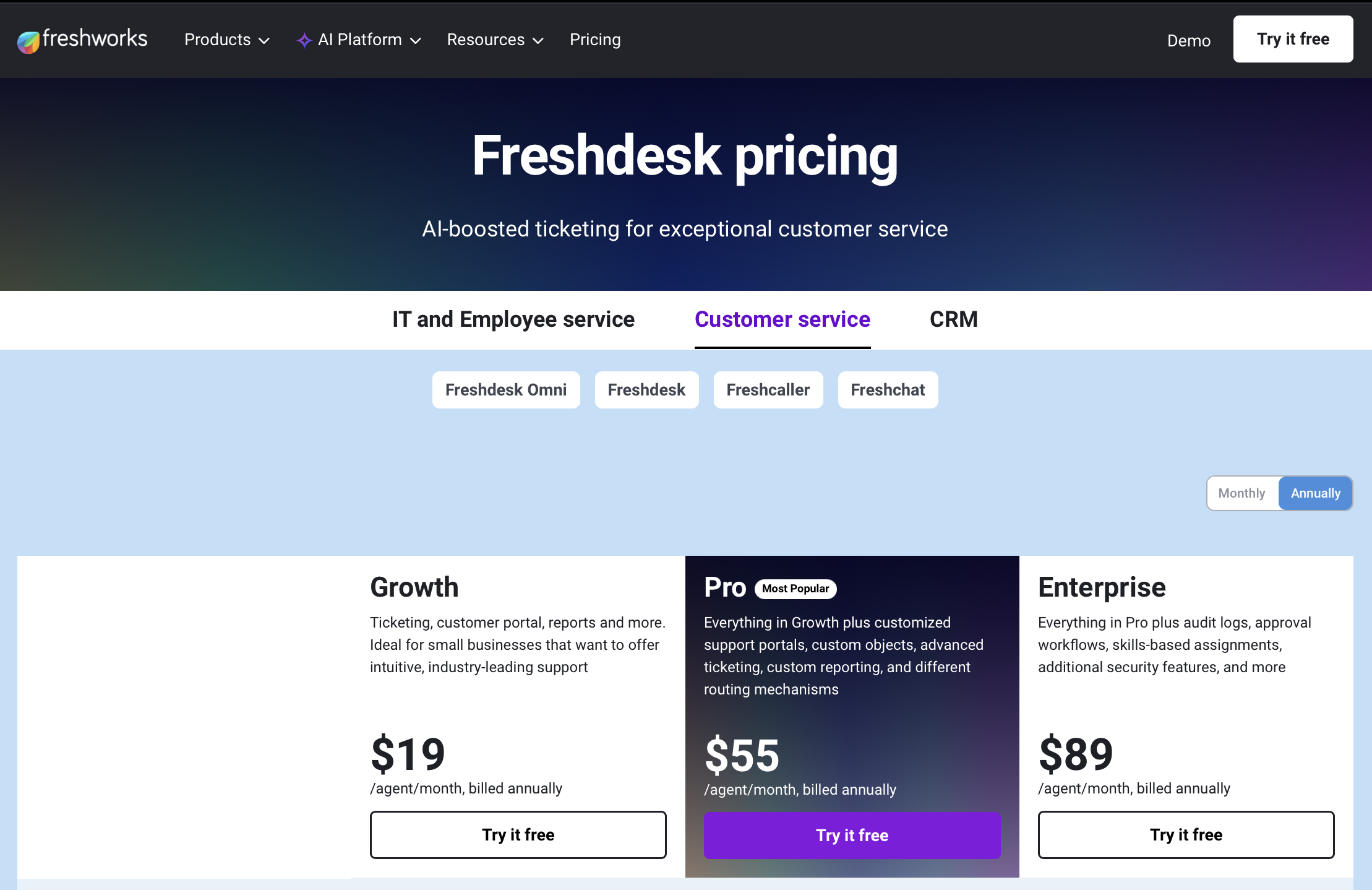
Freddy AI is layered on top as a separate cost on most tiers: the agent-facing AI Copilot runs roughly $29/agent/month, while customer-facing AI Agent sessions are sold in packs (e.g., $49 per 100 sessions after an initial free allowance).
Freshservice Pricing
(All prices billed annually, per agent/month. Monthly billing runs meaningfully higher.)
Freshservice's asset management is metered separately by Asset Units, its licensing metric for the number and type of assets tracked in the CMDB, and orchestration automations are capped per tier (from roughly 1,000/month on Starter up to 20,000/month on Enterprise) before overage costs kick in.
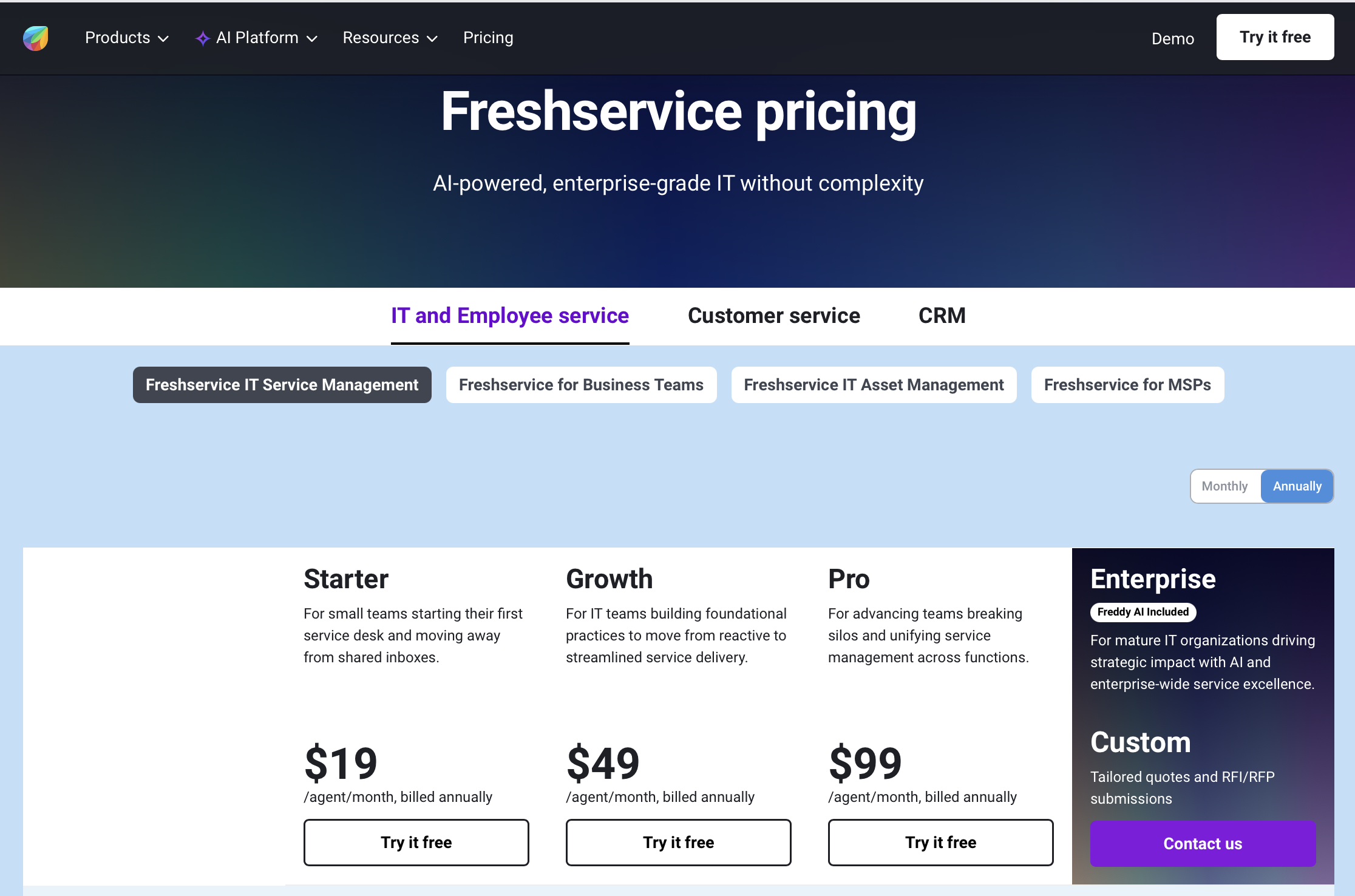
The key takeaway: Freshdesk has a genuine free plan, making it accessible to teams with zero budget, though it's capped at just 2 agents. Freshservice has no free plan at all, only a 14-day free trial, reflecting the assumption that internal service teams already have infrastructure budget allocated. Both sets of paid plans scale in feature depth as you move up tiers, and both treat AI as a metered add-on rather than a flat inclusion once you move past the entry tiers.
Freshdesk vs Freshservice: AI and Automation
Both platforms lean on Freshworks' shared AI layer, Freddy AI, but apply it differently depending on the audience.
In Freshdesk, Freddy AI focuses on faster, more personalized customer support:
- Freddy AI Agents act as conversational bots that can answer FAQs and even take real actions like processing refunds.
- Freshbots let teams build no-code chatbots trained on the knowledge base.
- Freddy AI Copilot gives support agents reply suggestions, summarization, and automatic ticket classification.
In Freshservice, Freddy AI focuses on internal service operations:
- Freddy AI Agent powers conversational self service through Slack, Microsoft Teams, and the service portal, and can auto-create or resolve tickets.
- Freddy AI Copilot gives agents reply suggestions, summarization, and smart recommendations tied to related incidents or problems.
- Freddy AI Insights flags trends and anomalies in ticket volume or categories, helping leaders improve service performance proactively.
Freshdesk vs Freshservice: Similarities
Despite serving different audiences, both Freshdesk and Freshservice share plenty in common:
- Shared UI foundation: A familiar interface and navigation pattern make it easy to onboard agents across both tools.
- Freddy AI across both platforms: Reply suggestions, classification, and conversational support appear in both, just tuned to different users.
- Self-service and knowledge base: Both offer a knowledge base and self service experience, whether for customers or employees, aimed at deflecting tickets and reducing manual workload.
- Marketplace integrations: Both connect to a wide ecosystem of third party applications through the Freshworks Marketplace.
- Core service management building blocks: Routing rules, SLAs, categorization, and structured workflows exist in both, even if the emphasis differs.
Freshdesk vs Freshservice: Which Should You Choose?
The decision usually comes down to one question: are you supporting customer facing teams, internal teams, or both?
Choose Freshdesk if:
- Your primary focus is external customer support
- You need multi channel support across email, chat, phone, and social
- You want to improve service delivery for paying customers and boost customer satisfaction
- You're a smaller team that wants to start on a free plan
Choose Freshservice if:
- You're managing internal IT service management or broader enterprise service management
- You need asset and change management, a configuration management database, or problem management
- Your organization follows ITIL processes and needs structured service requests and approvals
- You want a service catalog for HR, Facilities, or Finance in addition to IT
Consider both if:
- Your organization needs to support external customer inquiries and run a robust internal service desk. Many mid-size and enterprise organizations run Freshdesk for customer support and Freshservice for internal IT support side by side, connecting them through the native Freshworks integration or a dedicated integration platform.
Bringing Freshdesk and Freshservice Together
Running Freshdesk and Freshservice side by side is common, but keeping them in sync (so a customer issue can escalate cleanly into an internal incident, or so both teams can see the full picture of a request) is often the harder part.

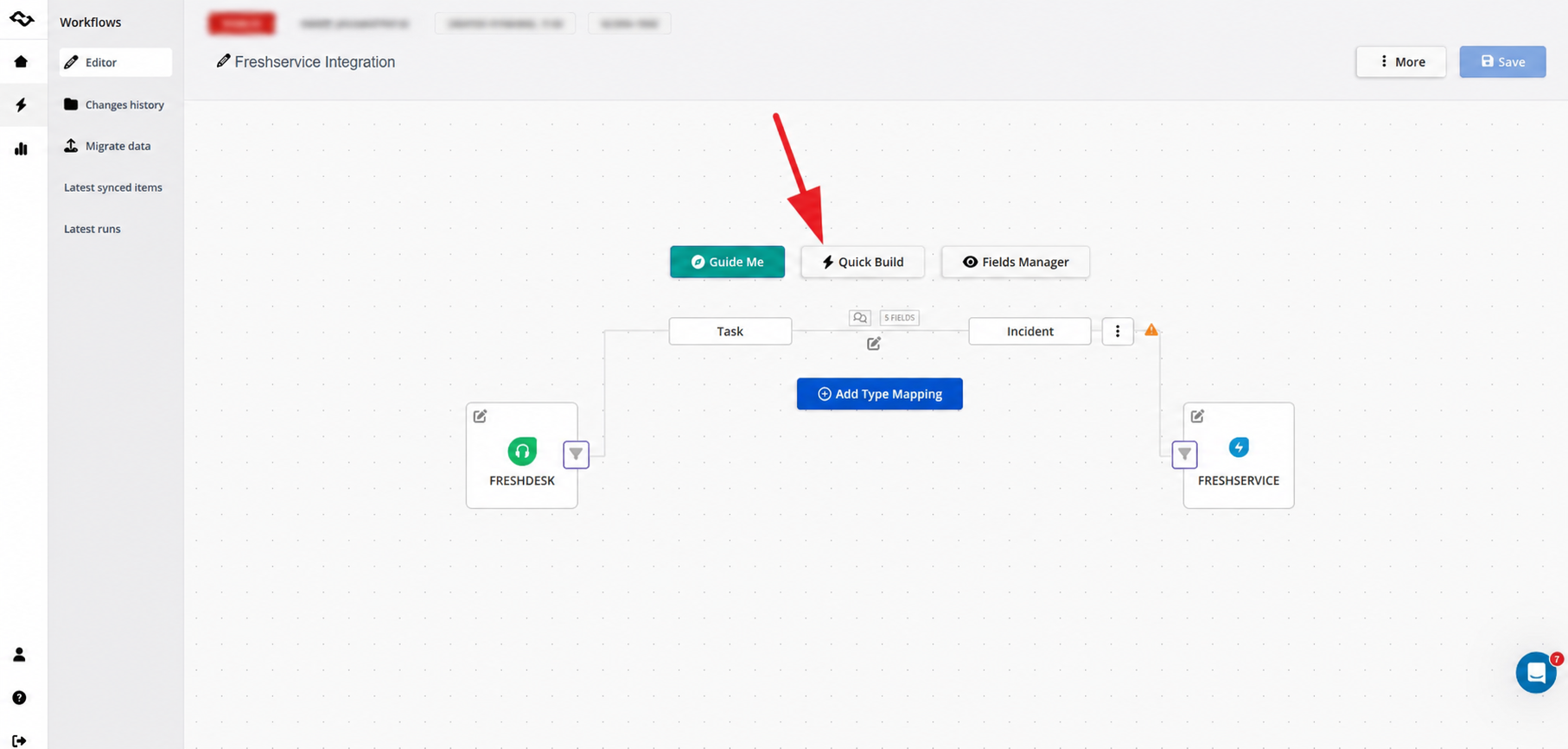
That's where a platform like Getint helps. Getint enables seamless, real-time synchronization between customer service platforms like Freshdesk and ITSM tools like Freshservice, so customer facing teams and internal teams don't have to manually copy ticket details, chase updates across systems, or lose context when an issue moves from support to IT. Whether you're syncing Freshdesk with Freshservice directly, or connecting either platform to tools like Jira, ServiceNow, or Azure DevOps, Getint keeps ticket management, comments, and statuses aligned across every team involved.
Try the integration platform here: https://app.live.getint.io/
Conclusion
Freshdesk and Freshservice may look like siblings, and they are, but they were raised for different jobs. Freshdesk exists to help customer support teams manage customer queries across multiple channels and keep customer satisfaction high. Freshservice exists to give IT teams and other internal departments structured incident, change, problem, and asset management, all the way down to the configuration management database.
So the question isn't really which tool is better. It's which problem you're solving. If your tickets come from customers, choose Freshdesk. If they come from employees, choose Freshservice. And if, like many growing organizations, you're dealing with both, running the two side by side is a proven setup, as long as they stay connected, so a customer complaint that turns out to be an infrastructure issue doesn't get lost in the handoff between support and IT.
Whichever way you go, start with a clear picture of your requesters, your processes, and your budget, take advantage of the free trials (or Freshdesk's free plan), and make sure your service delivery doesn't stop at the boundaries of a single tool.