
Every organization runs on data that lives in dozens of different places at once — a CRM here, a support desk there, maybe a data warehouse somewhere else, and an ever-growing list of cloud applications in between. Cloud data integration is the discipline (and the technology) that makes all of that information work together, instead of sitting in isolated pockets that no one can fully see or use.
In this guide, we'll break down what cloud data integration actually means, why it matters, how it works, and what to look for in a cloud data integration platform — including how our solution, Getint, fits into this picture.

What Is Cloud Data Integration?
Cloud data integration is the process of combining, synchronizing, and managing data from multiple systems — where at least one of those systems lives in the cloud — so that it can be accessed, trusted, and used consistently across an organization. It involves consolidating data from disparate data sources, such as cloud applications, on-premises systems, data warehouses, and data lakes, into a unified, coherent view.
Unlike traditional data integration, which was often built around a single data center and a handful of internal systems, cloud data integration has to account for a much more distributed reality: multiple cloud providers, hybrid environments that mix cloud and on-premises infrastructure, and a constant stream of new SaaS tools that teams adopt on their own. The goal stays the same — get the right data to the right place, in the right shape — but the environment it operates in is far more dynamic.
Why Is Cloud Data Integration Important?
As organizations shift more of their operations to cloud environments, the sheer number of data sources they rely on has exploded. Sales teams work in a CRMs, support teams work in a helpdesk, engineering teams work in issue trackers, and finance teams work in their own systems entirely. Without a way to connect these systems, businesses end up with data silos: each information is accurate on its own but disconnected from the rest of the organization.
That fragmentation has real costs. Teams waste time on manual data entry and duplicate work. Reports based on data analytics become inconsistent because different departments are working from different versions of the truth. Decision-makers lose confidence in their own data. And as data volumes grow, the problem only grows — what was a minor inconvenience with a few systems becomes a major operational bottleneck with dozens.
Cloud data integration matters because it directly addresses this problem. It:
- Eliminates data fragmentation by connecting operational systems, cloud applications, and legacy infrastructure so information flows freely between them.
- Improves data quality and data accuracy by reducing manual re-entry and the errors that come with it.
- Increases operational efficiency by automating data flows that used to require manual exports, spreadsheets, and copy-paste work.
- Supports better decision-making by giving teams a consistent, up-to-date view of business data, whether it lives in cloud applications, data warehouses, or data lakes.
- Prepares data for analytics and machine learning, both of which depend on clean, well-integrated, high-volume data.

How Does Cloud Data Integration Work?
While every cloud data integration tool has its own approach, most solutions follow a similar underlying pattern:
- Connect to data sources. The platform establishes secure connections to the systems that need to exchange data — cloud applications, on-premises systems, databases, data warehouses, or APIs.
- Map the data. Fields, record types, and statuses from one system are mapped to their equivalents in another, so a "Ticket" in one tool can correspond to an "Issue" or "Case" in another.
- Move and synchronize the data. Depending on the tool, data movement and data synchronization can happen in batches, on a schedule, or continuously through techniques like change data capture, which detects and syncs changes as soon as they happen rather than waiting for a full reload.
- Transform and validate. Data is often reshaped, enriched, or filtered in transit to fit the requirements of the target system, with validation steps in place to catch errors before they spread downstream.
- Deliver to target systems. The finished, synchronized data lands in its destination — whether that's another cloud application, a data warehouse, or a completely different platform used by another team.
This is the same basic logic behind our own approach to integration at Getint. As explained in our documentation, once a connection between two applications is established, we map types, fields, and statuses between systems, and then keep records in sync going forward: whenever an item changes in one connected tool, the connector detects that change and reflects it in the other, using REST APIs to fetch and update records at a regular interval.
Cloud Data Integration vs. Traditional Data Integration
Traditional data integration was typically built for a world of on-premises infrastructure: a central data warehouse, a handful of internal applications, and integration jobs that ran on a fixed nightly schedule. It worked well when the number of systems involved was small and predictable.
Cloud data integration has to solve for a much messier reality. Businesses now run on a mix of cloud platforms, on-premises systems, and multiple cloud providers simultaneously. Data volumes grow faster, new cloud applications get adopted constantly, and teams increasingly expect near-real-time data flows rather than an overnight batch job. Modern cloud integration platforms are built with this in mind — designed for elasticity, frequent schema changes, and integration patterns that need to scale up or down without a full infrastructure overhaul.
Cloud Data Integration vs. Related Categories: Where Does iPaaS Fit In?
"Cloud data integration" is a broad umbrella term, and it's easy to lump every kind of connectivity tool under it. In practice, though, the space breaks down into several distinct categories, each built around a different job to be done. Knowing the difference matters, because the right integration patterns for feeding a data warehouse look nothing like the right patterns for keeping two SaaS applications in sync.
Getint sits squarely in the iPaaS category. Rather than moving data into a central warehouse for analysis, Getint connects operational systems — like Jira, ServiceNow, Salesforce, Azure DevOps, and many more — directly to one another, so records, statuses, comments, and attachments stay synchronized between the tools teams already use day to day. That's a meaningfully different job than an ETL/ELT pipeline or a data warehouse integration: it's less about analytics and more about keeping business-critical workflows connected in near real-time, without duplicating data into a separate store at all.
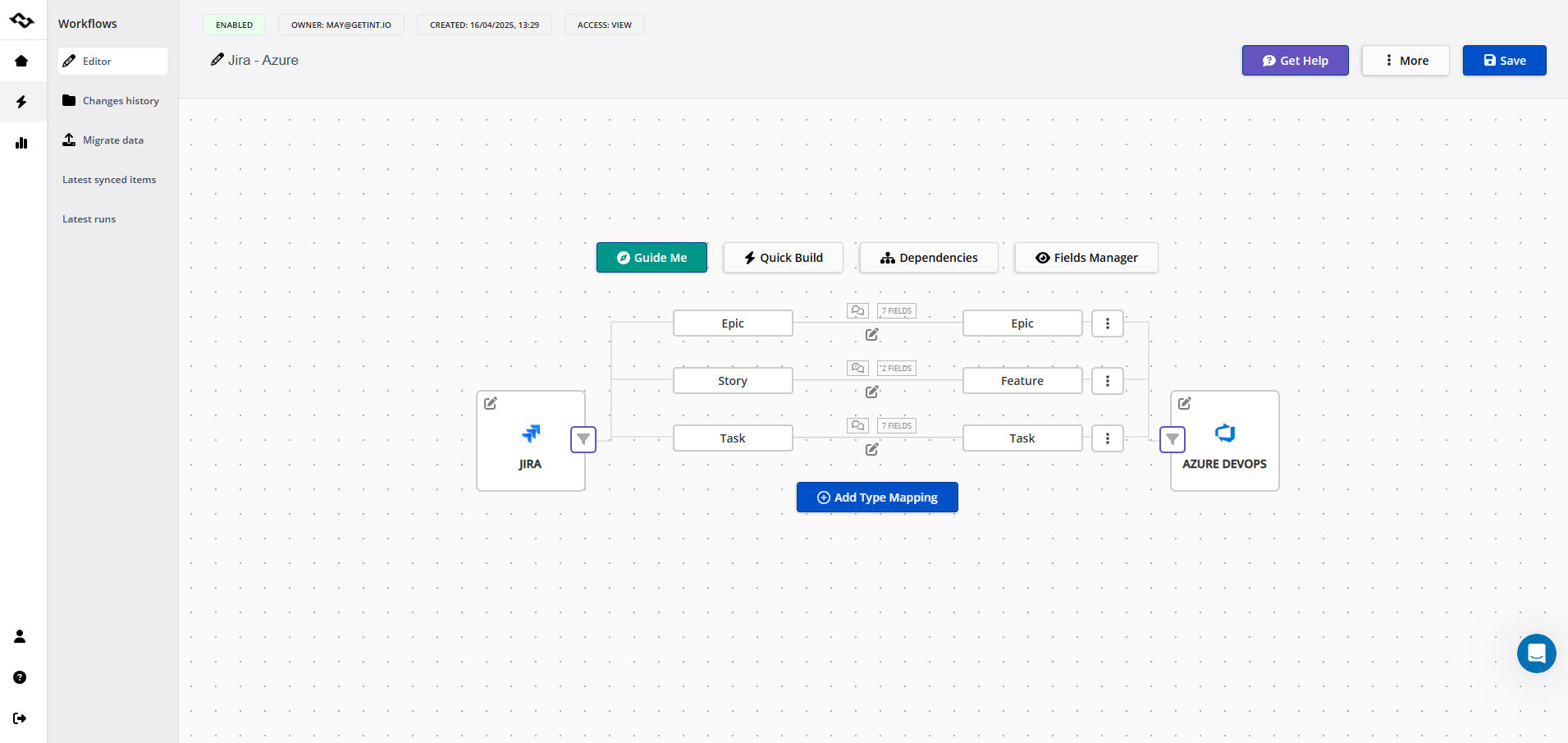
In practice, that means Getint lets teams integrate systems without coding, sync software applications bi-directionally, migrate data during tool changes, and connect on-prem, cloud, and hybrid environments — all without the marketplace lock-in that comes with some lightweight sync tools.
If your goal is to build a single source of truth for reporting and analytics, an ETL/ELT tool or a cloud data warehouse integration is the right layer. If your goal is to eliminate manual re-entry and keep records aligned across the cloud applications your teams actually work in every day, that's exactly the problem an iPaaS platform like Getint is built to solve.
For a deeper look at how iPaaS compares to Platform as a Service (PaaS) — and why the distinction matters when choosing an integration strategy — see our breakdown of PaaS vs. iPaaS.
Key Components of a Cloud Data Integration Platform
When evaluating data integration tools, it helps to understand the core capabilities that separate a genuinely useful cloud data integration platform from a basic connectors.
Data Pipelines and Data Flows
At the heart of any integration platform are the data pipelines that define how data moves from source to target. Good platforms make it possible to build and adjust these data flows without needing a dedicated engineering team for every change.
Data Mapping and Transformation
Not every system stores data the same way. A strong cloud data integration tool lets you map fields, statuses, and record types across systems, and transform data as needed so it's usable wherever it lands — whether that's for reporting, automation, or feeding data into a data warehouse.
Change Data Capture and Two-Way Sync
Rather than repeatedly exporting and re-importing entire datasets, modern platforms rely on change data capture to detect updates and sync only what's changed. At Getint, we go a step further with fully configurable two-way synchronization, so updates made in either connected system flow back to the other automatically, keeping both sides current without manual reconciliation.
Data Governance and Access Controls
As data moves across more systems, data governance becomes non-negotiable. That means clear access controls, audit trails, and compliance with data residency requirements — particularly important for enterprises operating across multiple cloud environments or jurisdictions.
Monitoring and Reliability
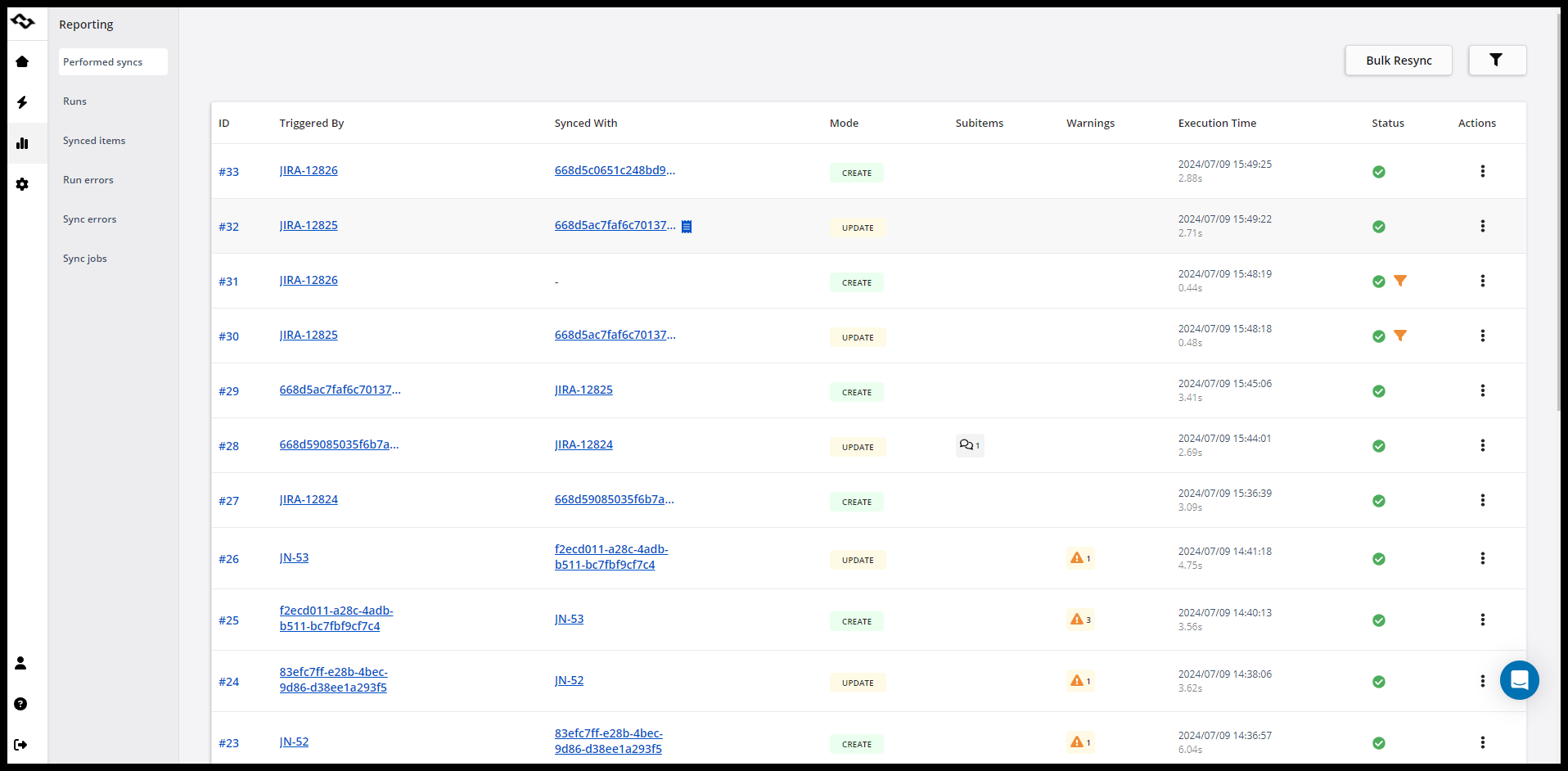
Integration only creates value if it's dependable. Look for platforms with visibility into sync health, detailed logs, and automatic retry logic so temporary failures — an API rate limit, a dropped connection — don't turn into silent data loss.
Flexible Deployment
Not every organization can run every workload in the public cloud. The best cloud integration tools support flexible deployment models — SaaS, self-hosted (on-premises), or hybrid — so businesses with strict data residency or security requirements aren't forced to compromise.
Benefits of Cloud Data Integration
Pulling all of this together, the benefits of cloud data integration for most organizations come down to a few consistent themes:
- Faster access to reliable data, wherever it's needed, without waiting on manual exports or another team's availability.
- Reduced manual work, since automated data flows replace repetitive copy-paste tasks and manual data entry.
- Better data quality, as validation and transformation steps catch inconsistencies before they spread.
- Scalability, since cloud-native integration tools are built to handle growing data volumes without a full infrastructure rebuild.
- Improved collaboration between teams, since departments working in different tools no longer have to manually keep each other updated.
Common Use Cases for Cloud Data Integration
Cloud data integration shows up in far more places than a single "data pipeline into a warehouse." Common scenarios include:
- Connecting business tools across departments — for example, syncing customer data between a CRM like Salesforce and a support tool like Zendesk, so sales and support teams work from the same information.
- Bridging engineering and business systems — syncing issues and tickets between tools like Jira, Azure DevOps, ServiceNow, and Asana so that development, IT, and business teams stay aligned without duplicate manual tracking.
- Feeding data warehouses and data lakes for analytics and business intelligence, giving analysts a consolidated view of enterprise data.
- Supporting mergers, migrations, and tool consolidation, where data needs to move — reliably and without loss — from a legacy system to a new one.
- Enabling AI and machine learning initiatives, which depend on consistent, well-integrated data pulled from multiple systems.
Choosing the Right Data Integration Platform
With so many data integration platforms on the market, the right choice depends less on a feature checklist and more on how well a solution fits the way your organization actually works. A few practical questions can help narrow the field:
Does it support the systems you actually use?
A platform with dozens of generic connectors isn't useful if it can't deeply and reliably integrate the specific applications your teams depend on daily.
Can non-technical teams manage it?
No-code and low-code setup matters when integrations need to be adjusted often, without waiting on developer time.
Does it support two-way sync, not just one-directional exports?
Many business workflows need changes to flow in both directions — not just a one-time or one-way data dump.
What are the deployment options?
SaaS, on-premises, or hybrid deployment can be a dealbreaker for regulated industries or organizations with strict data residency needs.
How is it priced?
Usage-based pricing can become unpredictable as data volumes grow; fixed, connection-based pricing tends to be easier to plan around.
What happens when something breaks?
Retry logic, detailed logs, and responsive support determine whether a sync issue is a minor blip or a multi-day outage.
How We Approach Cloud Data Integration at Getint
At Getint, we take a focused approach to cloud data integration: as an iPaaS solution, rather than trying to be a generic, do-everything ETL platform, we specialize in deep, reliable, no-code integration between the business-critical tools teams already rely on — including Jira, Jira Service Management, ServiceNow, Azure DevOps, Salesforce, Asana, Zendesk, GitHub, GitLab, HubSpot, Monday, and ClickUp.
Some of what that looks like in practice, based on our feature set:
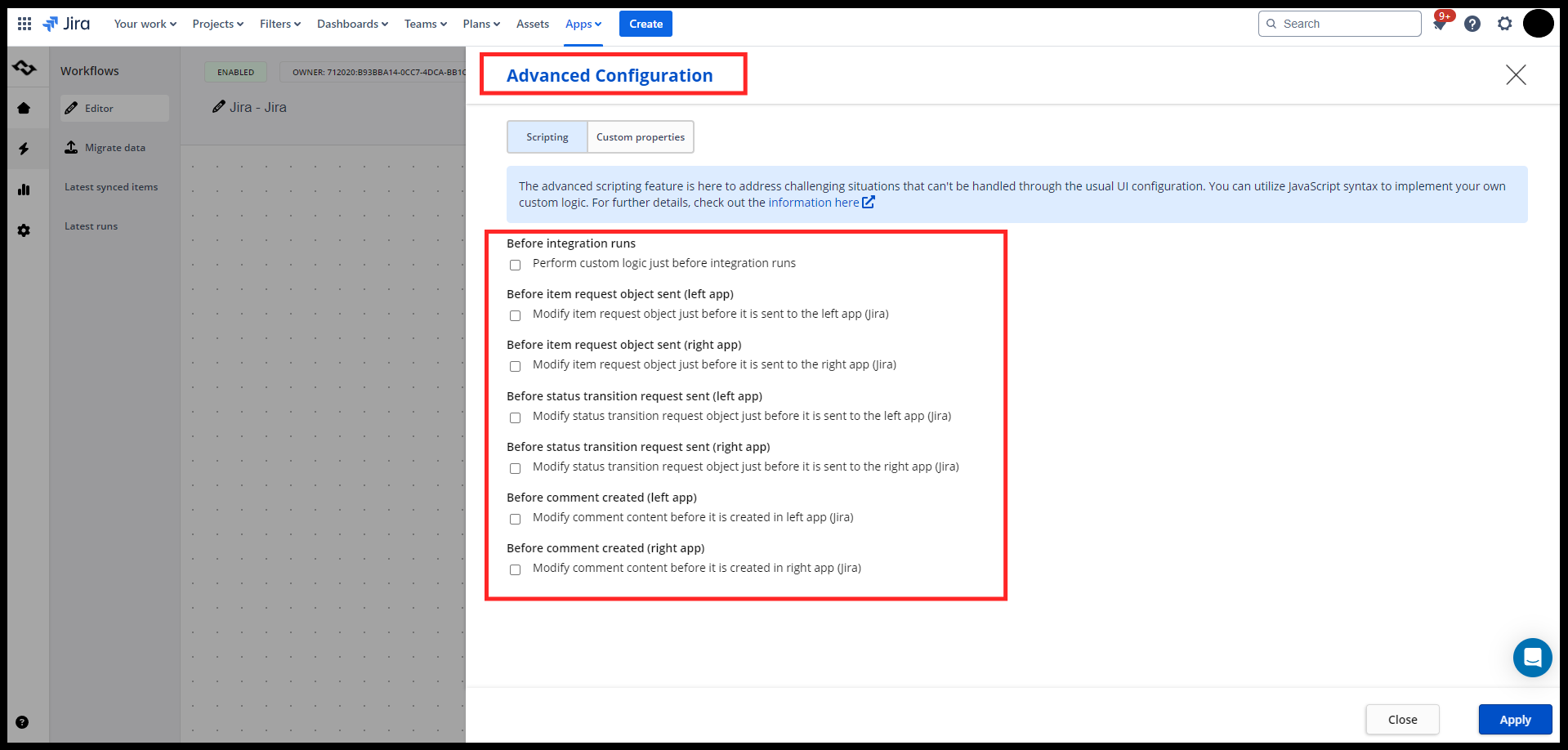
- No-code setup with advanced scripting available for teams that need finer control, so both non-technical users and power users can get value from the same platform.
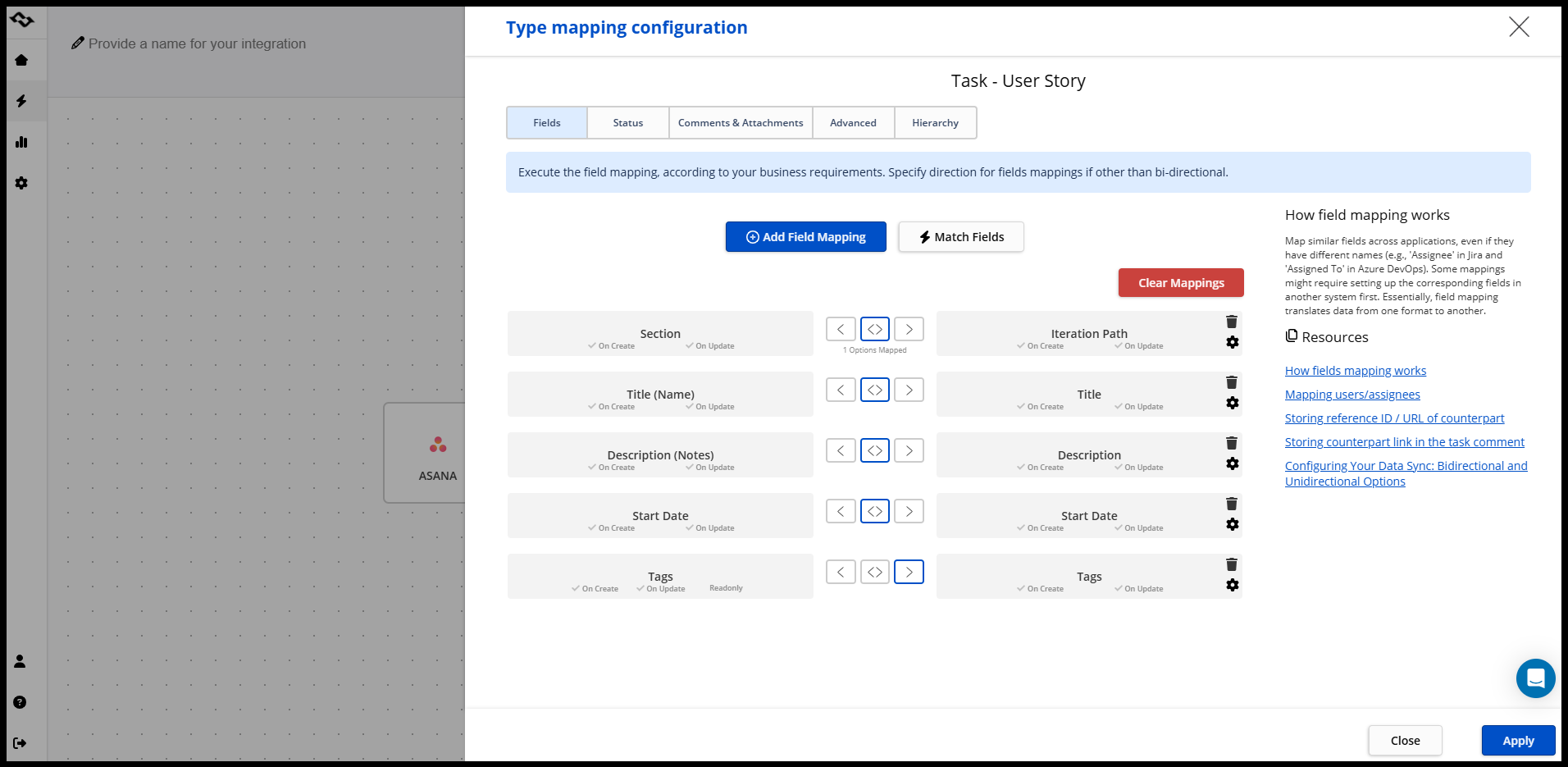
- True two-way synchronization, fully configurable at the field level, so data stays aligned across connected tools in real time.
- Full-context sync, including comments, attachments, and history — not just the core record — so context isn't lost in the handoff between systems.
- Live monitoring, detailed logs, and built-in retry mechanisms, giving teams visibility into sync health and automatic recovery from temporary issues like API rate limits.
- Flexible deployment, including SaaS, self-hosted (on-premises), and hybrid models, along with data residency controls for organizations in Germany, the US, or other AWS-supported locations.
- Enterprise-grade security and compliance, with SOC 2 Type II certification and ISO 27001/27018 compliance.
- Fixed, connection-based pricing, avoiding the unpredictable costs that can come with usage-based integration billing.
- No marketplace lock-in, so your integrations and the data flowing through them stay yours, not tied to a single ecosystem.
For organizations trying to eliminate data silos between engineering, IT, sales, and support tools specifically — rather than build a generic data warehouse pipeline from scratch — this kind of tailored cloud integration solution can deliver faster time-to-value than a broader, more generic data automation platform.
You can see exactly how our sync logic works, step by step, in our documentation, or explore our full list of supported integrations on our integrations page.
Final Thoughts
Cloud data integration is an ongoing capability that organizations need as they add more cloud applications, generate more data, and expect faster, more reliable, seamless data flows between systems. Whether the priority is feeding a data warehouse for analytics or keeping business-critical tools like Jira, Salesforce, ServiceNow, and more sync in real time, the right integration platform should reduce manual work, protect data quality, and scale as data volumes grow.
If you're looking for a cloud data integration solution built specifically around keeping business tools in sync — with no-code setup, true two-way sync, and enterprise-grade security — that's exactly what we've built at Getint.
See what our customers achieve and say about running their integrations with Getint.