
The market for data integration platforms has grown rapidly over the last few years. Organizations no longer rely on a single system. It's common to operate across multiple platforms like Jira, ServiceNow, Azure DevOps, Salesforce, Customer Relationship Management or ERP systems, and other internal tools that all need to exchange data to streamline business processes.
As a result, the integration landscape has become quite crowded. Some platforms focus on lightweight workflow automation, while others are designed for enterprise-grade synchronization across multiple systems, teams, and environments.
This article covers some of the top cross-platform integration tools and the different approaches they take to workflow synchronization, data transfers, and integration management.
Our goal is to help ITSM leaders, integration architects, enterprise teams, MSPs, and organizations evaluate solutions and choose the right approach for connecting systems across complex operational environments.

What Are Cross-Platform Integration Tools?
Cross-platform integration tools are designed to connect business systems that were not originally built to work together. Instead of manually transferring updates between platforms and working with fragmented data, organizations can master data management, and automate workflows.
However, not all integration tools solve the same problem.
- Some platforms focus on lightweight workflow automation, such as sending notifications, triggering actions, or moving data between applications. These solutions are often used by business teams looking to automate repetitive tasks with minimal configuration (Make, Zapier).
- Other platforms are designed for seamless data synchronization across even enterprise systems. In these environments, integrations must handle bi-directional updates, complex workflows, mapping, permissions, attachments, comments, and synchronization across multiple instances or environments.
This distinction becomes important as organizations scale. Connecting two applications is relatively simple. Maintaining reliable synchronization across Jira, ServiceNow, Azure DevOps, Salesforce, and many other platforms is significantly more complex.
Integration patterns mainly differ in:
- workflow orchestration
- transforming data and mapping
- error handling and monitoring
- data security and access controls
- low-code / script-based options
- api management / api integration
- possibilities to sync across hybrid environments
The right approach depends less on the number of supported applications and more on how well the platform handles operational complexity, long-term maintenance, and integration scalability.

Why Cross-Platform Integrations Matter
A common example is ITSM-to-engineering collaboration. A ServiceNow incident may require engineering work in Jira or Azure DevOps, while customer-facing teams still need visibility into progress and updates.
Without proper data synchronization, teams often create separate records in each system and manually transfer comments, status changes, attachments, or priorities between platforms. Over time, this leads to unstructured data, duplicated work, and reporting gaps across systems.
The impact is not limited to operational inefficiency. Poor synchronization can directly affect:
- SLA tracking
- workflow visibility
- data quality
- reporting accuracy
- governance and access control
As organizations scale across multiple teams, systems, and environments, integrations become less about just connecting disparate systems and more about maintaining complex data flows.
Key Features to Look for in Integration Tools
Choosing the right integration platform is not only about types of supported applications. The more important question is how the platform behaves once integrations become operationally critical.
Simple workflows may only require lightweight business process automation. Enterprise environments are different. Integrations often need to synchronize large data volumes: comments, attachments, priorities, approvals, SLA-related fields, and workflow transitions across multiple teams and platforms at the same time.
The complexity increases further in environments with multiple Jira or ServiceNow instances, hybrid infrastructure, or distributed ownership between departments and external partners.
Below are some of the most important areas to evaluate when comparing data integration capabilities.
Bi-directional synchronization
Many platforms support basic one-way automation, but enterprise workflows usually require reliable bi-directional synchronization.
For example, when a ServiceNow incident is escalated to Jira, both systems often remain active throughout the process. Support teams continue updating incidents while engineering teams work in Jira or Azure DevOps. Comments, status changes, attachments, priorities, and custom fields must remain synchronized without creating duplicate records or conflicting updates.
This becomes especially important in environments where multiple teams rely on different systems as their primary source of truth.
Data mapping and workflow alignment
Different systems rarely share identical workflow structures.
A Jira work item may use different statuses, priorities, ownership models, and field structures than a ServiceNow incident or Salesforce case. Data integration platforms should therefore support flexible mapping between fields, workflows, and synchronization rules.
More advanced integrations may also require:
- conditional synchronization logic
- transformation of field values
- filtering rules
- synchronization based on issue types, projects, or environments
Without this layer, integrations quickly become difficult to maintain as workflows evolve.
Multi-instance and multi-platform environments
Organizations often operate multiple Jira instances across business units, regional ServiceNow environments, separate Azure DevOps organizations, or isolated staging and production setups. MSPs and large enterprises may also manage integrations across external customer environments.
A strong integration platform should support these scenarios without requiring separate deployments for every connection. Visibility into how systems are connected, where synchronization occurs, and how workflows behave across environments becomes increasingly important at scale.
Error handling and operational visibility
Integration failures are inevitable in long-running enterprise environments.
API changes, permission updates, workflow modifications, or field mismatches can interrupt synchronization unexpectedly. Without proper monitoring, these failures may remain unnoticed until they affect reporting, SLA tracking, or customer communication.
Integration platforms should therefore provide operational visibility through synchronization logs, retry mechanisms, monitoring dashboards, and error handling workflows that help teams quickly identify and resolve issues.
Security and compliance
Enterprise integrations frequently involve customer data, operational records, and internal business processes shared across multiple systems.
As a result, organizations often evaluate integration platforms against security and compliance requirements such as SOC 2, ISO 27001, GDPR, HIPAA, or internal governance standards. Capabilities like data encryption, access controls, audit logs, and deployment flexibility become especially important in regulated industries and enterprise environments.
Some organizations also require integrations to support hybrid or on-premise deployments in order to meet internal security policies.
Configuration model and long-term maintainability
One of the biggest differences between integration platforms is how integrations are configured and maintained over time.
Some tools rely heavily on scripting and decentralized configuration models, offering high flexibility at the cost of a steeper learning curve and higher administrative overhead. Others focus on low-code interface or entirely no-code configuration model with visual interface, making integrations easier to maintain not only by data teams/data engineers but also by non-technical users.
The right approach depends on the organization’s operational model, your company's technical resources, and long-term data management strategy.
Top Tools for Cross-Platform Integrations
1. Getint: Enterprise-Grade Synchronization Without Heavy Scripting
Getint is an integration platform designed for companies that need to maintain operational workflows across systems such as Jira, ServiceNow, Azure DevOps, Salesforce, Zendesk, GitHub, HubSpot, and other business applications.
The platform is commonly used in ITSM, DevOps, and enterprise collaboration scenarios where teams operate in separate systems but still require shared visibility, synchronized workflows, and controlled data exchange.
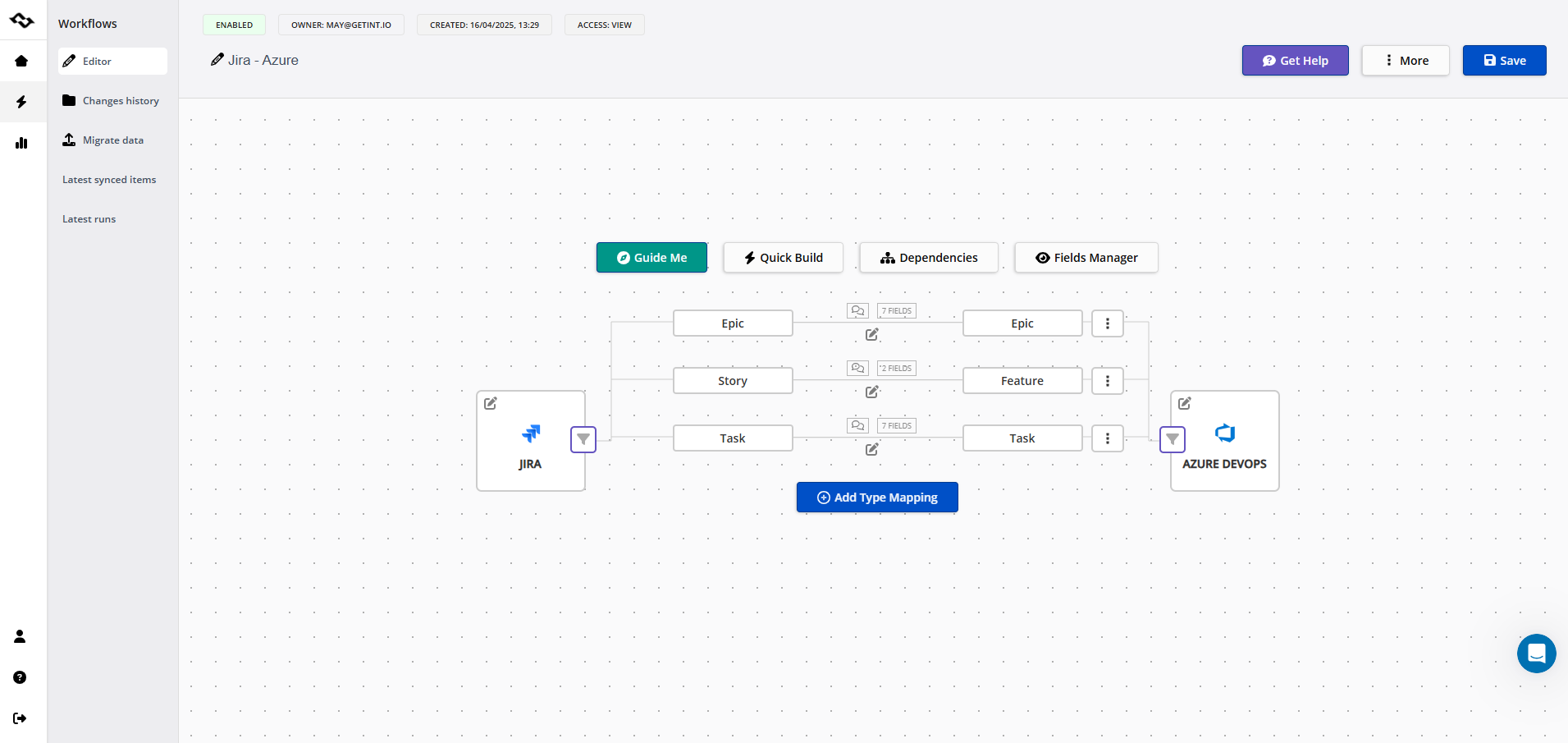
Bi-directional synchronization
Getint supports bi-directional synchronization for comments, attachments, statuses, priorities, custom fields, users, links, and workflow transitions.
This allows support, engineering, and business teams to continue working in their preferred systems while keeping records synchronized across platforms without duplicating tickets or manually transferring updates. Synchronization can be configured in real time or on scheduled intervals depending on infrastructure and operational requirements.
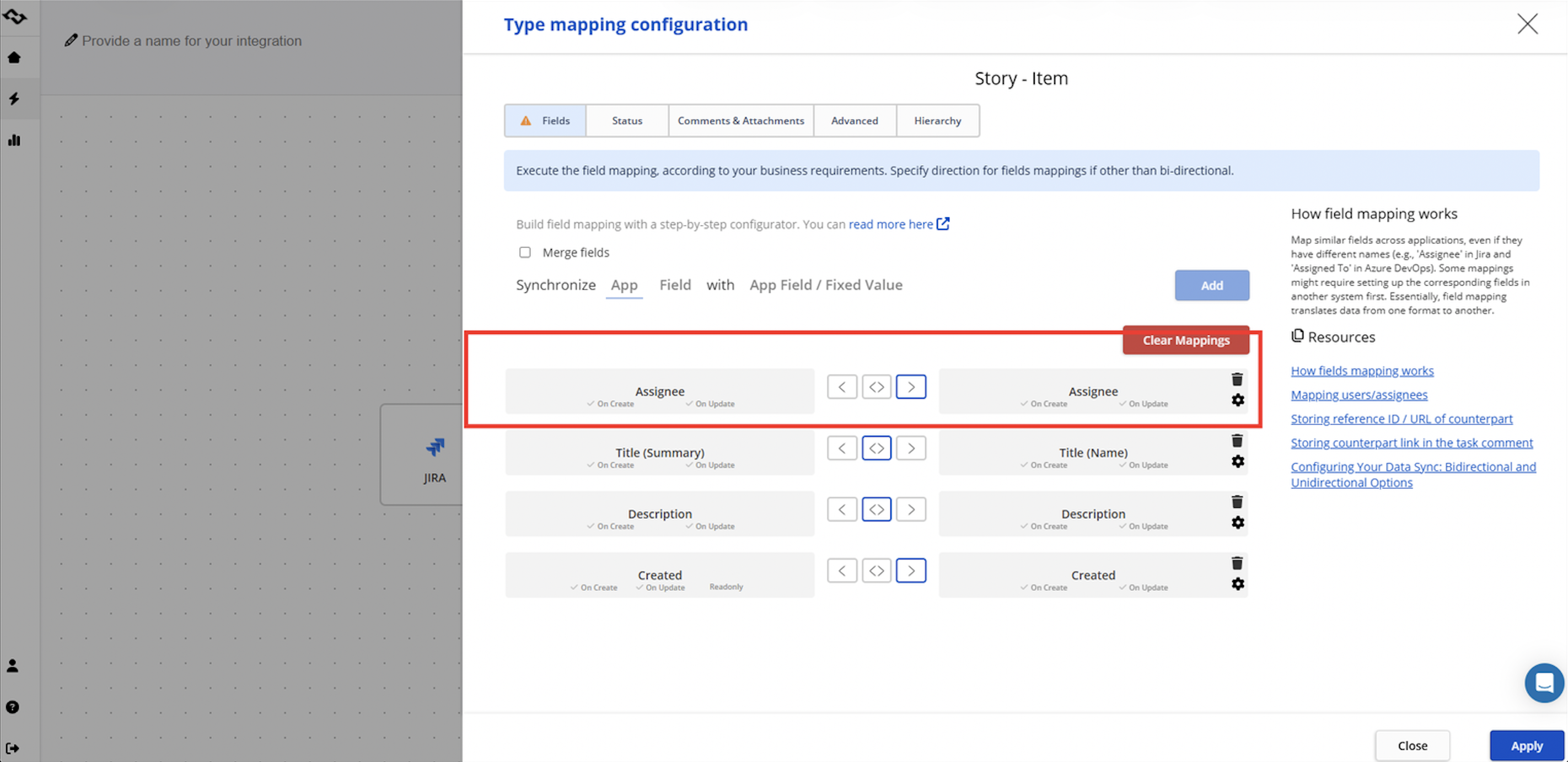
Advanced field mapping and workflow alignment
Different systems rarely follow identical workflows or field structures. Getint supports configurable field mapping that allows organizations to align workflows between Jira, ServiceNow, Azure DevOps, Salesforce, and other systems with different data models and operational processes.
This includes:
- conditional synchronization logic
- workflow-specific mappings
- field transformations
- synchronization based on issue types, projects, queues, or environments
- mapping between different status models and priorities
These capabilities are especially important in enterprise environments where workflows evolve independently across departments or business units.
Multi-instance and many-to-many synchronization
Getint supports multi-instance and many-to-many synchronization scenarios across projects, systems, and environments.
Organizations can synchronize:
- multiple Jira projects with multiple ServiceNow queues
- separate Azure DevOps organizations across teams
- regional or department-specific environments
- independent production and staging systems
- several customer environments managed by MSPs or integration teams
This is particularly important in large enterprise environments where integrations rarely operate as simple one-to-one connections.
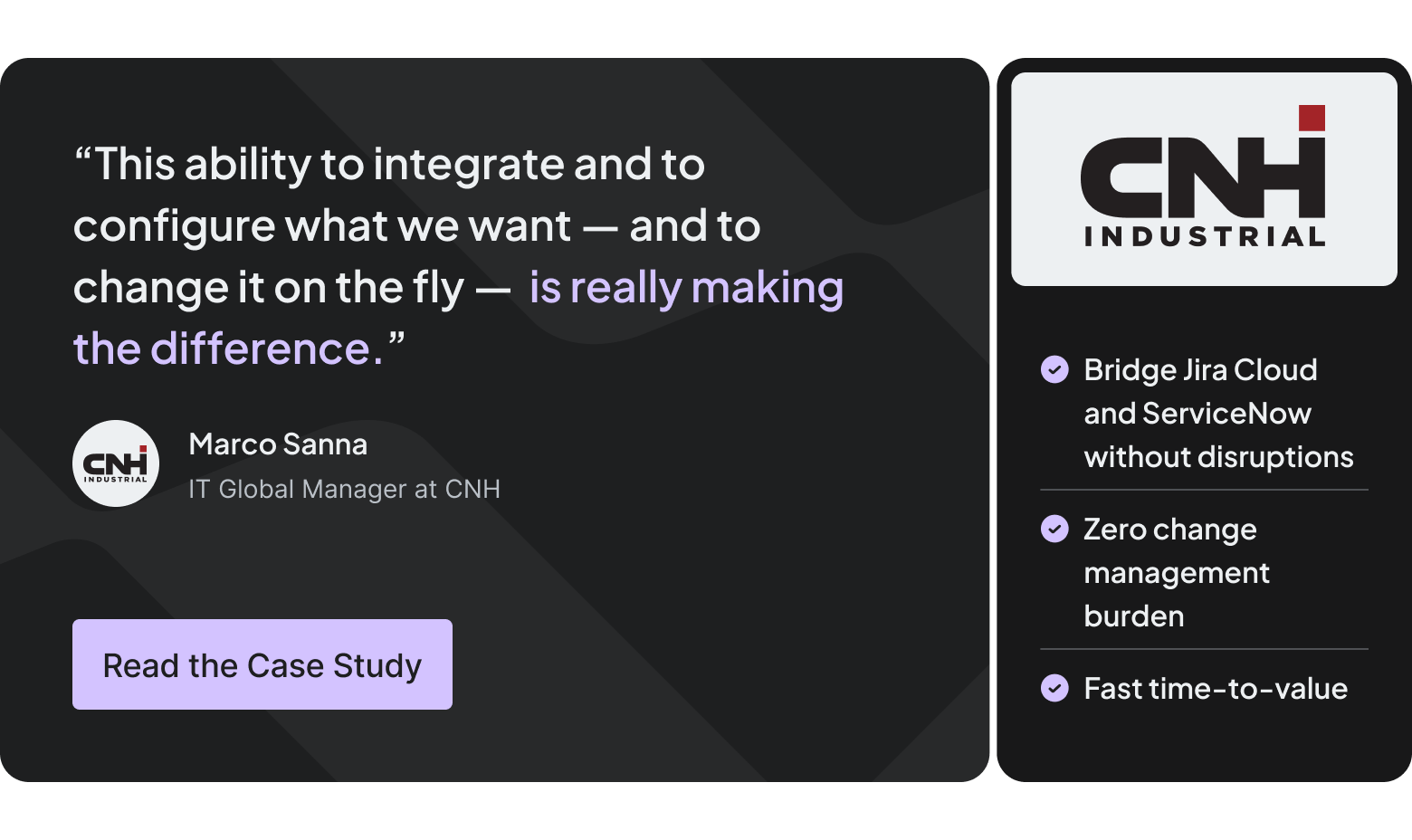
Real world example: For CNH Industrial, synchronization reliability was directly connected to day-to-day operations. They manage 15 mission-critical applications for warehouse management systems across a global enterprise with more than 35,000 employees.
In this environment, Getint helped to synchronize workflows between Jira Cloud and ServiceNow across distributed enterprise teams, maintaining visibility and operational alignment between ITSM and development workflows.
Migration possibilities
Beyond long-term synchronization, Getint is also used in migration and transition projects.
Organizations frequently need to maintain synchronization between systems during:
- cloud migration projects
- Jira DC to Jira Cloud transitions
- ServiceNow consolidation initiatives
- mergers and acquisitions
- temporary coexistence of legacy systems and new platforms
This allows teams to continue operating across environments while gradually migrating workflows, records, and operational processes.
Centralized data management
As integration environments scale, visibility becomes increasingly important.
Getint provides centralized management for:
- synchronization rules
- integration monitoring
- workflow visibility
- error handling
- connection management across environments
This helps operational and integration teams manage multiple synchronization workflows without maintaining disconnected configurations across systems.
Low-code configuration approach
Getint primarily follows a no-code/low-code configuration model rather than a scripting-heavy integration approach.
Most synchronization logic, workflow mappings, and integration rules can be configured through the user-friendly interface, which significantly reduces implementation complexity and long-term maintenance overhead.
This is especially important for organizations that need enterprise-grade synchronization without relying heavily on dedicated integration developers.
Example: IATA used Getint to synchronize Salesforce and Jira Service Management workflows across support and engineering teams. The integration helped reduce manual coordination between systems while maintaining visibility into escalations, comments, attachments, and ticket progress throughout the workflow lifecycle.
*IATA chose Getint basing on the prior success when deploying a Zendesk‑to‑Jira integration, which worked so well that they wanted to continue the collaboration.

Cloud and on-premise deployment options
Getint supports both SaaS and fully on-premise deployment models, allowing organizations to choose the architecture that best fits their infrastructure and security requirements.
For organizations with stricter governance or data residency policies, Getint can operate fully behind the client’s firewall. In this setup, all synchronization data, logs, configurations, and credentials remain within the customer’s infrastructure without relying on external Getint servers. The platform also supports native Jira Data Center deployment, where the application runs directly inside the Jira environment and no ticket data leaves the internal network.
Data security and compliance
Enterprise integrations frequently involve customer, operational, and SLA-related data shared across systems.
Getint supports:
- data encryption in transit and at rest
- granular access controls
- auditability and synchronization visibility
- enterprise governance requirements
- secure hybrid deployment models
Getint also maintains security and compliance standards including SOC 2 Type II, ISO 27001, ISO 27018, with additional security documentation and policies available through the Trust Center.

Pricing and trial availability
Getint provides several pricing models depending on deployment type, number of synchronized systems, and integration scope.
The platform primarily follows a connection-based pricing model. For example, a synchronization between one Jira instance and one Azure DevOps environment is treated as a single connection. Organizations operating multiple environments or multi-instance integrations can scale licenses as needed, with pricing discounts typically increasing alongside the number of active connections.
This model makes budgeting more predictable for long-term enterprise integration projects, especially in environments where synchronization requirements expand over time.
Organizations can also start with a free trial to evaluate synchronization workflows, field mapping, and operational fit before scaling integrations across teams and environments.
2. Exalate
Exalate is an integration platform focused on script-based synchronization between systems such as Jira, ServiceNow, Azure DevOps, Salesforce, and GitHub.
The platform is commonly used in environments where different teams or organizations need independent control over synchronization logic and data exchange. Its Groovy scripting approach provides flexibility for highly customized workflows, field mappings, and cross-company integrations.
Exalate is often a good fit for:
- distributed enterprise environments
- cross-company synchronization
- organizations requiring advanced customization
- teams comfortable with script-based administration
At the same time, the flexibility comes with a steeper learning curve and higher long-term maintenance effort compared to low-code integration platforms.
3. Backbone by K15t
Backbone is primarily focused on synchronization between Jira environments, including Jira Cloud and Jira Data Center.
The platform is commonly used by enterprises, MSPs, and organizations collaborating with external vendors or customers across separate Jira instances. Backbone focuses heavily on maintaining issue synchronization, workflow consistency, and controlled collaboration within the Atlassian ecosystem.
Backbone is typically well suited for:
- Jira-to-Jira synchronization
- enterprise collaboration across Jira instances
- MSP and vendor management workflows
- organizations operating multiple Jira environments
Compared to broader integration platforms, Backbone is more specialized around Atlassian-based workflows rather than cross-platform enterprise synchronization.
Unito
Unito is a no-code integration platform designed for workflow synchronization between SaaS tools.
The platform focuses on simplicity and ease of use, allowing teams to synchronize tasks and project workflows through a visual interface without relying heavily on scripting or technical administration.
Unito is commonly used for:
- cross-team collaboration workflows
- project management synchronization
- lightweight workflow automation
- business-oriented integrations between collaboration tools
While the platform provides a relatively low learning curve, organizations managing complex enterprise workflows or advanced synchronization requirements may eventually require more extensive governance and customization capabilities. The tool doesn't provide other deployment models like on-premise or hybrid.
ONEiO
Oneio is an integration platform focused on connecting ITSM, support, and enterprise service management systems. The platform is commonly used in service ecosystems where organizations need to maintain integrations between internal teams, suppliers, and external partners without building custom connections from scratch.
Oneio focuses on centralized integration management and prebuilt integration flows, making it a good fit for:
- ITSM environments
- supplier and partner integrations
- organizations looking for managed integration approaches
Compared to more customization-focused platforms, Oneio emphasizes faster deployment and simplified integration management over advanced synchronization customization. Organizations with highly customized workflows or complex enterprise synchronization requirements may require additional flexibility over time.
ZigiOps
ZigiOps is a no-code integration platform focused on connecting ITSM, monitoring, DevOps, CRM, and support systems such as ServiceNow, Jira, Azure DevOps, Zendesk, Salesforce, and Dynatrace.
The platform emphasizes prebuilt integrations and automation between enterprise systems without requiring custom development or scripting. It is commonly used by organizations looking to connect operational tools quickly while maintaining bi-directional synchronization across workflows.
ZigiOps is often a good fit for:
- ITSM and monitoring integrations
- enterprise automation scenarios
- organizations looking for no-code integration setup
- teams managing operational workflows across multiple systems
Compared to more customization-focused integration platforms, ZigiOps prioritizes faster deployment and simplified configuration. Organizations with highly specialized synchronization logic or complex multi-instance governance requirements may require more advanced customization capabilities over time.
Celigo
Celigo is an iPaaS platform focused on low-code integrations between systems such as ServiceNow, Jira, Salesforce, NetSuite, and other business applications.
The platform provides prebuilt integration templates for common workflows, including incident synchronization, user sync, and status updates between platforms. It also offers AI-assisted mapping and workflow configuration designed to simplify integration setup for both IT and business teams.
Celigo is often used by mid-market organizations looking for template-driven integrations and moderate workflow automation without building custom integrations from scratch.
Compared to purpose-built synchronization platforms, Celigo focuses more on generalized iPaaS workflows and scheduled automation. Organizations requiring real-time synchronization or more advanced ITSM workflow alignment may require additional customization over time.
How to Choose the Right Data Integration Tool: Summary Table
In practice, answering above questions helps in choosing the right integration strategy. It's usually the one that fits your operational model, governance requirements, and long-term scalability needs — not simply the platform with the largest number of connectors or possibilities that will not be even applicable in your case.
Final Thoughts
There is no single integration platform that fits every organization or workflow.The right choice usually depends on how complex the workflows are, how many systems need to stay aligned, and how much operational overhead an organization is prepared to manage long term.
The biggest differences between integration platforms often appear after deployment — when workflows evolve, environments scale, and multiple teams begin depending on synchronized data every day.
👉 Book a Getint demo and see how our platform works.