
GitLab-HubSpot Integration - Sync Data Between CRM and Development
Connect GitLab and HubSpot with Getint's no-code integration. Sync HubSpot tickets with GitLab issues, comments, statuses, and other supported data in one or both directions — automating updates and keeping customer-facing and development teams aligned.
Sync
GitLab
-
Hubspot
Simple, Seamless, Effective
Integration
This integration bridges two leading project management tools, empowering both internal and external teams to collaborate by merging data seamlessly across platforms.
to establish a robust integration that synchronizes data and maintains workflows efficiently.
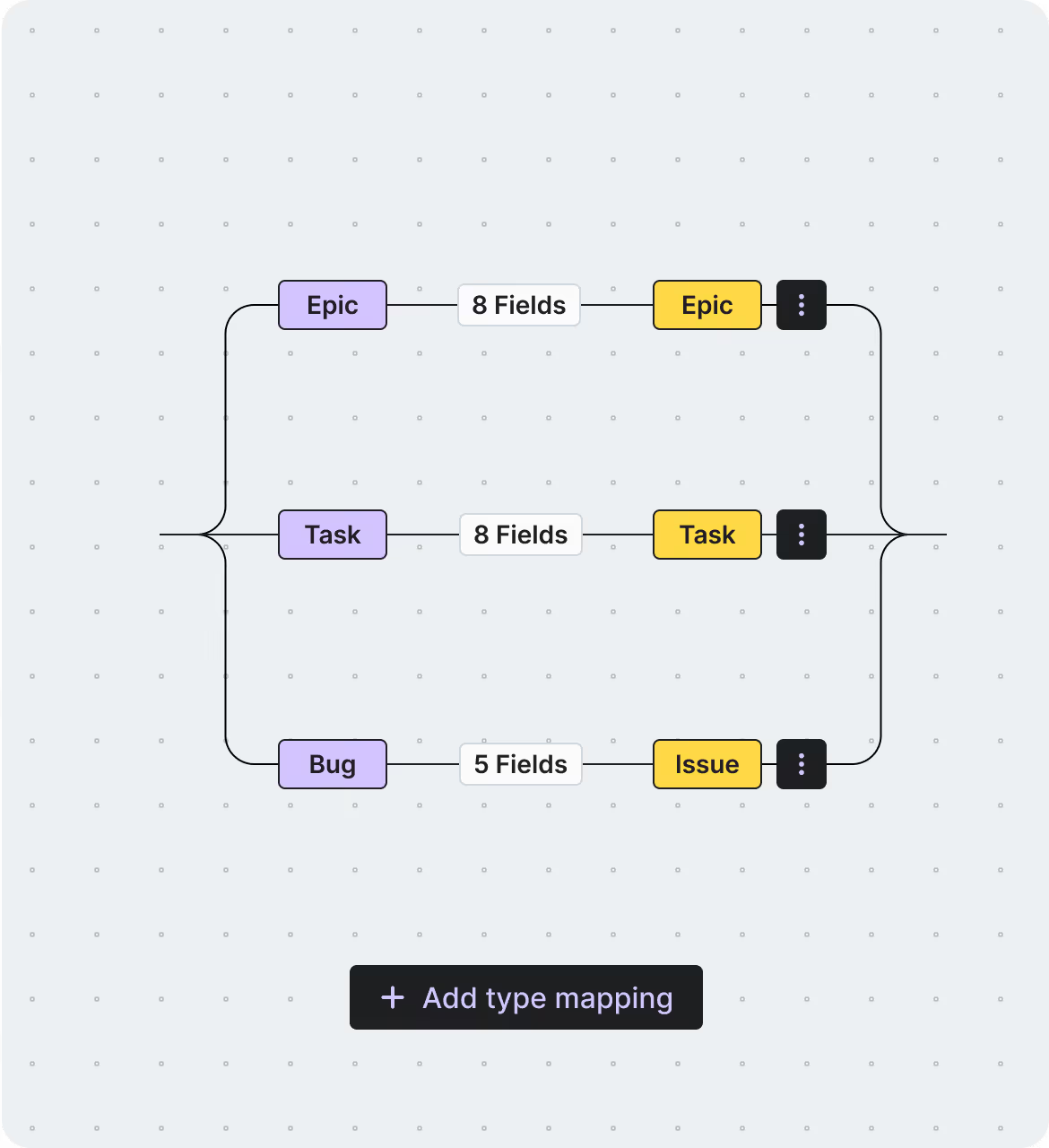
Experience comprehensive integration as you sync issues, work items, bugs, and epics
while customizing with fields, attachments, statuses, and assignees.
Smoothly migrate between tools
without losing data, ensuring a successful migration.
Our Certifications



Partnerships





Seamless
GitLab
-
Hubspot
Sync
2-way Sync
Maintain a single source of truth with automatic cross-platform updates.
SaaS / On-Premise
Choose cloud or on-premise deployment to meet compliance and security standards.
Advanced Filtering
Sync only the most relevant data, reducing clutter and complexity.
Auto Mapping
Reduce manual work with automated field mapping for a consistent data structure.
Reporting with Logs
Receive instant alerts to quickly identify and resolve integration issues.
Enterprise Security
Protect sensitive data and maintain compliance with enterprise-grade security.
Fair Pricing
We believe in offering a pricing model that prioritizes transparency, fairness, and value for our users. Our approach ensures that you only pay for what you truly need, without unnecessary extras or hidden surprises.
Pay just for one app
fixed fee you can trust—pay for a connection, no surprises.
No hidden costs
ensuring completely transparent, predictable pricing.
Unlimited usage
of fields and projects at no extra charge.
Fair migration cost
based on the number of events, not company size, ensuring fairness for all organizations.
Let’s Talk Integration
Every workflow is unique. Connect with our team to explore your setup, clarify technical details, and walk through our compliance, procurement, and security standards.

Sync HubSpot Tickets with GitLab Issues
Getint supports the integration of all major fields.
What makes Getint your Go–To Integration Solution?
Seamless, secure, and scalable - Getint is trusted by enterprises worldwide to handle even the most complex integration needs. Whether you're syncing teams post-merger or streamlining your workflows across tools, we're here to make it easy.
Clear Pricing – No surprises!
Enterprise–Grade Security
Dedicated, In–House support!
Custom Integrations for any Challenge!
Quick Setup, Seamless Experience
Hear what our happy Clients
& Partners say
Our clients and partners are at the heart of everything we do. Their success stories and positive feedback speak volumes about the value and reliability of our integration solutions. Here's what they have to say:
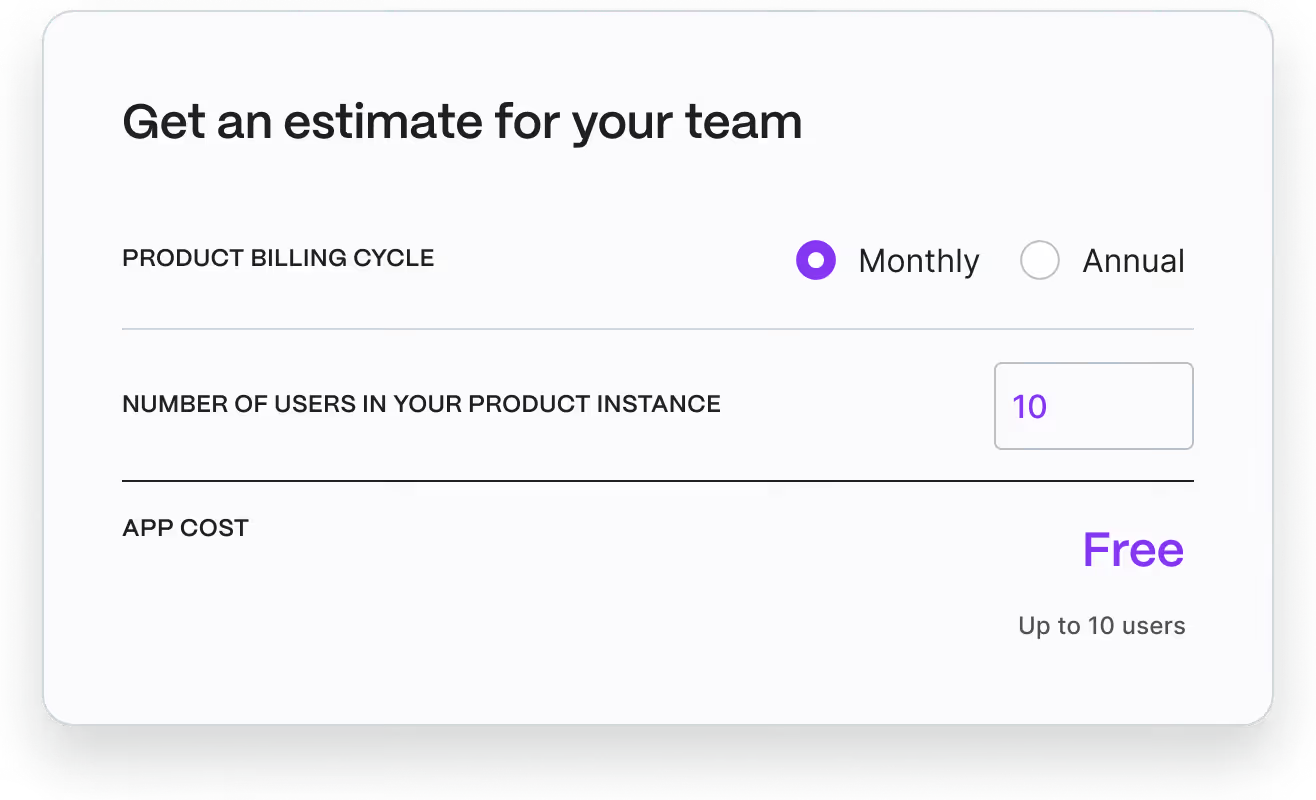
Check Pricing Tailored to Your Team
Finding the perfect plan for your team is easy! Our pricing is designed to fit organizations of all sizes and needs. Visit the Atlassian Marketplace to explore detailed pricing options and choose the plan that’s right for your workflow.
GitLab — HubSpot Integration
Check out our comprehensive documentation and discover how to unify your issue tracking and development workflows, enhance team efficiency, and streamline your project delivery



GitLab <-> HubSpot Migration
Planning to migrate GitLab to HubSpot data or vice versa? Getint helps transfer supported tickets, issues, comments, and mapped fields while maintaining data integrity and important customer context. Reduce manual work, preserve relevant information, and simplify the transition between systems.
Have questions?
We've got you!
Our comprehensive FAQ section addresses the most common inquiries about our integrations, setup process, pricing, and more - making it easy to find the answers you need quickly.
How do I connect GitLab and HubSpot? Is coding required?
You can set up a GitLab HubSpot integration using Getint's no-code integration platform. Start by connecting your GitLab project and HubSpot account, then configure field mappings and synchronization rules to determine how data moves between the two systems.
The standard setup requires no coding. You can choose one-way or two-way sync, apply filters, and customize how supported records and fields are exchanged. This makes integrating GitLab with HubSpot accessible to business teams while providing advanced features for more complex workflows.
Before activating the connection, test your configuration to ensure that the intended information synchronizes correctly.
Can I automate GitLab issues from HubSpot tickets and customer requests?
Yes. Getint can automate GitLab issue creation when supported HubSpot tickets meet your configured synchronization criteria.
For example, when a new ticket is created in HubSpot following a customer request, the integration can create a corresponding GitLab issue with relevant details. Developers can then manage the technical work in GitLab while customer-facing teams continue using HubSpot CRM.
As developers update the issue, supported changes can sync back to HubSpot, helping teams track project progress and manage customer follow-ups without repetitive tasks.
HubSpot workflows can also support lead management, marketing automation, and activities such as form submissions or new contact creation. These remain HubSpot capabilities unless the specific records and actions are configured and supported by the Getint integration.
What data can I sync between new GitLab issues and HubSpot deals?
Getint supports synchronization of relevant HubSpot ticket information and GitLab issue data, depending on the available connector capabilities and field mappings.
This may include:
- Tickets and issues: HubSpot tickets and corresponding GitLab issues.
- Descriptions and statuses: Ticket details, issue descriptions, and mapped workflow states.
- Comments and notes: Supported updates shared between customer-facing teams and developers.
- Assignments and priorities: Relevant fields used to manage requests.
- Additional mapped information: Other supported CRM and issue properties.
GitLab also provides source code management, commits, branches, and merge requests. Developers can create a new commit, review GitLab merge requests, and manage code changes within their GitLab project. These development activities are not automatically synchronized by Getint's ticket-to-issue integration.
Similarly, HubSpot deals, deal stage changes, pipeline stage details, and marketing events require separate consideration because their availability depends on supported CRM objects and mappings.
How can GitLab integrations improve customer follow-ups and development workflows?
Connecting GitLab and HubSpot helps sales, support, and development teams collaborate while working in their preferred platforms.
For example, a customer reports a software issue through HubSpot. The support team creates a ticket, which synchronizes with GitLab. Developers investigate the problem, manage issue tracking, and update the issue status. Relevant changes then become visible in HubSpot, enabling teams to provide more informed customer follow-ups.
This approach helps organizations:
- Automate workflows: Reduce repetitive tasks such as manually creating and updating issues across systems.
- Improve project visibility: Keep customer-facing teams informed about technical progress and issue resolution.
- Maintain customer context: Share relevant ticket information without repeatedly copying customer data.
- Support project delivery: Improve coordination between customer requests and development work.
HubSpot can continue managing contacts, companies, deals, and marketing activities, while GitLab supports software development and source code management.
Does Getint provide enterprise grade security for GitLab and HubSpot integration?
Yes. Getint supports enterprise-grade security for organizations connecting GitLab and HubSpot, including businesses managing sensitive customer information and complex development workflows.
Getint maintains ISO/IEC 27001 and ISO/IEC 27018 certifications, SOC 2 Type II attestation, and GDPR-aligned data protection practices. Organizations can choose between SaaS and On-Premises deployment options based on their infrastructure requirements.
Configurable field mappings, synchronization filters, and access controls help teams manage which information moves between platforms.
Getint also uses connection-based pricing with unlimited users, making it suitable for organizations that need to connect multiple teams without additional per-user integration fees. You can explore the pricing options or book a demo to discuss more advanced integration requirements.


Our Latest News & Updates
Stay ahead with insights, comparisons, and integration guides from the Getint team. Explore expert advice and practical how-tos to help your team simplify workflows and scale with confidence.