
The best ServiceNow integrations connect the platform with the tools your teams already use every day: Jira and Azure DevOps for development, Salesforce and Zendesk for customer support, Microsoft Teams and Slack for communication, monitoring tools like Splunk and Datadog for event management, Azure AD (Microsoft Entra ID) for identity, and HR systems like Workday for the employee lifecycle. Together, these ServiceNow integrations turn the platform into a central workflow hub instead of an isolated ticketing system.
This guide is for ServiceNow admins, IT operations leaders, integration architects, and support managers who need to connect ServiceNow with external systems without creating more complexity than they remove. You will find:
- What ServiceNow integrations are and why they matter for your business
- How integrations work under the hood: IntegrationHub, REST APIs, scripted REST, import sets, and CMDB data
- The best ServiceNow integrations by category, with real-world examples
- How to choose between native, custom, and third-party integrations
- Best practices for data security, compliance, monitoring, and scalable approaches
Why it matters: when ServiceNow doesn't communicate with the rest of your stack, teams copy data by hand, incidents bounce between tools, and nobody has a full view of operations. The right integrations remove those gaps, cut resolution times, and let your organization scale processes without adding headcount.

What are ServiceNow integrations?
ServiceNow integrations are connections between the ServiceNow platform and external systems that move data and trigger actions automatically. When a record changes on one side (a new incident, an updated status, a fresh comment), the integration logic carries that change to the target system, so nobody has to copy it by hand.
ServiceNow started as an IT service management tool, but today it runs workflows for IT operations, security, HR, customer service, and software delivery. That makes it a natural central workflow hub for the enterprise. Integrations are what let it play that role, because the people involved in those workflows rarely all work inside ServiceNow.
Main types of ServiceNow integrations
- Process integrations automate a workflow end to end across tools, for example escalating a ServiceNow incident to a Jira or Azure DevOps work item and returning the fix status.
- Data integrations exchange or load data, one-way or two-way, such as importing CMDB data from a discovery tool or exporting tickets to a BI platform for reporting.
- Event-driven integrations fire the moment something happens, like a monitoring alert creating an incident within seconds.
- Scheduled (batch) integrations run at fixed intervals and suit high data volumes or systems without webhook support.
- UI integrations surface information from another application inside ServiceNow, so agents don't switch tabs.
One more distinction matters when you plan custom integrations: one-way vs. two-way sync. A one-way push works for alerts that only need to land in ServiceNow. A bi-directional sync keeps both records aligned, which is what teams need when both sides actively work the same ticket.
Benefits of ServiceNow integrations
The main benefit of ServiceNow integrations is simple: work moves between systems automatically instead of through email, spreadsheets, and copy-paste.
Here is what that changes for your organization:
- No more data silos. IT, development, support, and HR teams keep working in their own tools, while incidents, requests, and changes share one up-to-date status across all of them. Collaboration improves because everyone sees the same record.
- No manual data entry. Integrations remove the repetitive task of retyping ticket details from one system into another, along with the typos and missing context that come with it.
- Faster incident resolution. Alerts from monitoring tools open incidents instantly, and escalations reach the right team in the tool they already use. That shortens the path from detection to fix.
- Better visibility across operations. Managers get a full picture of what is happening across processes, from the first customer complaint to the code fix, which improves reporting and insights.
- Lower operating costs. Automating routine handoffs frees agents and engineers for higher-value work, and helps organizations scale support without growing the team at the same rate.
- Automated onboarding and offboarding. HR and identity integrations trigger account provisioning, equipment requests, and access removal without manual tickets.
- Stronger security operations. Security tools can push threats straight into ServiceNow, where automated alert management routes them for triage and response.
- Better customer experience. When support platforms and CRM systems share data with ServiceNow, customer-facing teams can give accurate updates without chasing IT for answers.
How ServiceNow integrations work: native and third-party options
You can build integrations in ServiceNow in four main ways: with IntegrationHub, directly through APIs, with import sets for bulk data, or through a third-party integration platform. Most enterprises end up using a mix.
Integration Hub
IntegrationHub is ServiceNow's native integration layer. It provides reusable integration actions, called spokes, that plug into Flow Designer so admins can build integrations with little or no code. Prebuilt spokes exist for common apps such as Jira, Microsoft Teams, Slack, Salesforce, and Azure AD.
It works well for internal workflow automation, like posting incident updates to a Teams channel. Keep in mind that IntegrationHub is licensed in separate tiers on top of your ServiceNow subscription, advanced flows often need JavaScript, and spokes are often one-directional or limited when you need deep, real-time two-way sync.
If those limits matter to you, see our comparison of ServiceNow IntegrationHub alternatives.
REST and SOAP APIs
ServiceNow exposes a broad set of APIs for custom integrations:
- Table API (REST) lets external systems create, read, update, and delete records in any table, such as incidents or change requests.
- SOAP web services still support older, legacy systems.
- Scripted REST APIs let developers define their own endpoints with custom integration logic when the standard APIs are not enough.
- Outbound REST messages push data out of ServiceNow when an event happens, for example a status change.
REST APIs give you full control, but you own the code. Every API change, platform upgrade, or new field means more development and testing.
Import sets and CMDB data
Import sets load data into staging tables, then transform maps place it in the right target table. They are the standard way to bring bulk data into ServiceNow, such as asset lists, user records, or CMDB data from discovery and cloud tools.
The CMDB (Configuration Management Database) deserves special attention. It stores configuration items (servers, applications, cloud resources) and how they depend on each other. When integrations keep CMDB data accurate, every incident and change in ServiceNow carries the right infrastructure context.
Third-party integration platforms
Third-party integrations come from dedicated integration platforms that connect ServiceNow with other tools through a visual interface. They typically offer bi-directional sync, field and status mapping, filters, and built-in monitoring, without writing or maintaining custom code. This option suits teams that need reliable two-way sync between ServiceNow and tools like Jira, Azure DevOps, Salesforce, or Zendesk, or that collaborate with external partners on different systems.
Best ServiceNow integrations in 2027 by category
The best ServiceNow integrations are the ones that connect ServiceNow with the systems where your teams already create, discuss, and resolve work. Here is a quick overview before we go through each category.
1. Development and DevOps integrations
- ServiceNow Jira integration. This is the most requested ServiceNow integration. Service desk agents work incidents and problems in ServiceNow, while developers fix the root cause in Jira. A two-way integration creates a linked Jira work item when an incident needs a code fix, then syncs statuses, comments, and attachments back, so agents can update customers without chasing developers. See how it works in the Jira ServiceNow integration.

- ServiceNow Azure DevOps integration. Teams on the Microsoft stack connect ServiceNow incidents and change requests with Azure DevOps work items. When a release is deployed, the related change request updates automatically, which keeps change management and delivery in step. Learn more about the ServiceNow Azure DevOps integration.
- GitHub and GitLab. Linking repositories and issues to ServiceNow gives IT visibility into code changes behind incidents and helps teams trace problems back to a specific release.
2. ServiceNow-to-ServiceNow integrations
Many enterprises run more than one ServiceNow instance, after mergers, across regions, or between a company and its managed service provider. Instance-to-instance integration keeps incidents, requests, and custom fields aligned across environments, and each side keeps control over what it shares. It is also the foundation for migrations and consolidations. Read more about ServiceNow-to-ServiceNow integration.
3. CRM integrations
ServiceNow Salesforce integration. Salesforce holds the customer relationship, while ServiceNow holds the technical resolution. A bi-directional connection lets account managers open a case in Salesforce that becomes a ServiceNow incident, then see progress without leaving their CRM. It also syncs accounts, contacts, and case data for reporting. See the ServiceNow Salesforce integration.
4. Customer support integrations
ServiceNow Zendesk integration. When customer support runs on Zendesk and IT runs on ServiceNow, escalations often stall between the two. Integrating them sends technical tickets to ServiceNow with full context and returns updates to the support agent, which shortens response times for customers. See the ServiceNow Zendesk integration. Other support platforms, such as Freshservice and Freshdesk, follow the same pattern.
5. Communication integrations
Microsoft Teams and Slack. Chat integrations push incident notifications to the right channel, let users raise support requests from a chat, and allow on-call engineers to acknowledge or update incidents without opening ServiceNow. ServiceNow offers native spokes for both, and they are among the easiest wins for any team.
Email and calendar. Email integrations turn incoming messages into tickets and send updates back to requesters. Calendar integrations help schedule change windows and on-call rotations.
6. Monitoring and observability integrations
Splunk, Datadog, Dynatrace, and similar monitoring tools. These integrations turn alerts into ServiceNow incidents automatically, enrich them with event data, and link them to the affected CMDB configuration items. The result is proactive incident management: teams often fix problems before users notice them. Good rules for deduplication and severity mapping are essential, otherwise alert noise floods the queue.
7. Cloud platform integrations
Microsoft Azure and AWS. ServiceNow can pull event data and resource information from cloud platforms, which keeps CMDB data current and gives incident management full context. Cloud integrations also streamline resource management, for example by automating provisioning requests through the service catalog.
8. Identity and access integrations
Azure AD (Microsoft Entra ID) and Okta. Identity integrations sync users and groups into ServiceNow and automate access requests, password resets, and account deprovisioning. They are a key part of both security and a smooth employee experience.
9. HR integrations
Workday, SAP SuccessFactors, and other HR systems. When HR marks a new hire, the integration creates the employee record in ServiceNow and triggers onboarding tasks: laptop, accounts, access, and workspace. When someone leaves, it starts offboarding and removes access on time. This automates the full employee lifecycle and improves HR service delivery.
10. Security integrations
SIEM and endpoint security tools. Security platforms such as Splunk Enterprise Security, McAfee (Trellix), and CrowdStrike send threats into ServiceNow Security Operations, where they are enriched with CMDB data and routed for response. This automated alert management cuts response times and creates a clear audit trail.
11. Reporting and BI integrations
Power BI, Tableau, and data warehouses. Exporting ServiceNow data to BI tools lets you combine it with data from other systems for deeper reporting, such as SLA trends by customer or incident costs by service. These are usually one-way, scheduled data integrations.
ServiceNow integration examples: real-world use cases
The most valuable ServiceNow integrations solve a specific handoff problem between teams. These examples show what that looks like in practice.
Service desk to development escalation. A customer reports a bug. The service desk logs an incident in ServiceNow, confirms it needs a code fix, and the integration creates a linked Jira or Azure DevOps work item with priority, description, and attachments. When the developer resolves it, the incident status updates automatically and the agent closes the loop with the customer. No emails, no duplicate tickets.
Customer support to IT. An account manager logs a case in Salesforce, or a support agent escalates a Zendesk ticket. The integration opens a ServiceNow incident for the IT team and returns every status change and public comment to the original record. Customer-facing teams always know where things stand.
Managed service providers and their clients. An MSP runs ServiceNow, while each client uses its own tool: another ServiceNow instance, Jira Service Management, or Zendesk. A separate connection per client syncs tickets both ways, with its own mapping rules, so client data never mixes. Our customers at Getint, such as Airbus Protect use this pattern to connect their customers' ticketing tools with their own.
Proactive incident management. A monitoring tool detects rising error rates on a payment service. It creates a ServiceNow incident linked to the right CMDB configuration item, notifies the on-call team in Microsoft Teams, and the problem is fixed before most users notice.
Employee onboarding. HR marks a new hire in Workday. ServiceNow creates the user, Azure AD provisions accounts, and fulfillment tasks for hardware and access go to the right teams. On day one, everything is ready.
DevOps change management. A team ships a release in Azure DevOps. The connected change request in ServiceNow updates with the deployment status, so change managers approve with full visibility, and any later incident can be traced back to that release.
How to choose the right ServiceNow integration approach
Pick IntegrationHub for automation inside ServiceNow, custom integrations when you have unique requirements and developers to maintain them, and a third-party integration platform when you need reliable two-way sync with tools like Jira, Azure DevOps, Salesforce, or Zendesk.
For a deeper look at how IntegrationHub compares with dedicated integration platforms on cost, setup time, and two-way sync, read our guide to ServiceNow IntegrationHub alternatives.
Before you decide, answer five questions:
- Which systems and records need to connect? List the external systems, the record types (incidents, change requests, work items, cases), and the fields on each side.
- Do you need one-way or two-way sync? Alert ingestion is one-way. Collaboration between support and development almost always needs two-way.
- Who will build and maintain it? Custom code is only cheap if you count the first version, not every upgrade after it.
- What are your security and compliance requirements? Check certifications, encryption, hosting options (SaaS or on-premise), and data residency.
- How will this scale? Plan for more connections, more data volume, and more teams within the next year or two.
ServiceNow integration best practices
Follow these best practices to build integrations that stay secure, accurate, and stable as your organization grows.
Plan before you build
- Evaluate compatibility with existing systems. Check supported APIs, data formats, authentication methods, and versions on both sides before you commit to an approach.
- Define data ownership. Decide which system is the source of truth for each field. When both sides can edit the same field, agree on how conflicts are resolved.
- Prioritize high-impact workflows. Start with one connection that removes the most manual work, prove its value, then expand.
Protect data security and compliance
- Meet regulatory standards. Integrations that handle personal or sensitive data must comply with GDPR, HIPAA (for healthcare data), and security frameworks such as ISO 27001. Choose vendors that hold these certifications.
- Encrypt data. Use HTTPS/TLS for data in transit and make sure stored data is encrypted at rest.
- Use secure authentication. Prefer OAuth 2.0 over basic credentials, create a dedicated integration user with only the roles it needs, and never hardcode credentials in scripts.
- Sync only what you need. Use filters and field-level rules so sensitive information doesn't reach the target system by accident.
- Run periodic security audits. Review access, credentials, and data flows regularly to reduce integration risk.

Design for scale and performance
- Plan for growth. Integrations should handle larger data volumes, more users, and new connections without performance loss.
- Respect API limits. Batch large imports, use import sets for bulk data, and choose event-driven sync for time-sensitive records.
- Handle downtime gracefully. Queue and retry changes when a system is unavailable, so no update is lost.
Monitor and maintain
- Monitor continuously. Use logs, alerts, and monitoring tools to track sync health, errors, and latency. Don't wait for users to report that a ticket stopped updating.
- Keep integrations up to date. ServiceNow ships two major releases a year, and connected tools change their APIs too. Apply updates and API patches, and test after every upgrade.
- Keep customizations upgrade-safe. Configure workflows and data mappings in ways that remain maintainable during ServiceNow upgrades, and avoid modifying core platform code.
- Test before go-live. Validate both directions in a sandbox, including edge cases like empty fields, large attachments, and unknown users.
- Document everything. Record what each integration does, its field mappings, and who owns it. Use vendor documentation and support, and consider partnering with experienced ServiceNow experts for complex projects.
Common ServiceNow integration challenges and how to solve them
Most integration problems come from complexity, not technology. These are the issues teams run into most often.
- Different data models. ServiceNow incidents, Jira work items, and Salesforce cases use different fields, statuses, and priorities. Solve it with clear field and status mapping, and transformation logic for values that don't match one to one.

- Upgrade breakage. Custom scripts and integrations can fail after a ServiceNow upgrade or an API change in the target system. Use supported APIs, keep customizations minimal, and choose tools that are certified for current releases.
- Sync conflicts and duplicates. When both sides edit the same record, updates can overwrite each other or create duplicate tickets. Define data ownership and use tools with built-in conflict handling.
- Performance under load. Large imports or alert storms can slow the platform. Batch bulk loads, filter what you sync, and deduplicate alerts at the source.
- Cost creep. IntegrationHub tiers, transaction limits, and developer time add up. Compare the total cost of ownership, not just the license price.
- Silent failures. An integration that fails quietly is worse than no integration, because people trust data that is wrong. Set up alerts and review sync logs regularly.
Why integrations matter for AI agents
ServiceNow is investing heavily in AI agents that triage incidents, summarize cases, and resolve routine requests. These agents are only as good as the data they can reach. If key context lives in Jira, Salesforce, or Zendesk and never reaches ServiceNow, the AI works with half the picture. Well-built integrations give AI agents accurate, complete records to act on, which makes connected data a prerequisite for useful automation in 2027.
How Getint connects ServiceNow with your other tools
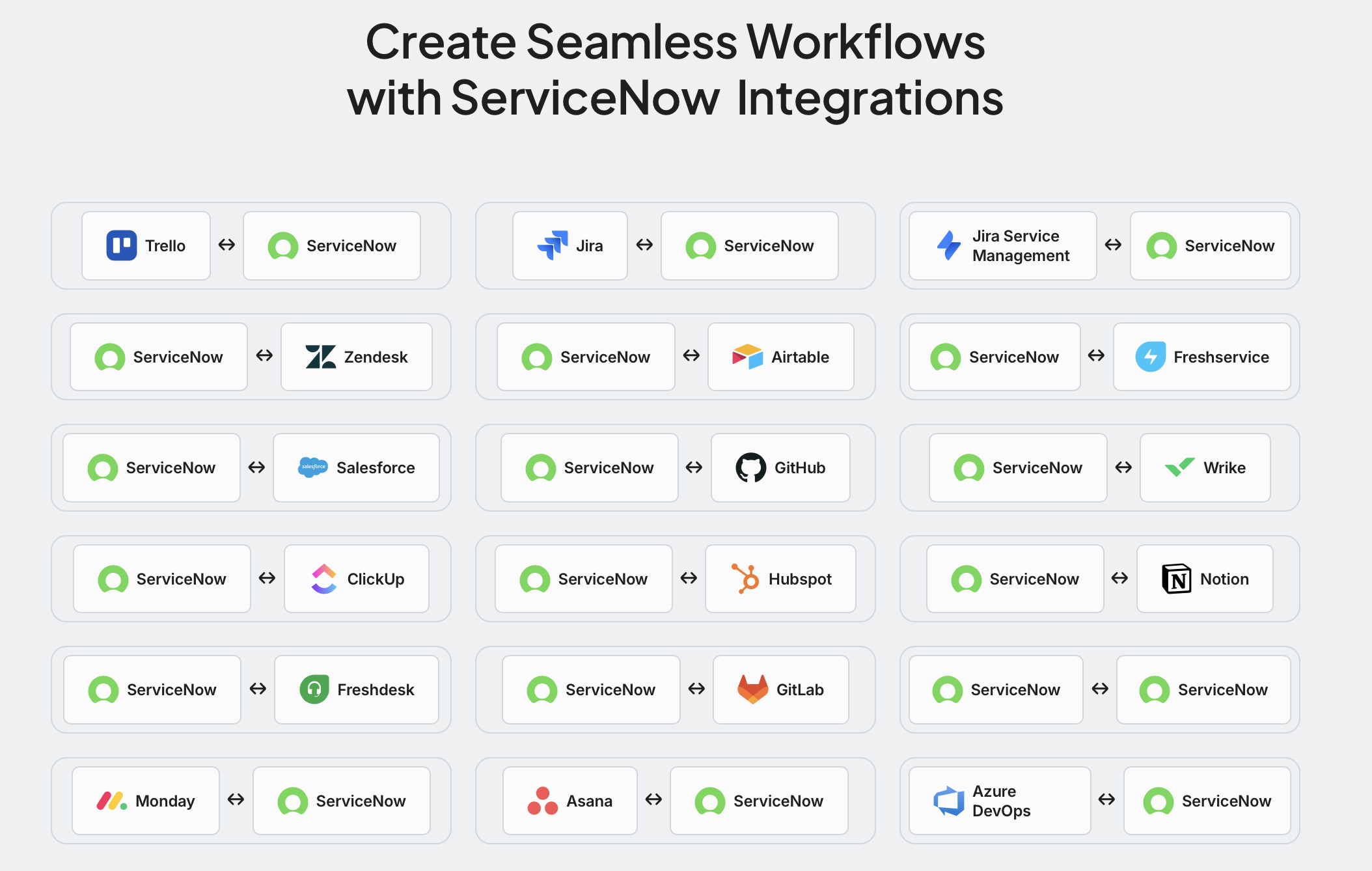
Getint is a no-code integration platform that keeps ServiceNow in one-way or two-way sync with Jira, Azure DevOps, Salesforce, Zendesk, Freshservice, other ServiceNow instances, and more. It is built for teams that need reliable, real-time sync without writing or maintaining custom code.
What you get:
- Quick Build and auto mapping. Getint suggests field and type mappings automatically, such as Incident to Bug, so you can set up a connection in minutes.
- Flexible sync rules. Configure field mapping, status mapping, filters, and transformation logic to sync only the records and fields that matter.
- Broad data coverage. Sync incidents, service requests, tasks, comments, attachments, users, priorities, statuses, and custom fields.
- Monitoring and logs. Track every sync and get alerts so you can spot and fix issues fast.
- Enterprise-grade security. Getint is certified for ISO 27001, ISO 27018, SOC 2 Type II, and GDPR, with data encryption in transit, role-based access control, and support for OAuth 2.0.
- SaaS or on-premise. Run Getint in the cloud or install it behind your firewall to meet compliance requirements.
- Transparent pricing. Connection-based licensing with unlimited users, fields, and projects.
- Migrations too. Move incidents, requests, custom fields, comments, attachments, and history between ServiceNow instances or to and from other tools.
When to use Getint vs. IntegrationHub: choose IntegrationHub for workflow automation mostly inside ServiceNow, using Flow Designer and built-in spokes. Choose Getint when you need two-way sync between ServiceNow and other platforms, connect multiple ServiceNow instances, or collaborate with external partners who use different tools. For a hands-on walkthrough, read our guide on the best way to connect Jira and ServiceNow.
Conclusion
ServiceNow delivers the most value when it acts as the central workflow hub for your enterprise, not as an isolated ticketing tool. The best ServiceNow integrations connect it with development tools, CRM and support platforms, communication apps, monitoring tools, cloud, identity, and HR systems, so data flows where teams need it and manual handoffs disappear.
Start with the integration that removes the most manual work today, often ServiceNow and Jira, Azure DevOps, or Salesforce. Choose the approach that fits your team, follow best practices for security and monitoring, and design for scale from day one.
Ready to connect ServiceNow with the rest of your stack? Try Getint or schedule a demo to see two-way ServiceNow sync in action.