A critical incident is updated in ServiceNow at 10:03 AM. A developer working in Jira sees the change at 10:04 AM. Both teams have the information they need, without emails, manual updates, or switching between platforms.
But does that qualify as real-time data synchronization?
The answer depends on what we mean by "real time." Some systems propagate changes in milliseconds, while others take seconds or minutes. Both approaches can support efficient business operations, but their technical characteristics and practical applications are different. And when companies choose integration tools based on promises of "instant updates," these differences can lead to unrealistic expectations.
For IT administrators, integration architects, DevOps teams, and organizations managing multiple databases across systems, understanding synchronization speed is an important part of designing reliable workflows. This guide explains how real-time data sync works, compares different synchronization methods, and explores how near real-time synchronization supports enterprise operations, including real examples from Getint customers.

What Is Real-Time Data Synchronization?
Real-time data synchronization is the process of keeping information updated across two or more systems as changes occur, with minimal delay between the original update and its availability in connected systems.
Consider a company using Salesforce for customer relationships, Jira for software development, and ServiceNow for IT service management. Each platform contains information relevant to other departments, but teams operate independently. Without data synchronization, employees may need to manually copy customer data, incident details, or project updates between applications. This creates data replication, increases the risk of appearing stale data, and makes collaboration unnecessarily difficult.
Real-time synchronization automates the movement of relevant data changes between connected systems. For example, when a support engineer changes the priority of a ServiceNow incident, an integration platform can propagate that change to the corresponding Jira work item. Depending on the configuration, the information can also flow in the opposite direction.
An important distinction here is that to integrate data doesn't necessarily mean to make identical data. Two systems may use different fields, workflows, statuses, and data structures. The integration needs to map information correctly so each team receives up to date data needed in its own environment.
Real-Time vs. Near Real-Time vs. Batch Synchronization
One of the most common misunderstandings about synced data concerns synchronization speed. Vendors frequently use "real time" to describe integrations that update automatically, even though automatic synchronization and instantaneous synchronization are different concepts.
There is no single universal latency threshold that defines real time across every integration architecture. Understanding the actual delay, and whether it meets the business requirement, is more useful than relying on terminology alone.
Real-Time Synchronization
In latency-sensitive environments, data changes need to become available almost immediately. A fraud detection system, for instance, may need to evaluate recent transactions before authorizing another payment. Even a short delay can affect the outcome, especially when several transactions occur within seconds.
These systems often use event-driven architectures, streaming technologies, or change data capture to process updates continuously. Some applications require strict guarantees about the maximum acceptable delay, while others can tolerate a small window of temporary inconsistency.
Near Real-Time Synchronization
Near real-time data sync allows a small delay while maintaining sufficiently fresh data for operational workflows.
Consider incident management. A ServiceNow team escalates a technical problem to Jira, where developers investigate it. The support team doesn't necessarily need every change to appear in milliseconds, but waiting an hour for an important update could delay the response, affect an SLA, or leave stakeholders working with outdated information.
For many organizations, synchronization within a few minutes is appropriate, provided the integration is reliable and the delay meets operational requirements. This makes near real-time synchronization particularly useful for collaboration between departments, external partners, and companies using separate applications.
Batch Synchronization
Batch synchronization collects changes and processes them at scheduled intervals. A company might update its data warehouse every night with sales data from multiple stores, for example. This works well when reports are reviewed the following morning, and processing the data less frequently can reduce the load on multiple source systems.
Batch synchronization is also useful for data migrations, file synchronization, backups, and transferring large historical datasets. Its limitations become apparent when employees need fresh information between scheduled updates. A dashboard refreshed once daily might provide accurate historical reporting but cannot reflect current operational conditions.
The choice ultimately comes down to how quickly information needs to reach the destination to support the business process.
How Does Real-Time Data Synchronization Work?
Although synchronization tools use different technologies, most integration processes follow a similar sequence. First, a change needs to be detected in the source system. The integration then retrieves the relevant information, processes it according to predefined rules, and sends it to the connected application. Finally, the target system applies the update or returns an error that needs to be handled.
Let's follow a simplified example of a ServiceNow incident synchronized with Jira:
- A change occurs: A support engineer updates the incident priority from Medium to High.
- The integration detects it: The synchronization mechanism identifies that the priority field has changed.
- The data is processed: The integration checks field mapping and synchronization rules, including whether the change should be propagated.
- The target system is updated: The corresponding Jira work item receives the new priority, assuming the integration has the necessary permissions and the update is accepted.
The entire sequence determines the actual synchronization latency. A change might be detected immediately but wait in a processing queue, or it may reach the destination quickly but encounter API restrictions or validation rules.
Data Synchronization Methods
Several technologies can support this process, and they are often used for different types of integration.
Change Data Capture (CDC)
Change data capture (CDC) is a technology used to identify changes in databases without repeatedly copying entire datasets.
A common implementation is log-based CDC, which reads database transaction logs. For example, PostgreSQL maintains a write-ahead log, while MySQL uses binary logs. These records can be used to identify inserted, updated, or deleted data and transfer the changes to target databases or other connected systems.
CDC is particularly useful for database replication and data pipelines connecting operational and analytical systems. An organization might use change data capture to transfer transactions from its production database into a cloud data warehouse, keeping analytical information fresh without running a full database export every few hours.
However, CDC is only one of several data synchronization methods. Application-to-application integrations involving Jira, ServiceNow, Salesforce, or other business platforms often operate through APIs and other mechanisms rather than directly reading database transaction logs.
Event-Driven Synchronization and Webhooks
Event-driven architectures distribute information when specific actions occur. Instead of continuously asking a source system whether something has changed, an application can generate an event that triggers further processing.
For example, when a customer submits a support request, a webhook might notify an integration service that a new record has been created. The integration retrieves or processes the relevant information and forwards it to the destination according to its configuration.
This approach can reduce unnecessary API requests and support low-latency data flows. In environments generating high traffic, message brokers such as Apache Kafka can help distribute events, buffer incoming data, and manage processing across multiple consumers.
However, event-driven delivery does not automatically guarantee instant synchronization. Network conditions, processing queues, destination availability, and retries still influence how quickly information becomes visible.
API Polling and Scheduled Synchronization
Many data synchronization tools use REST APIs to check connected systems for new or modified information.
An integration might query Jira and ServiceNow at configured intervals, identify relevant data changes, and update corresponding records. This method is particularly useful when platforms provide APIs but do not expose all the required changes through event notifications.
Because polling happens at intervals, it introduces a delay between the moment something changes and the next time the integration checks for updates. Other factors, including processing time and API rate limits, can extend that delay further.
Still, API-based synchronization can provide practical near real-time performance for enterprise workflows where reliable updates within minutes are sufficient.
WebSockets and Live Application Updates
WebSockets enable persistent two-way communication between clients and servers. They are commonly used in messaging applications, collaborative editors, and live interfaces where users need to receive updates without refreshing the page.
This technology is particularly useful for real-time user experiences, but displaying a change immediately in a browser is different from maintaining consistent data across separate business systems.
A live interface may still depend on underlying APIs, event streams, or synchronization processes to ensure that the information being displayed is accurate.
One-Way, Two-Way, and Multi-Way Data Synchronization
Synchronization speed is only one part of integration design. Another important decision concerns the direction in which data flows between systems.
One-way synchronization is relatively straightforward because one system remains authoritative for the synchronized information. For example, an organization might transfer customer records from Salesforce into another application for reporting. Changes made in the destination do not automatically update Salesforce. This model is also common in data distribution and certain disaster recovery scenarios.
Two-way synchronization introduces additional flexibility, allowing changes in both systems to propagate to each other. Imagine a support team managing an incident in ServiceNow while developers investigate a corresponding Jira work item. Support can update the incident priority, while developers add comments or change the development status. Both teams receive relevant information without duplicating their work.

However, two-way sync also requires more careful planning. If multiple users modify the same field in separate systems, the integration needs a way to determine which value should take precedence. Conflict resolution, field ownership, and status mapping become essential for maintaining data consistency.
With multi-way synchronization, the architecture becomes more complex. A company might connect Jira with ServiceNow, Azure DevOps, and several external partners' Jira instances. Each integration can have its own mapping rules, permissions, and synchronization direction, while administrators need to prevent unintended update loops and duplicate records.
Organizations may also need to synchronize applications across cloud and on-premises environments. This requires appropriate network connectivity, integration security controls, and architecture, but the underlying principles of data consistency and conflict management remain the same.
Why Data Synchronization Speed Matters for Business Operations
The value of fresh data varies considerably between industries and workflows. In some cases, delays affect customer experience or financial risk. In others, they create operational inefficiencies that accumulate across hundreds of daily interactions.
Consider three scenarios:
- Fraud detection: Financial institutions use current transaction information to identify suspicious patterns. Delayed updates may affect the accuracy of fraud scoring and the ability to respond to potentially fraudulent activity.
- E-commerce inventory management: When inventory changes after a purchase, timely synchronization between sales channels and warehouse systems helps reduce the risk of overselling. The required speed depends on transaction volume and available stock.
- Incident management: A ServiceNow incident escalated to a development team should reach its connected work management system quickly enough to support investigation, communication, and SLA commitments.
For enterprise collaboration, synchronization speed often becomes important because information crosses organizational boundaries. A support agent might need an update from a development team in another country, while a project manager depends on information from external contractors working in separate Jira instances.
In these situations, maintaining consistent data reduces manual communication and makes it easier for teams to act on current information.
The important consideration is whether the synchronization delay affects the next person or process waiting for the update.
How Near Real-Time Synchronization Works in Getint
At Getint, we help organizations synchronize data between tools such as Jira, ServiceNow, Azure DevOps, Salesforce, Zendesk, and other work management applications. Our platform supports ongoing one-way and two-way integrations, with configurable rules that determine which information is exchanged and how it is updated.
We use REST APIs to communicate with connected systems. During each integration run, our platform checks for new or modified records, applies the configured field and status mappings, and creates or updates corresponding items in the destination application.
Our integrations are designed for near real-time synchronization, with execution frequency depending on the deployment model, configuration, and workload. It's worth understanding how these settings work because the interval between integration runs doesn't necessarily equal the time required for an update to appear in the connected system.
What Are Getint's Synchronization Intervals?
We provide different synchronization interval options depending on how Getint is deployed:
These are configurable run intervals, not guaranteed end-to-end synchronization times. Specific settings and availability depend on the deployment.
For example, if you configure an integration to run every three minutes, that doesn't guarantee every change will appear in the connected system within exactly three minutes. An update might occur just after the previous execution, meaning it must wait for the next run. Our platform then needs to retrieve the relevant data, apply the mapping rules, and communicate with the destination system.
The final synchronization time also depends on processing workloads, API performance, and the number of data sources being executed.
Why Integration Execution Time Matters
Within a single execution thread, our integrations run sequentially. One integration must finish before the next can begin, which becomes an important consideration when managing multiple connections.
Imagine an organization running several resource-intensive integrations. Even when the configured run interval is short, integrations waiting later in the queue may experience additional delays because earlier jobs are still processing data.
To support more demanding environments, our On-Premise solution allows integrations to run in parallel through multithreading. Administrators can assign integrations to separate execution threads, improving processing efficiency and reducing the impact of sequential execution.
On-Premise deployment also provides more flexibility in configuring run intervals, including a minimum setting of zero seconds. This allows integrations to execute without an additional configured waiting interval, although actual synchronization latency still depends on API requests, processing time, and the responsiveness of connected applications. For organizations with large integration workloads or stricter synchronization requirements, we can help evaluate the appropriate deployment and execution configuration.
Selective Synchronization and Field-Level Control
Another way we help organizations manage synchronization performance is through selective data synchronization. Instead of transferring every record and field between connected platforms, administrators can configure filters and mapping rules to focus on the information relevant to each workflow.
For Jira integrations, for example, we support JQL filters that allow teams to synchronize selected work items based on criteria such as project, status, priority, or other supported fields.
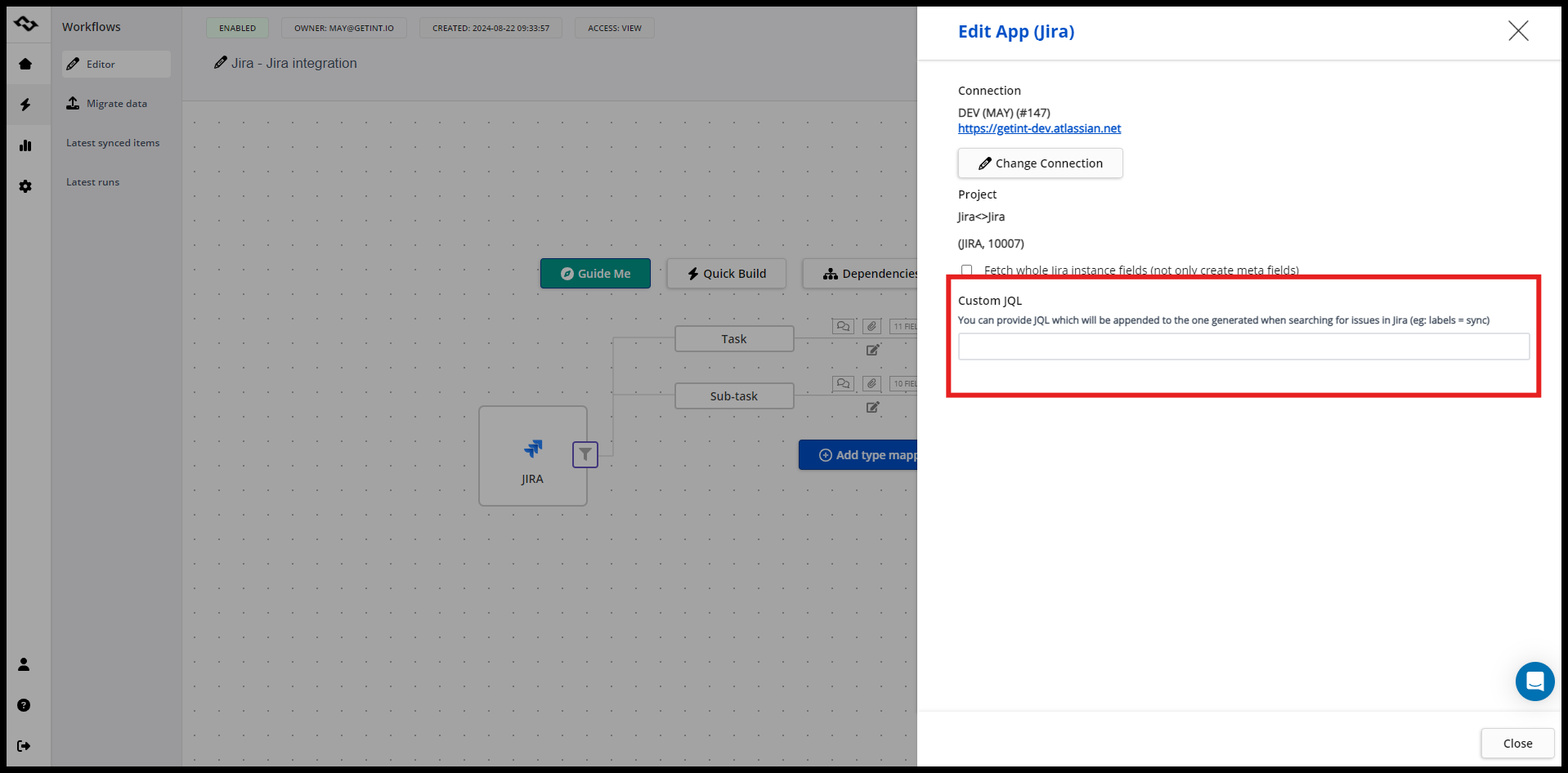
A company might only need to synchronize high-priority incidents from ServiceNow into Jira, rather than every service request. Similarly, external partners working in separate Jira instances may need access to specific projects and selected information without sharing their complete environments.
Our platform also supports one-way and two-way synchronization at the field level. Administrators can decide which system controls particular information and which fields should accept changes from both sides.
This flexibility helps organizations maintain data consistency, reduce unnecessary processing, and manage what information moves between connected systems.
Real-World Examples: Near Real-Time Data Synchronization with Getint
Technical explanations are useful, but actual integration scenarios show where synchronization becomes valuable. The following examples illustrate how organizations use Getint to exchange information between separate teams, platforms, and businesses.
Kaluza: Keeping Multiple Jira Instances Synchronized Across Companies
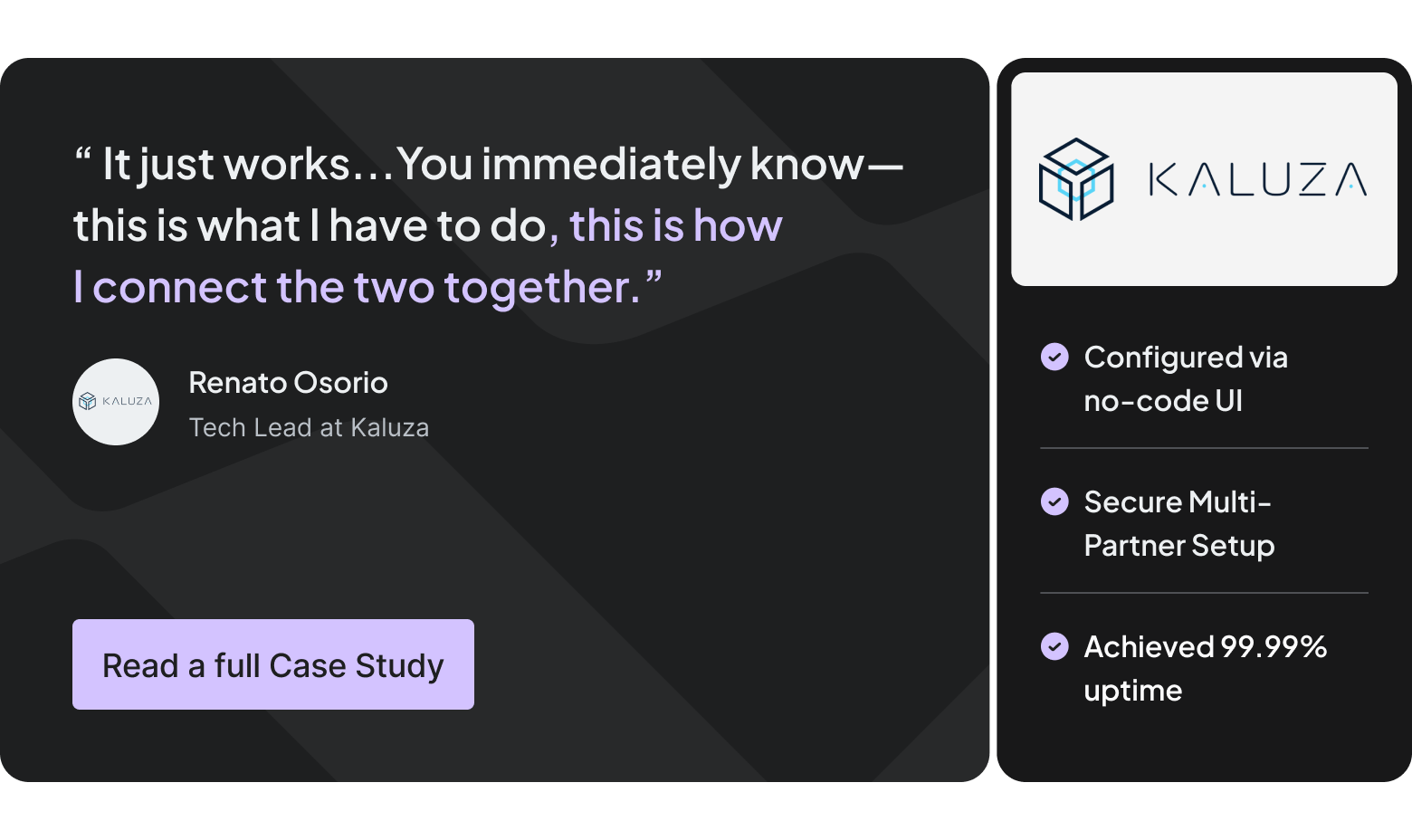
Kaluza, a UK-based energy technology company, initially needed to connect its Jira instance with the Jira environment of a sister company.
Both organizations wanted to collaborate efficiently while maintaining control over their respective environments. This meant sharing relevant project information without requiring everyone to work in the same Jira instance or granting broad access to external teams.
Using Getint, Kaluza established a two-way Jira integration that synchronized work items, comments, attachments, statuses, and selected fields. As its requirements evolved, the company expanded from one connection into a broader integration network involving multiple partners.
Near real-time synchronization made this distributed approach practical. Teams could continue managing their own projects and workflows while receiving updated information from connected organizations. Changes no longer depended on somebody manually transferring details between Jira instances, and each company retained control over its environment.
The case illustrates a particularly important application of real-time data sync: cross-company collaboration without requiring shared access to internal systems.
Financial Services: Supporting SLA-Sensitive Incident Management
Another example comes from GBDS Network SA, which implemented an integration between ServiceNow and Jira Service Management for a Swiss financial-services organization.
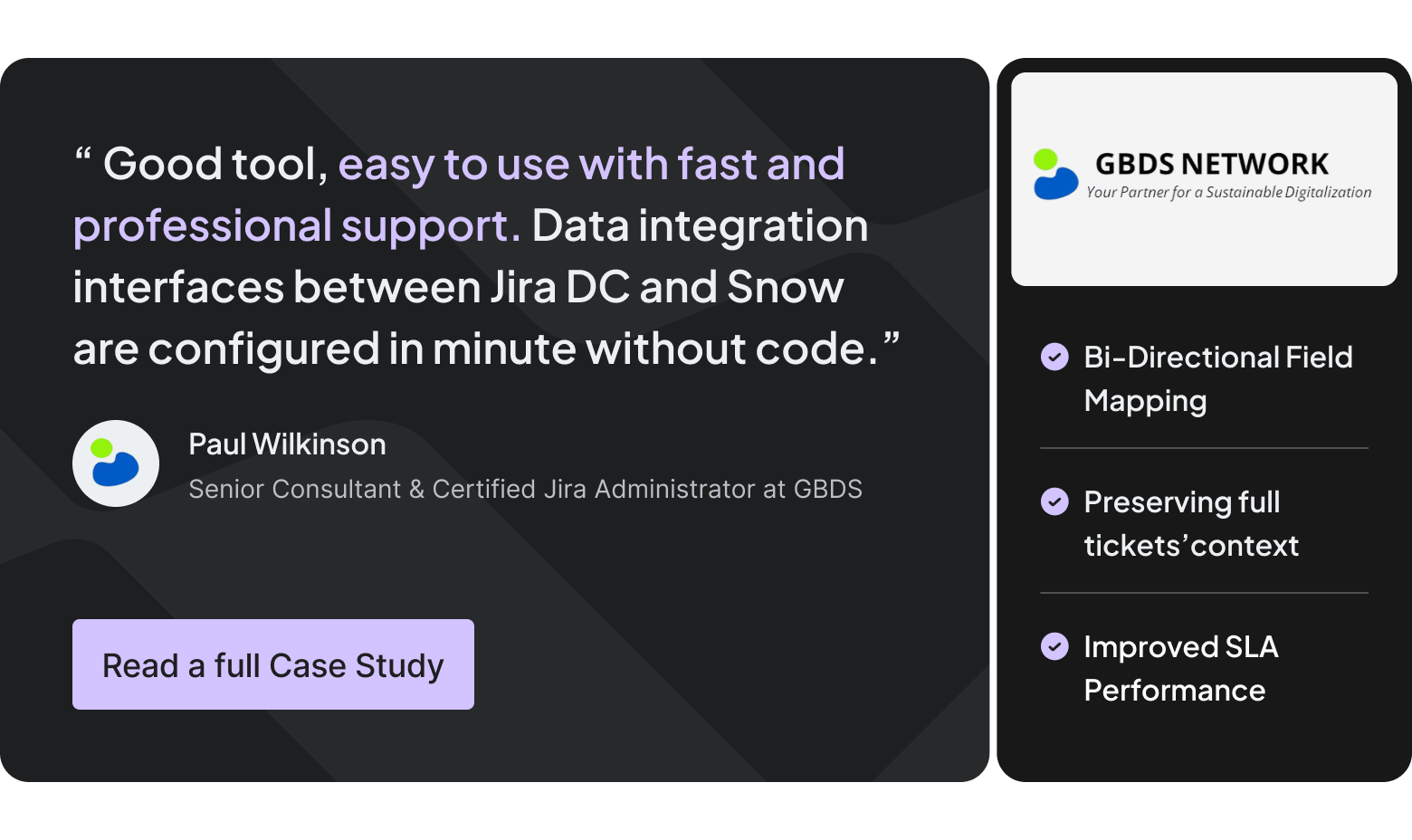
External partners and business units operated in ServiceNow, while the internal IT support team used Jira Service Management. Before integration, transferring information required manual communication and additional coordination. These handoffs increased the risk of delays and data discrepancies, especially when requests needed prompt attention.
Getint connected the two systems through near real-time, bidirectional synchronization. The integration transferred incidents, service requests, and change-related information, including priorities, statuses, comments, private work notes, and attachments.
The organization could then manage large volumes of service requests with significantly less manual coordination. Internal IT teams and external stakeholders had access to relevant updates in their own platforms, supporting faster communication and more consistent incident handling.
This is where synchronization reliability becomes particularly important. A delayed or missed update can affect an incident's progress, especially when a service provider is working against defined SLA response or resolution targets.
Dr. Martens: Connecting ServiceNow, Jira, and Azure DevOps
For Dr. Martens, the challenge involved coordinating work across several platforms used by different parts of its Technology department.
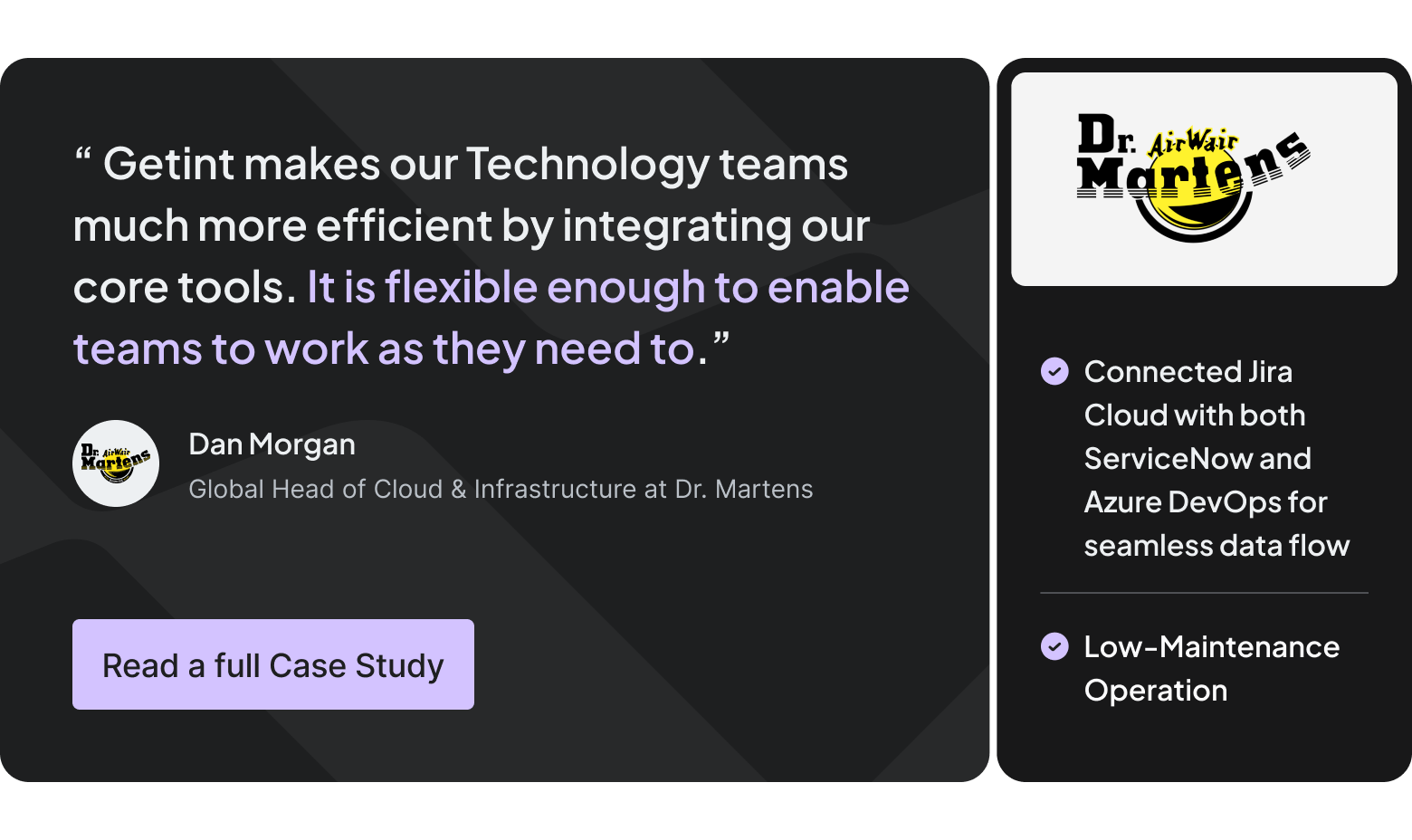
Jira Cloud supported backlog management, ServiceNow handled incidents and requests, and Azure DevOps was used for development activities. The company needed better visibility across these environments and a way to transfer work without repeatedly entering the same information.
Getint connected Jira Cloud with ServiceNow and Azure DevOps, enabling ongoing synchronization of incidents, requests, epics, stories, and related data. Employees could continue using their preferred applications while relevant updates moved between systems.
For the company, this meant fewer manual handoffs and a clearer view of work progressing across service management and development teams. Integration reliability and low maintenance were also important, allowing employees to focus on their responsibilities rather than supervising data transfers.
Taken together, these customer examples highlight different needs: external collaboration, SLA-sensitive incident management, and cross-platform project visibility. In each case, near real-time synchronization supports an operational process where timely and reliable information exchange matters more than millisecond-level performance.
Common Real-Time Data Synchronization Challenges
Real-time data integration introduces several technical and operational considerations. The complexity increases when organizations connect multiple systems, exchange sensitive data, or process growing data volumes.
One of the most important concerns is data consistency. In distributed systems, temporary differences between records are often unavoidable. For example, a project manager might update a task's planned completion date in Asana while a developer changes the corresponding date in an Azure DevOps work item. If both changes affect the same mapped field before synchronization is completed, the integration needs rules for determining which value should take precedence.
Some tools use the latest modification timestamp, while others allow administrators to define an authoritative system for particular fields. The correct strategy depends on the business workflow and the way employees interact with each platform.
Performance becomes another challenge as integrations scale. A data pipeline that works reliably with a few hundred records may behave differently when processing millions of changes. In event-driven architectures, message brokers can absorb temporary traffic spikes, but destination backpressure can still create growing queues. Database-level CDC implementations have additional requirements; for example, unmonitored PostgreSQL replication slots can retain transaction log data and consume disk space.
These technical challenges also connect directly to security. Synchronizing customer data, internal comments, and financial records requires appropriate encryption, authentication, access controls, and audit logging. Organizations should define which information may leave a source system, who can access synchronized data, and how integration errors are monitored.

How to Choose the Right Data Synchronization Tools
Not all data synchronization tools are designed for the same purpose. A database replication solution may be ideal for transferring transaction changes into a cloud data warehouse, while a specialized integration platform may be more appropriate for connecting Jira, ServiceNow, and other business applications with complex workflows.
Before choosing a solution, organizations should evaluate several practical requirements:
Operational costs should also be part of the evaluation. Frequent polling, unnecessary data transfers, and poorly designed integrations can increase resource consumption without improving the underlying workflow. Selective synchronization, efficient processing, and appropriate scheduling help maintain performance as requirements grow.
The most suitable integration platform will depend on the systems involved, their technical capabilities, and the level of data consistency the organization needs.
Final Thoughts: Reliable Synchronization Matters as Much as Speed
Real-time data synchronization supports everything from fraud detection and inventory updates to enterprise collaboration and incident management. However, different workflows require different levels of data freshness. While some applications depend on millisecond-level responses, many business processes benefit from reliable near real-time updates that keep data consistent across connected operational systems.
For organizations using Jira, ServiceNow, Azure DevOps, and other operational platforms, Getint provides configurable synchronization with field mapping, selective data transfer, monitoring, and flexible deployment options.
Want to understand how quickly your systems can synchronize and which configuration fits your workflow? Book a free Getint demo to discuss your integration requirements with our team.